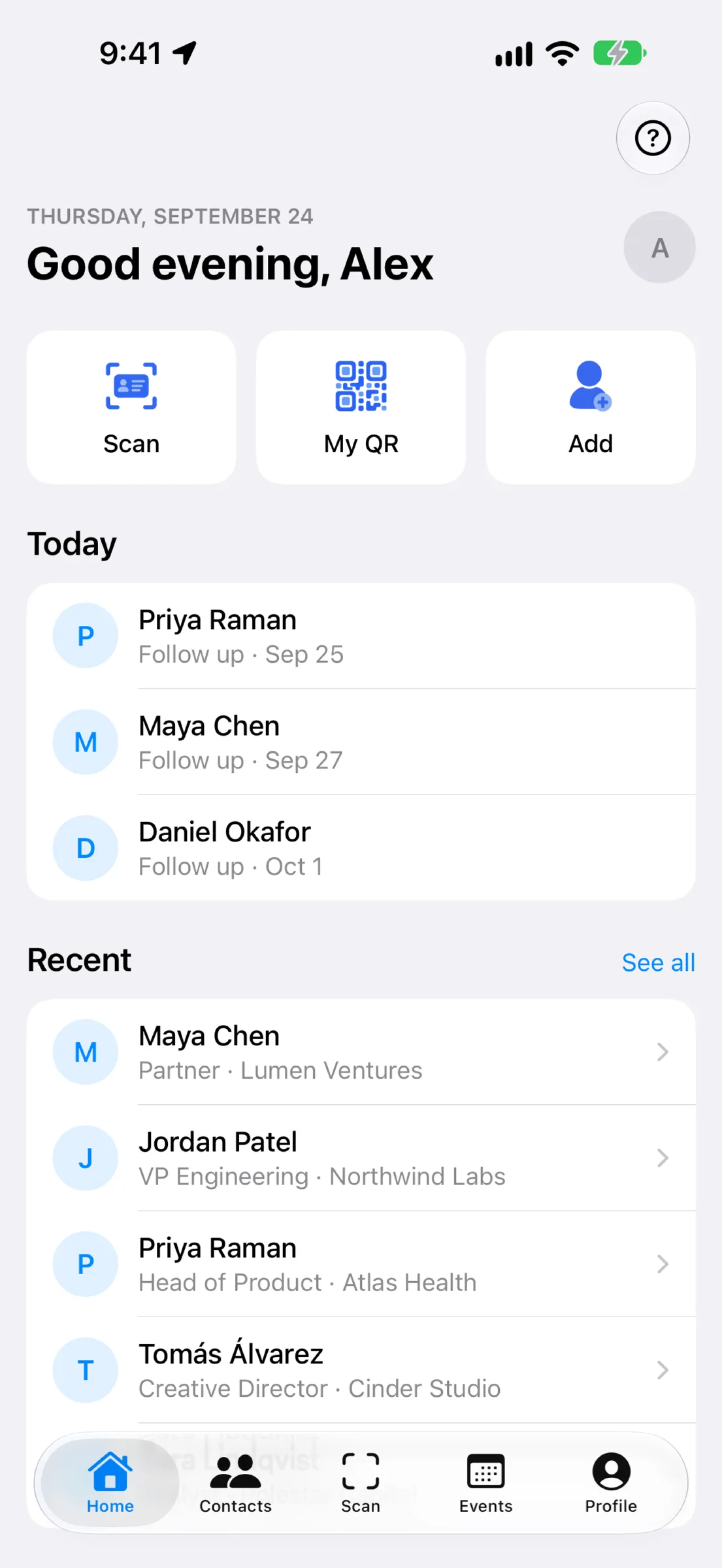
Networking is about connections, but connections only matter if you actually follow up. MeetStack turns every business card into an organized contact and every event into a trackable lead source. This walkthrough shows you exactly how to get from your first scan to a living, breathing contact list—and how to remember who you met and why.
Getting Started: Sign In and Set Your Profile
Open MeetStack and choose your sign-in method—Apple or Google. Your data is encrypted and protected from the moment you log in. Once you're in, you'll land on your home dashboard: a clean overview of your contact counts, upcoming follow-up reminders, and quick actions to start scanning or sharing your card.
Before you start scanning, set up your digital business card. Tap into your profile and choose one of six premium themes—Classic, Midnight, Ocean, Sunset, Forest, or Slate. Add your name, title, company, email, phone, and LinkedIn profile. This card is your shareable identity in MeetStack. Anyone you meet can scan your QR code or receive a one-tap link to save your contact directly to their phone.
Your First Scan: Capturing a Business Card
Now for the core action: scanning. Tap the scan button, point your phone's camera at a business card, and hold steady for a moment. MeetStack's on-device OCR works instantly—no cloud upload, no waiting. The app extracts the person's name, title, company, email, phone number, and LinkedIn profile in seconds. You'll see the extracted data on screen before it saves.
The app extracts the person's name, title, company, email, phone number, and LinkedIn profile in seconds.
Review the details and make any edits if the OCR picked something up slightly wrong. Add a personal note about where you met, what you discussed, or why this person matters to your business. Tag the contact with labels like "follow-up," "client," or "event name" so you can filter later. Then hit save.
Building Your Contact List
Each scan is now a saved contact in your organized list. Jump to the Contacts tab and you'll see everyone you've met, searchable by name, company, or tag. Your contacts sync across your devices in real time. Whether you're at a conference, a coffee shop, or back at your desk, your contact list stays current and accessible. For a deeper dive into contact organization best practices, check out our guide to the business card scanner built for real networking.
Setting Up Smart Follow-Up Reminders
Scanning is half the battle. The other half is remembering to actually reach out. When you save a contact, you can set a follow-up reminder. Choose a date—a few days out, a week, or whenever makes sense for that relationship. MeetStack will notify you on that date so you don't let the connection go cold. You can also mark contacts as "follow-up required" and MeetStack will bubble them to the top of your list until you've taken action.
Capturing Leads at Events and Collaborating with Your Team
If you're running an event or campaign, MeetStack has more power under the hood. Create an event in the app, set it as your active event, and every contact you scan from that point forward is tagged and grouped. You can collect leads with consent, meaning you're building a list of people who've explicitly opted in to hearing from you. When the event is over, export your leads in a format ready for follow-up campaigns or CRM integration.
For teams, MeetStack's Business plan unlocks collaboration. Multiple team members can scan cards, share event leads, and track follow-ups together. You see who contacted whom, when, and what the outcome was. It's transparency and accountability baked into your networking workflow.
Why This Workflow Actually Sticks
The magic of MeetStack isn't just one feature—it's that the whole flow, from scan to organize to follow-up, is frictionless. No manual typing. No lost business cards. No forgotten names. Your contacts live in a place designed for real networking: fast scanning, smart reminders, and team collaboration when you need it. Whether you're a solo freelancer, a sales pro, or an event organizer, MeetStack turns networking from a pile of paper into a system you'll actually use.
Your contacts live in a place designed for real networking: fast scanning, smart reminders, and team collaboration when you need it.
This article was drafted with AI assistance and reviewed by a human editor before publishing.