Whether you're dusting off an old binder or actively hunting for cards, knowing what you own and what it's worth matters. CardSnap makes that friction disappear. Point your phone at a card, and in seconds you've got live market prices and the option to add it to your collection. But there's more to it than just pointing and tapping. Here's how to get the most out of CardSnap—from getting clean scans to organizing thousands of cards.
Get a clean scan on the first try
A good scan starts with lighting. Flat, even light across the card works best. Direct sunlight or a harsh overhead light can create glare that confuses the camera. If you're indoors, position the card near a window or turn on a desk lamp angled to the side. The card should lie flat—a slight angle is fine, but curling or tilting it too much can throw off the read.
Hold your phone steady for a full second before tapping the shutter button. Let the app focus. You'll see the card outlined on your screen—that's the app locking onto it. If you get a misread (it identifies the wrong card or edition), try again with slightly adjusted lighting or angle. Older cards with worn text can be trickier, but a second scan usually nails it.
Use text search when scanning feels fiddly
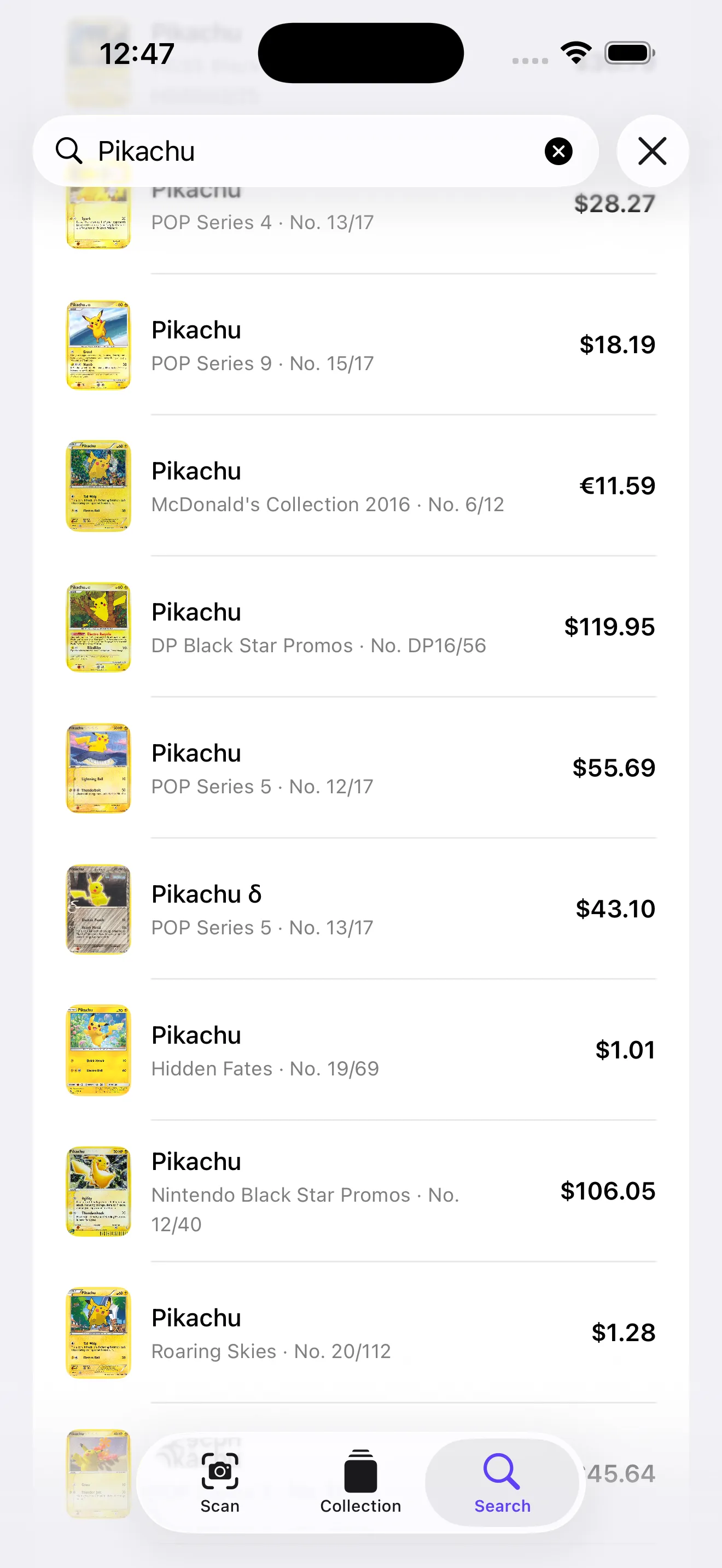
Sometimes you know exactly what card you're looking for—a specific Pokémon, set, and rarity—but scanning feels like overkill. That's where the text search shines. Type the card name, set number, or even just the Pokémon, and CardSnap pulls up all matching cards across editions and sets. It's fast, free, and unlimited. Use it to cross-reference prices before you add a card to your collection, or to find every version of a favorite card you might own.
Track your collection by binder, set, or series
As your collection grows, organization matters. CardSnap lets you create multiple collections—one for your vintage binder, one for modern sealed boxes, one for cards you're eyeing. This makes it easy to see which cards are where and spot duplicates across collections. If you're hunting for a complete set, you can see exactly which cards you're missing and what they'd cost to fill the gaps.
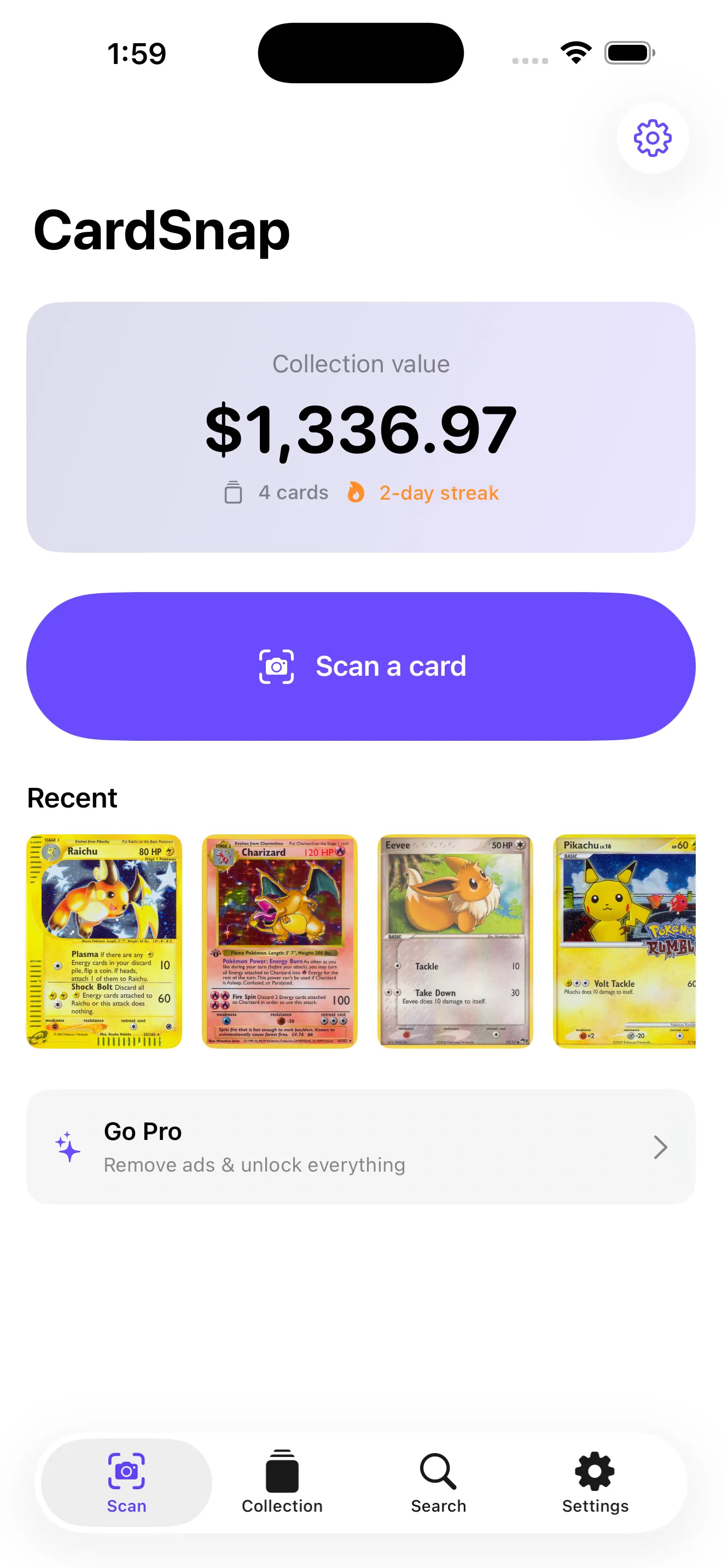
Your total collection value updates in real time as prices shift. Tap into the stats view to see streaks, value milestones, and set completion percentages. It's satisfying to watch your binder's worth grow, and it keeps you motivated to hunt for the last few cards that complete a set.
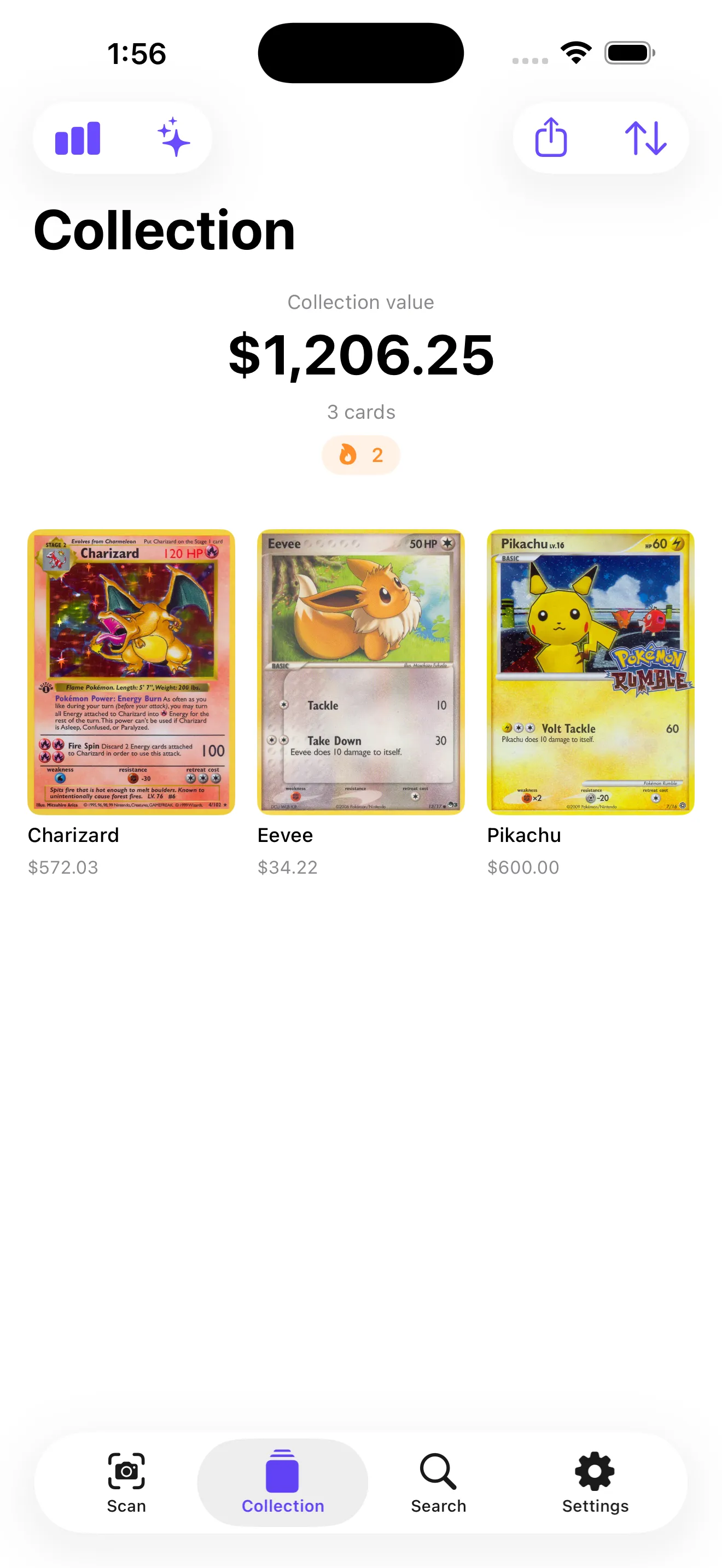
A collection tracker that totals your whole binder takes the guesswork out of what you own and what it's worth.
Compare prices across markets
CardSnap pulls live prices from TCGplayer and Cardmarket. You'll see three price points for each: low, market, and high. Each one is timestamped so you know how fresh the data is. If you're selling, the high price gives you a sense of the ceiling. If you're buying, the low price shows what deals are out there. The market price sits in the middle—it's the realistic going rate.
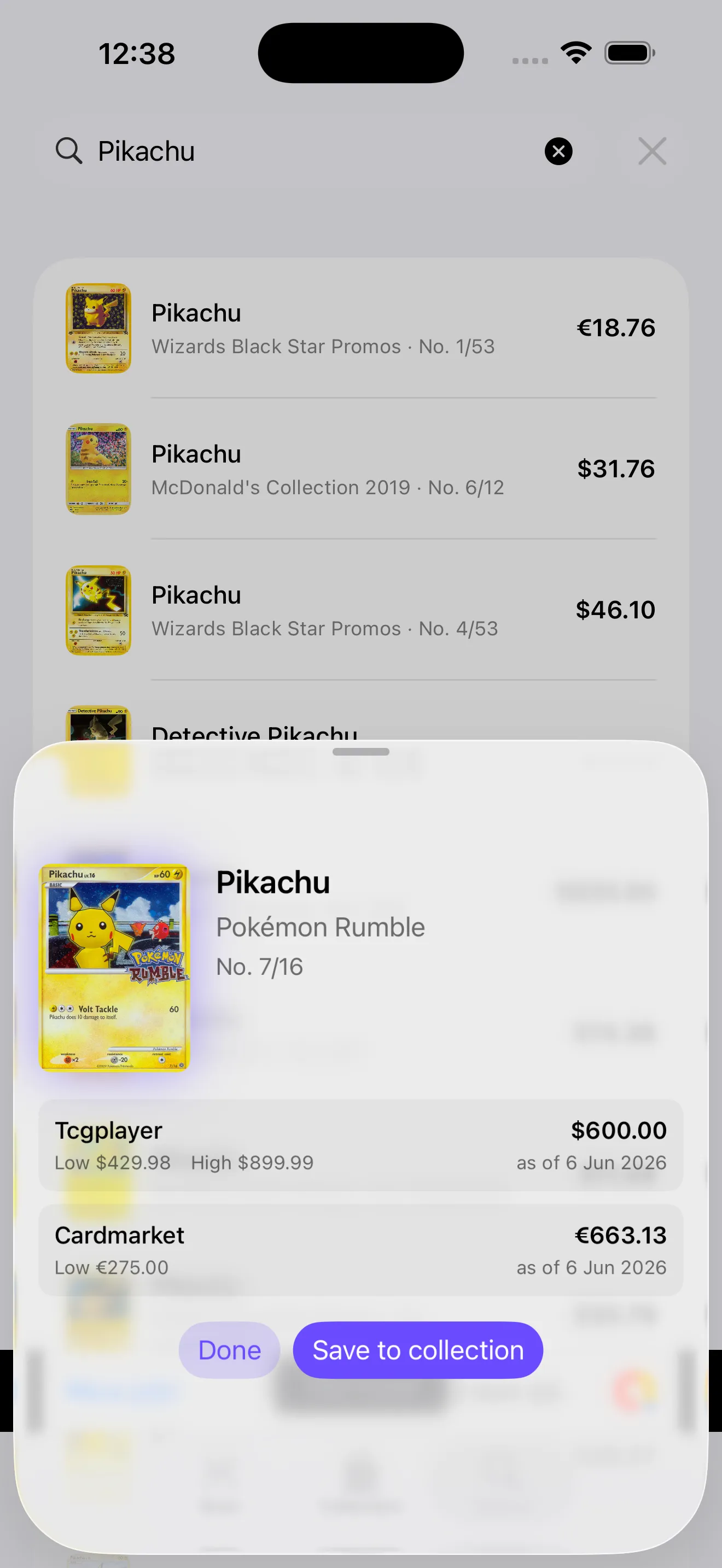
Pay attention to the "as of" date. Prices move fast in the Pokémon card market, especially for chase cards. A price that was accurate yesterday might shift by the time you list a card for sale. Check back on high-value cards before you commit to a sale price.
Keep your data private and on your phone
All scanning happens on your device. CardSnap doesn't upload your collection to the cloud or require an account to get started. That means your collection data stays yours, and you can scan and search without any login friction. If you do want to back up your data or sync across devices, the paid version lets you export your collection as a CSV file—move it wherever you like.
This approach also means your data is safe from breaches or third-party tracking. You get the benefit of a powerful scanning tool without surrendering privacy. For more on building and managing a collection, check out methods and tools for valuing your Pokémon collection or dive deeper into CardSnap as a card scanner for collectors.
This article was drafted with AI assistance and reviewed by a human editor before publishing.