Loopd is a shared task and list app built for groups who live together or coordinate regularly. Whether you're managing a household, splitting chores with roommates, or keeping a friend group aligned, Loopd replaces scattered texts and forgotten commitments with one place where tasks stay visible, progress is real-time, and everyone knows what's happening. The gamification elements—XP points, streaks, leaderboards—make coordination feel less like a chore and more like something you actually want to check in on.
What You Need to Know First
Loopd centers on three core concepts: Circles (your group spaces), Tasks (what needs doing), and Gamification (the reward system that keeps people engaged). You don't need to understand all the details upfront. Start with a Circle, add a few tasks, and the system reveals itself as you use it.
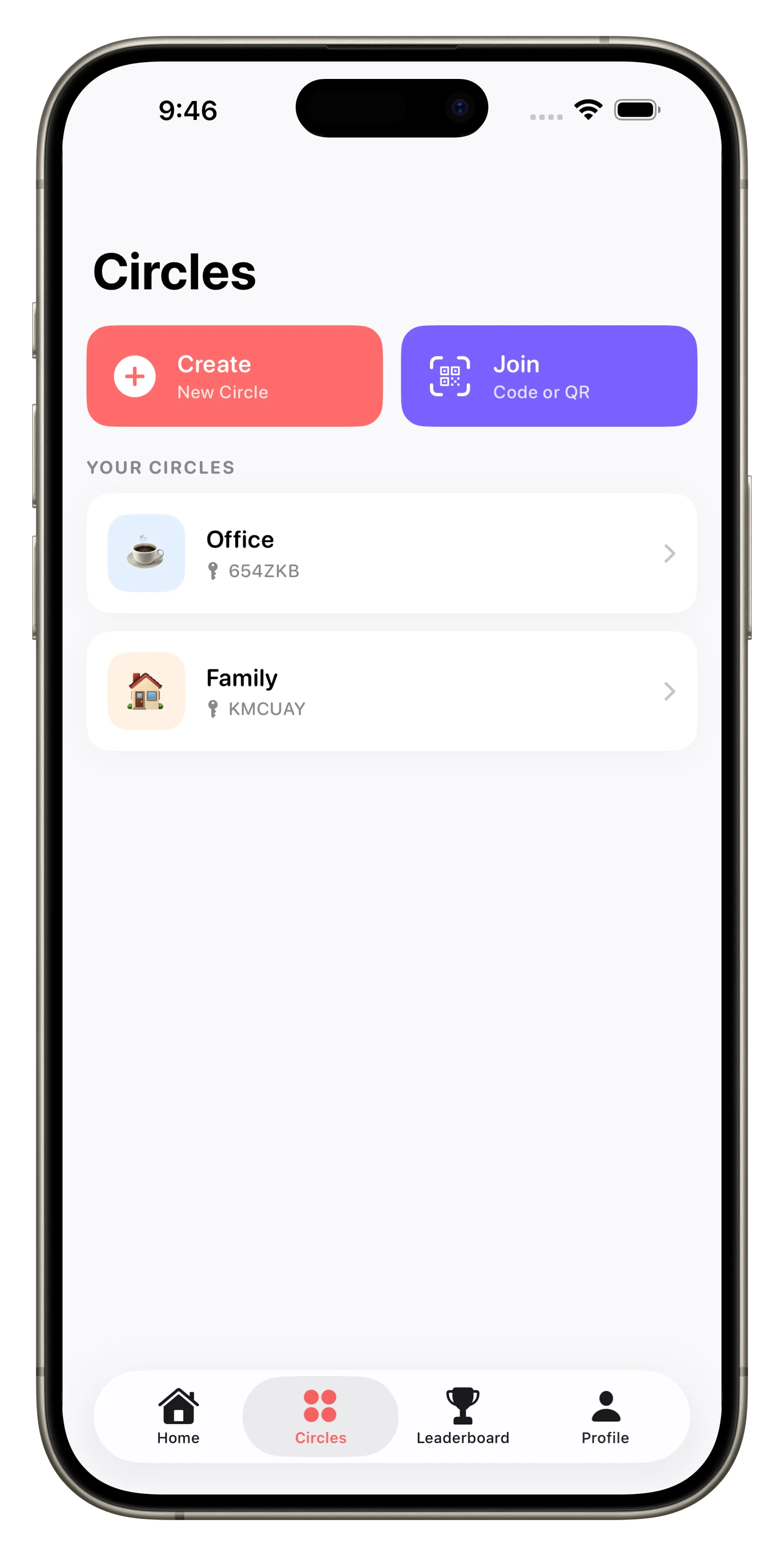
Circles: Your Group Spaces
A Circle is a dedicated space for one group. You might have a Circle for your household, another for roommates, and another for a friend group organizing a shared project. Each Circle has its own task list, members, and activity feed. When you invite someone to a Circle, they see the same tasks and updates in real-time—no more "did you see my message" confusion.
Tasks: Shared and Tracked
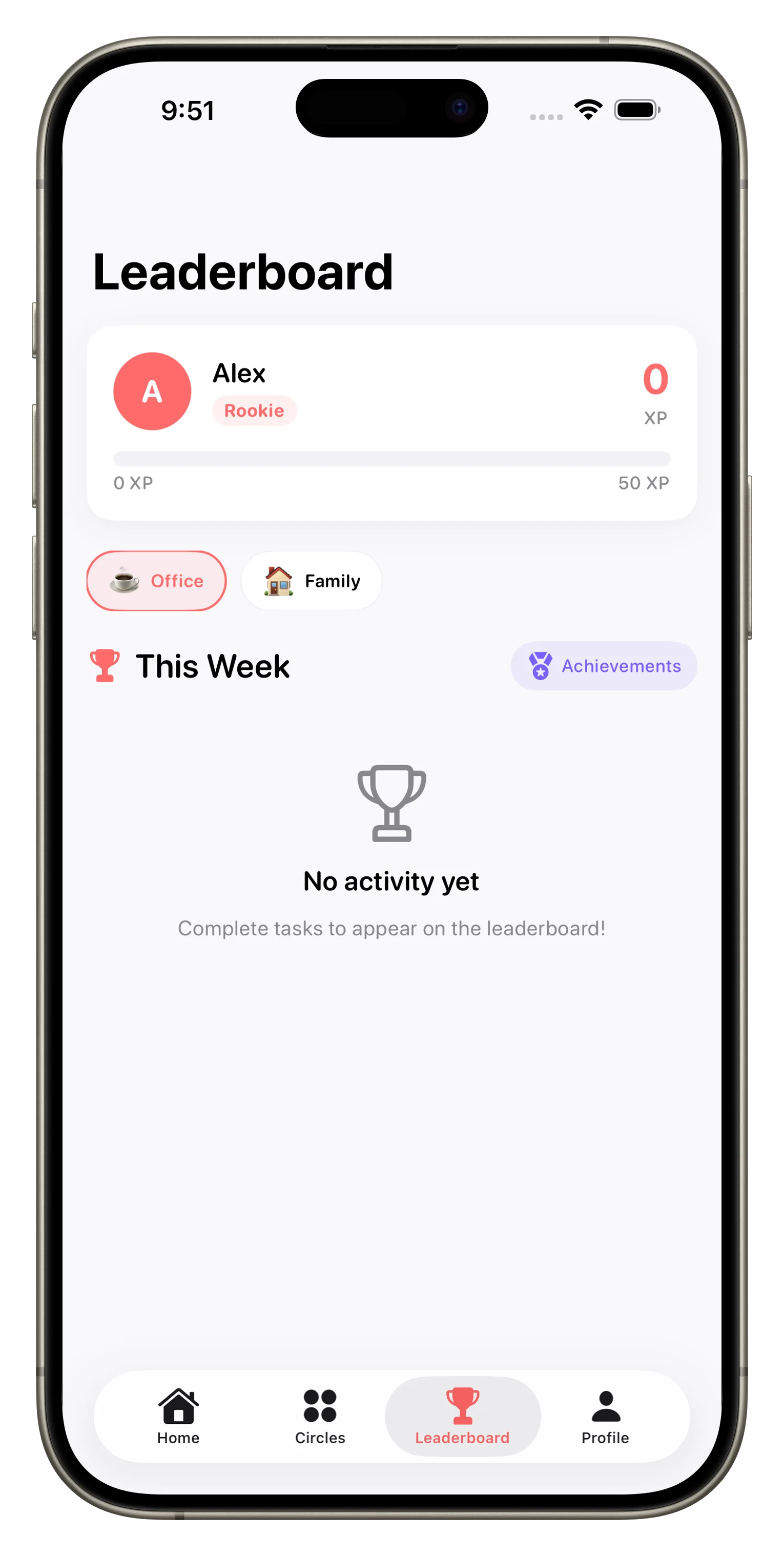
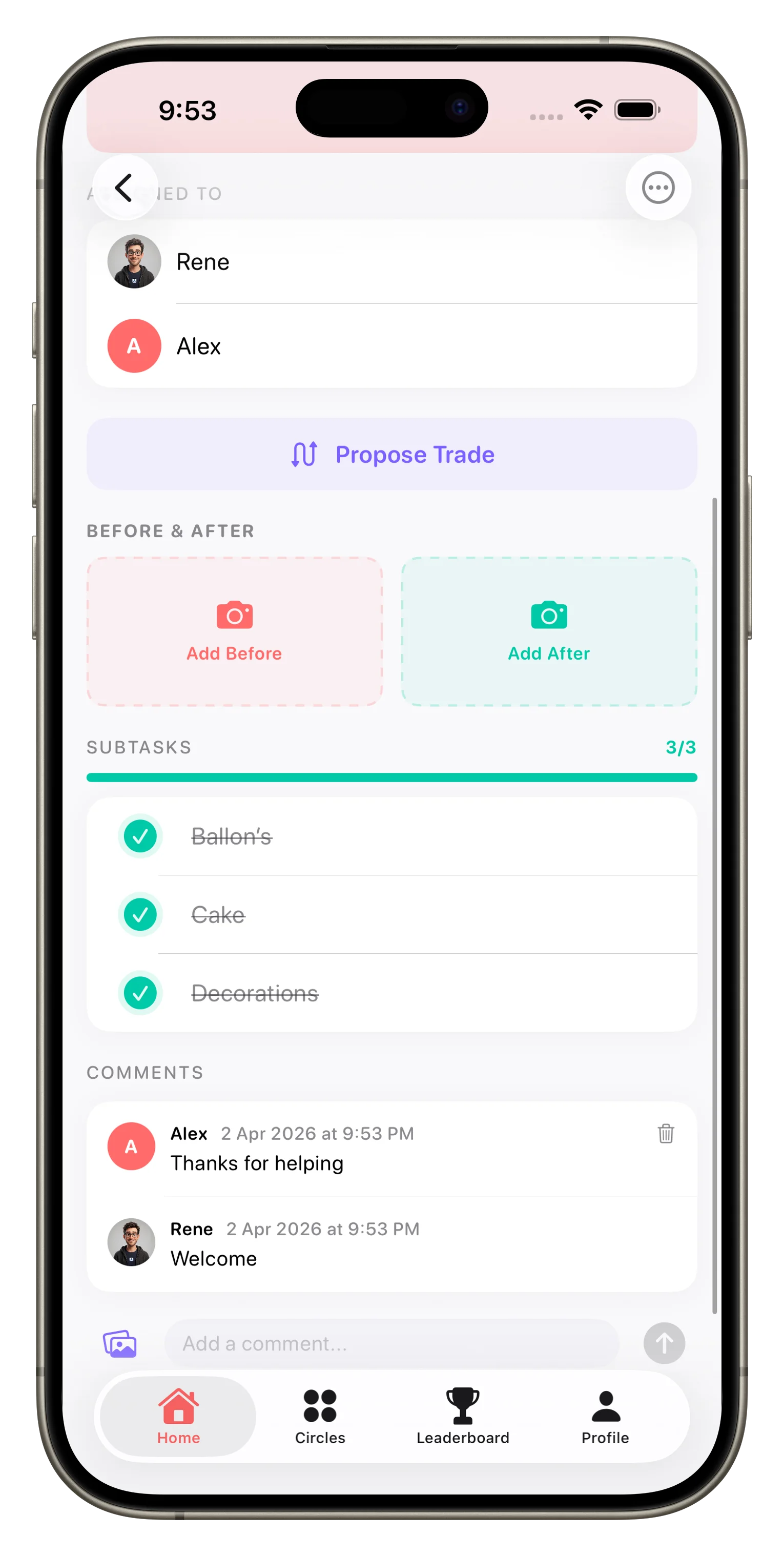
A task in Loopd is any commitment that needs doing: grocery shopping, taking out trash, finishing a project section, hosting dinner prep. You assign tasks to specific people, set priorities, add due dates, and even attach photos or locations. Everyone in the Circle sees the task status update instantly, so there's no gap between "I did it" and "they know I did it."
Gamification: XP, Streaks, and Leaderboards
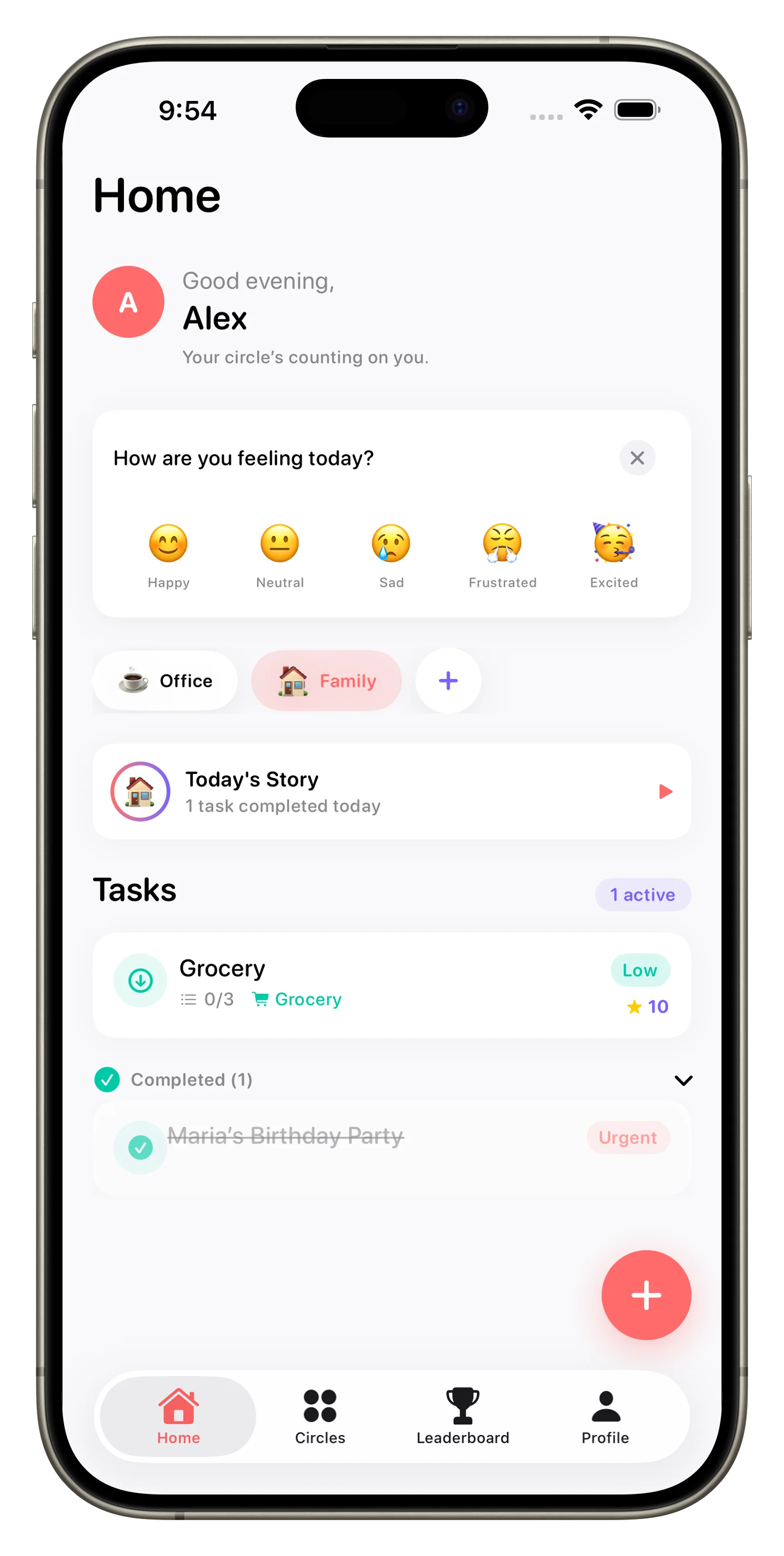
Complete a task, earn XP. Keep completing tasks consistently, build a streak. Watch your ranking climb a leaderboard against your Circle mates. Loopd badges and achievements unlock as you hit milestones. This isn't frivolous decoration—it's genuinely motivating. Families using Loopd often find that chores get done faster because people want to maintain streaks or move up the leaderboard.
Shared task coordination without real-time sync or feedback isn't shared—it's delegating with extra steps.
Your First Week: What to Expect
Day one is setup. You'll create your first Circle, name it, and invite members. If you're starting with a family or household, you might add 2–4 people. Day two, add 5–10 tasks. Don't overthink this: pick the recurring things that actually cause friction (grocery list, trash, laundry, dishes, etc.). By day three, you'll see real-time updates as people mark tasks complete. That's when the system clicks.
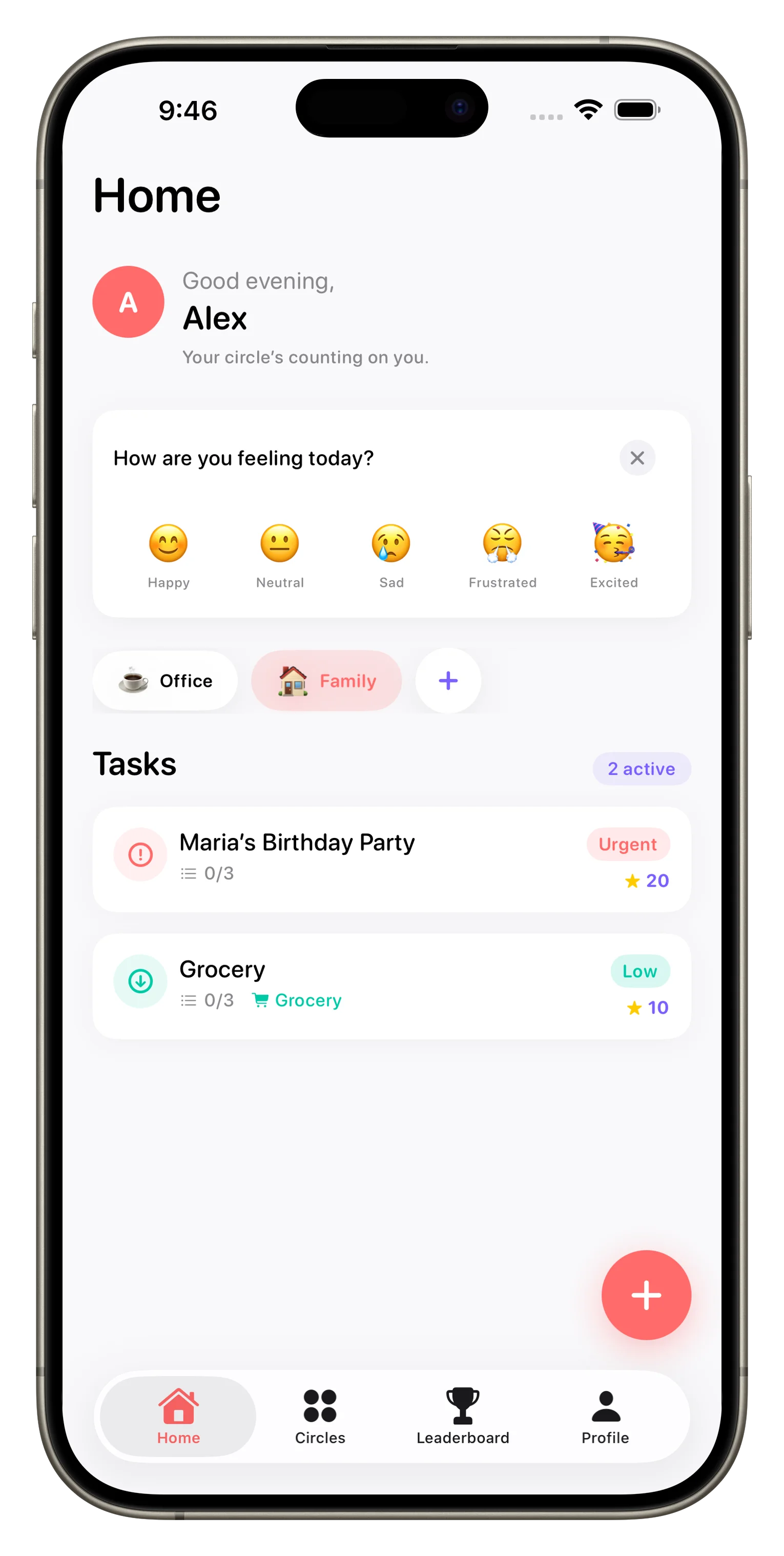
By day five, you'll have completed a few tasks and earned some XP. People in your Circle will start noticing leaderboard positions. By the end of week one, the coordination friction that used to require texts or arguments has moved into an app where it's visible, tracked, and gamified. The habit starts forming around day 10 when checking Loopd becomes as routine as checking messages.
Key Features to Explore Early
- Task assignments and due dates: Be explicit about who is responsible for what.
- Photo attachments: Add a photo of a completed chore (or the mess that needs cleaning) for clarity.
- Comments and mentions: Discuss tasks in-context without leaving the app.
- Location triggers: Set a reminder that fires when someone enters or leaves a location.
- Streaks and achievements: Check the achievement grid to see what badges you can unlock.
- Weekly leaderboards: Glance at rankings to see who's been most active.
How Loopd Fits Into Your Life
Think of Loopd as a shared brain for your household or group. It remembers what needs doing, tracks who's doing it, and celebrates progress. The app works best when you treat it as the source of truth for tasks—not a backup to texts or a nice-to-have. If a task lives in Loopd, it lives where everyone can see it. If it lives in a text message, it lives nowhere reliable.
For families, Loopd reduces the mental load on one person (usually a parent) who otherwise tracks everything. For roommates, it eliminates the "who's supposed to buy milk this week?" ambiguity. For friend groups, it keeps group projects organized without a group chat spiraling into chaos. You can learn more about how gamification keeps families engaged in our guide on how Loopd turns family coordination into a game, or dive into getting started with Loopd's setup checklist.
Your Concrete First Steps
- Open Loopd and create your first Circle. Give it a name (e.g., "Home", "Apartment 3B", "The Squad").
- Invite 1–3 people to your Circle via their phone number or email.
- Add 5–10 recurring tasks that currently cause friction or require reminders.
- Assign each task to a person and set a due date (daily, weekly, or one-time).
- Check back in day two to see real-time updates and encourage people to mark tasks complete.
- Explore the leaderboard and achievements by the end of your first week.
- Adjust task frequency based on what you learn about your group's actual capacity.
This article was drafted with AI assistance and reviewed by a human editor before publishing.