Bills don't have to feel like a crisis. Crashout Calendar walks you through creating a calm, private view of your subscriptions and recurring charges in just a few minutes. No bank login needed. No shame, no red alerts—just a soft calendar that shows you exactly when money leaves your account and how much breathing room you have until payday.
Open the app and meet your calm dashboard
The first time you open Crashout Calendar, you'll see a welcoming onboarding screen that sets the tone: this is a tool designed with kindness, not anxiety. You'll be invited to add your first bill right away, but there's no pressure. The app lives on your phone alone—nothing syncs to the cloud, and no financial institution ever sees what you're tracking.
Add your recurring bills in three minutes
The add-bill form is where Crashout Calendar saves you time. Type the name of your subscription or charge, pick the amount, and the app suggests a category and recurrence pattern based on what you enter. Most bills auto-fill their own details—you rarely need to adjust anything. Hit save and move to the next one.
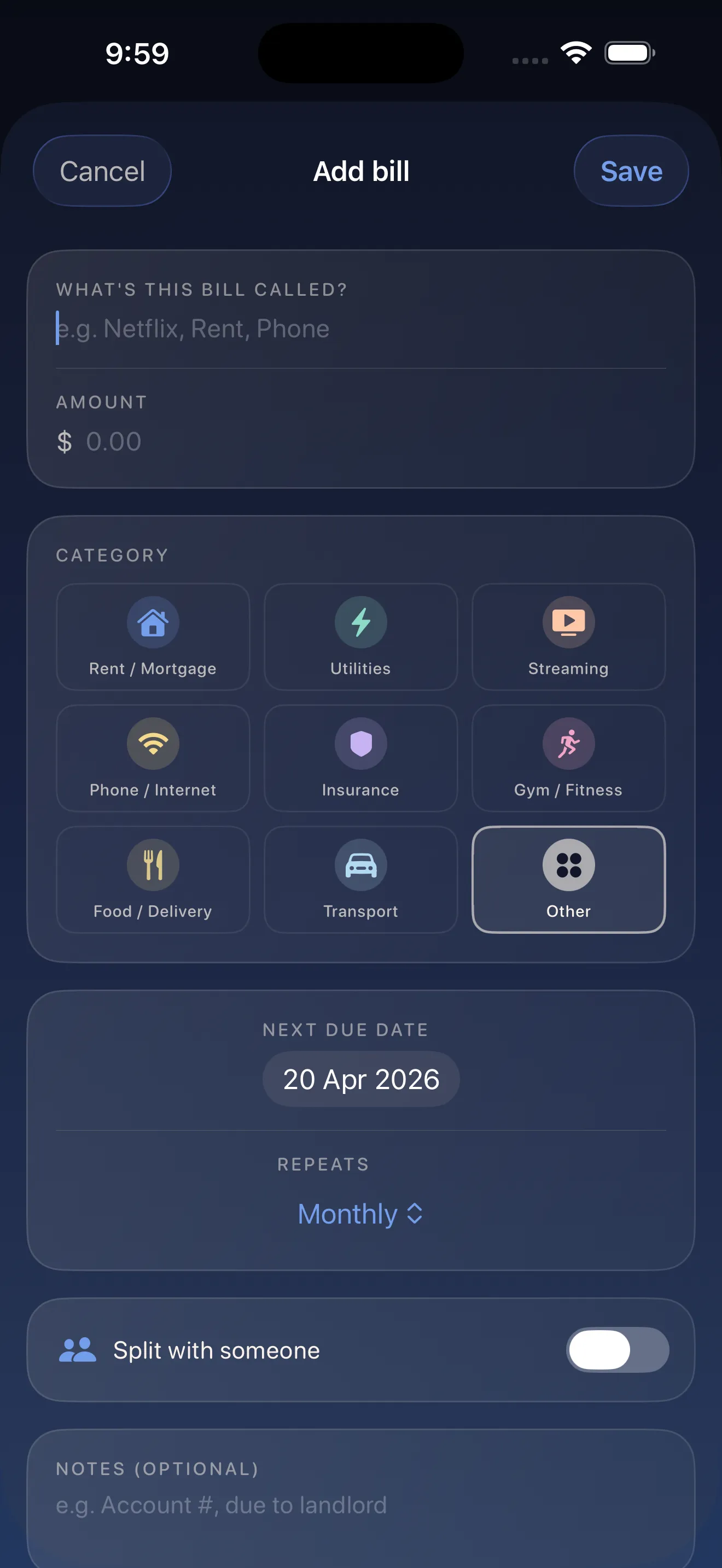
Eight recurring bills take about three minutes to enter. Start with the ones you know best: Netflix, Spotify, your gym, rent, insurance, phone. As you add each one, the app learns and gets faster. You can fill in anything else later—there's no deadline.
See your month at a glance and find your breathing room
Once your bills are in, the dashboard shows you a soft monthly calendar. Each bill appears on the date it's due, color-coded by category. But the real magic is the breathing room indicator—a clear number showing how much time and money you have between today and your next charge. This is what lets you sleep at night.
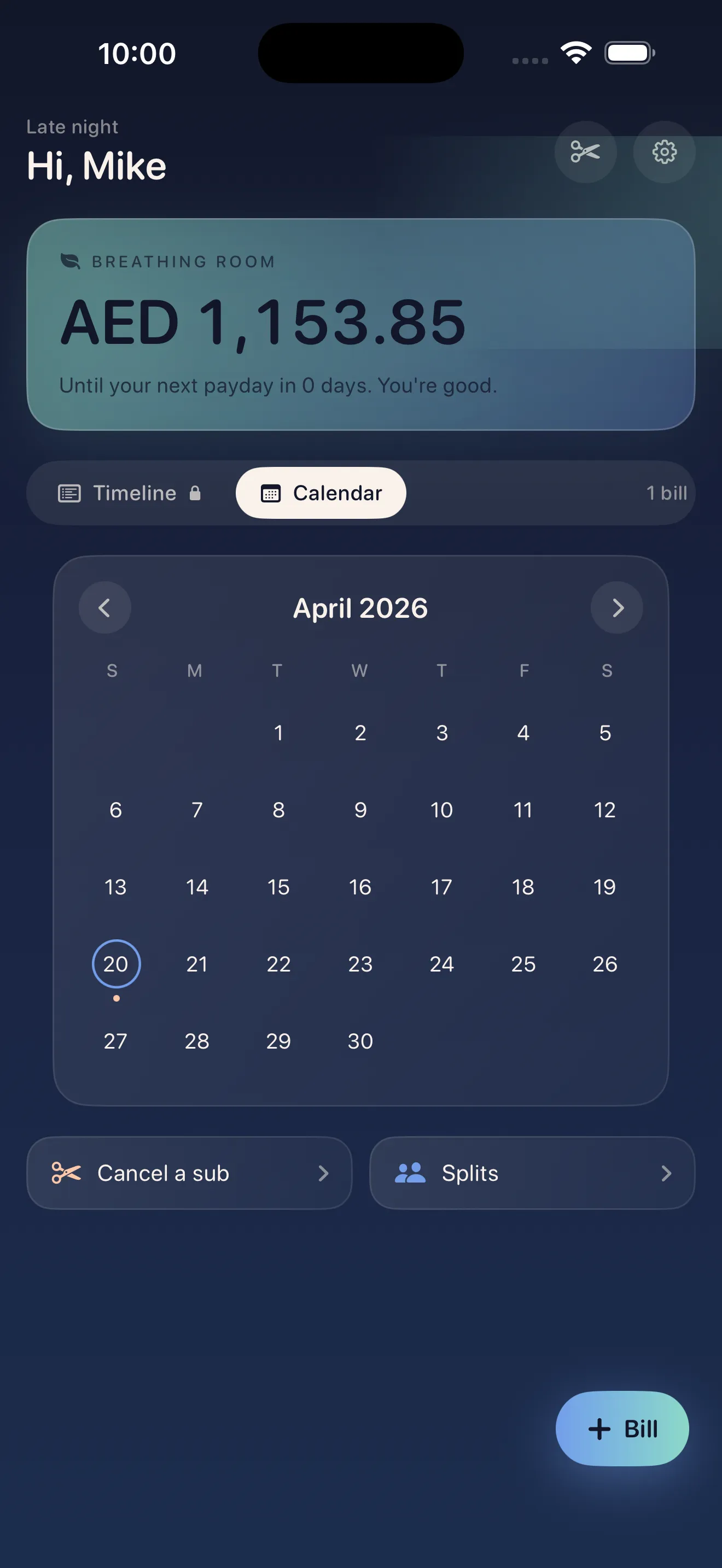
Breathing room isn't just a nice-to-have. It's the difference between feeling in control and feeling trapped.
Cancel what you don't use with built-in guides
Spotted a subscription you forgot about? Crashout Calendar includes step-by-step cancellation guides for Netflix, Spotify, Hulu, HBO, Disney+, and 15+ other services. No generic instructions. No hunting for obscure settings. Just clear, visual steps that walk you through exactly what to click to cancel.
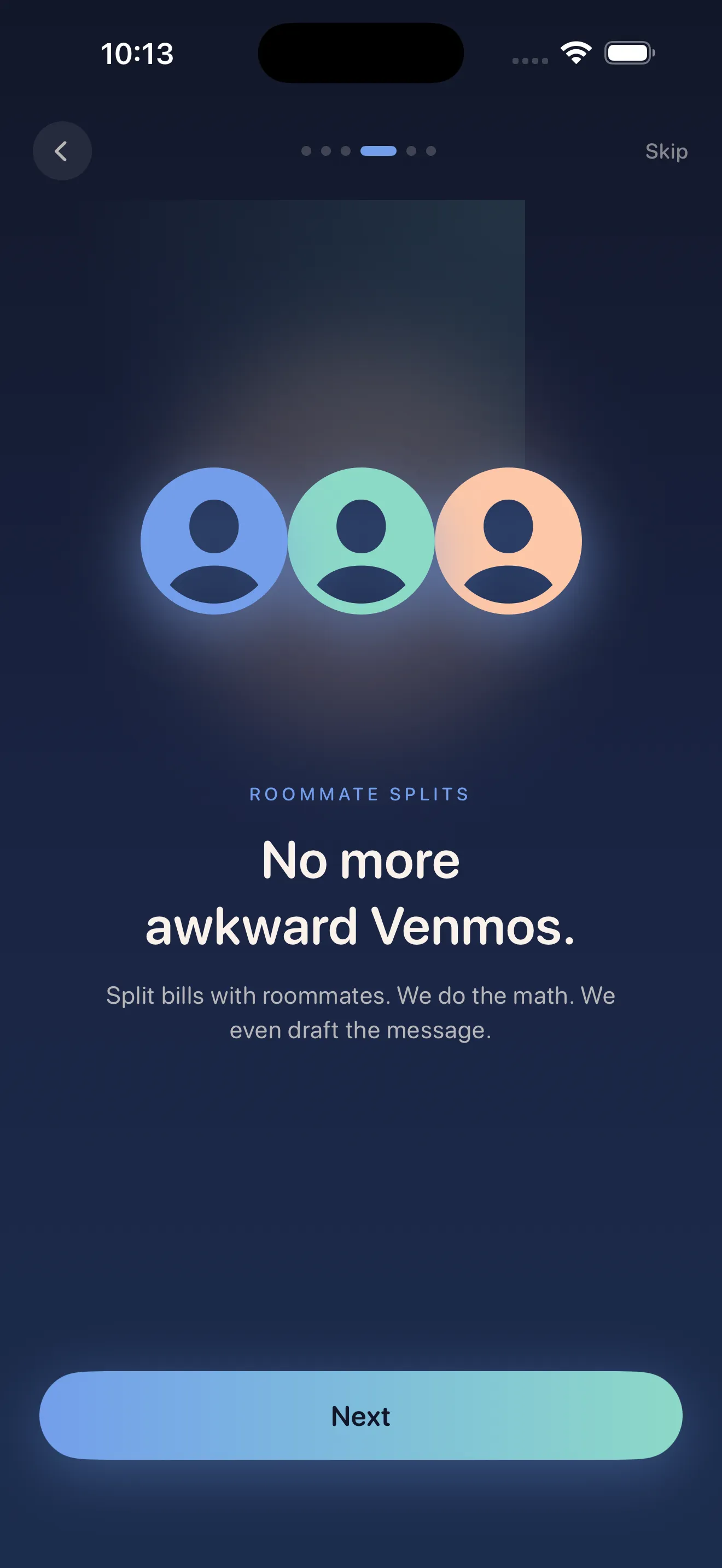
Split bills with roommates—no awkward math
If you share rent, utilities, or a Netflix password, the splitting tools let you track who owes what without the tension. Add a bill as shared, input your split percentage, and the app does the math. When it's time to settle up, you'll know exactly what to ask for.
If you want to dig deeper into how Crashout Calendar approaches the emotional side of money tracking, check out how the design makes bills feel less scary. The philosophy behind every feature—from the soft colors to the absence of red alerts—is intentional.
This article was drafted with AI assistance and reviewed by a human editor before publishing.