If you've ever tried to remember when the farrier last came, or dug through old texts to find your horse's last deworming date, you already understand the problem a horse care diary solves. These apps are simple by design: a place to log what happened today, store your horse's health history, and get nudged before something important comes due. This guide walks through what that actually looks like, using Hoofprint as the example, so you know what to expect before you download anything.
What is a horse care diary app, exactly
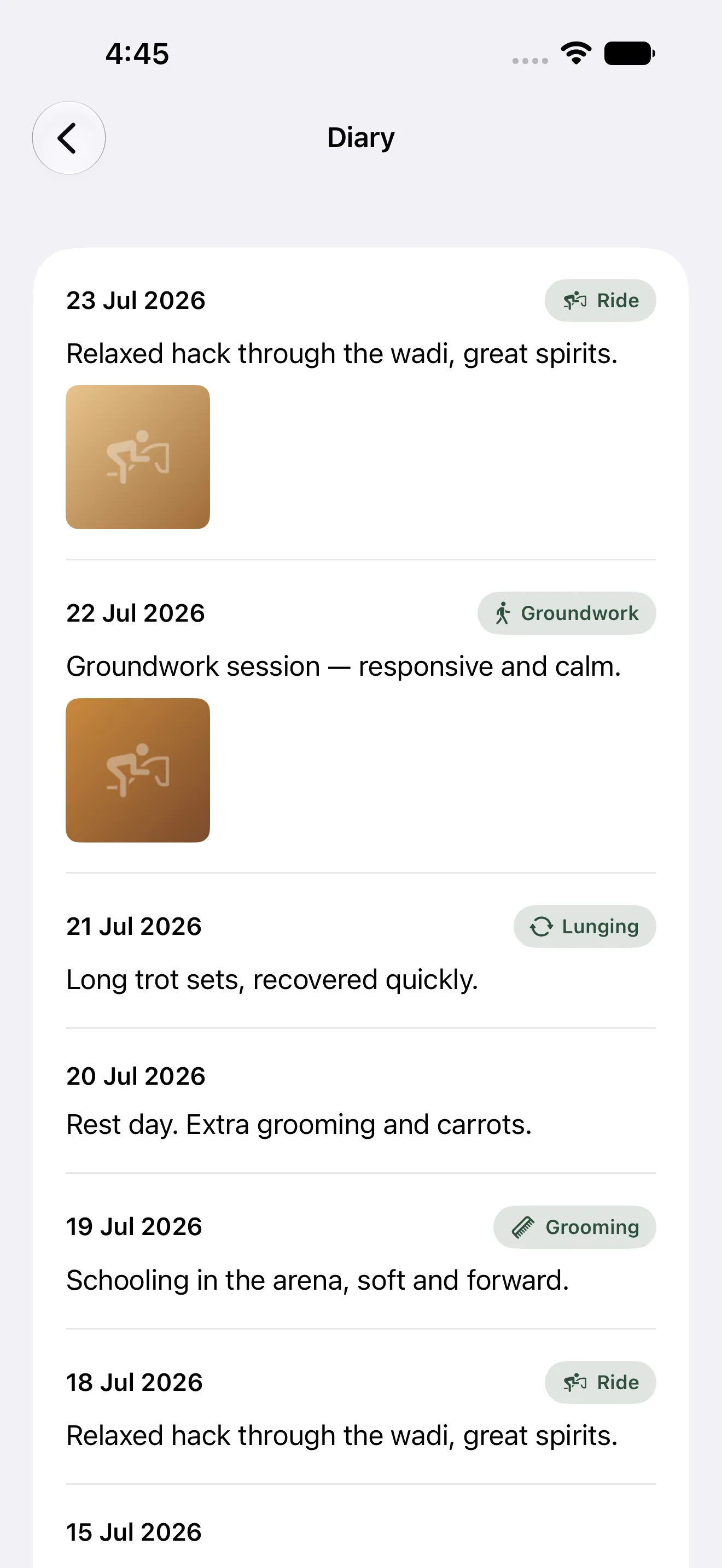
At its core, a horse care diary is two things stitched together: a daily log and a records archive. The daily log is where you jot down small stuff — what you rode, how they moved, a photo from the paddock, a quick note about a swollen fetlock you want to keep an eye on. The records archive is the bigger picture: vaccinations, deworming schedules, farrier visits, vet appointments, weight over time, medications. Most paper systems or generic note apps handle one of these well and fumble the other. A dedicated app is built to hold both without extra effort.
The reminder piece is what turns a diary into something genuinely useful day to day. Instead of you remembering that the farrier is due in six weeks, the app remembers for you and tells you a few days out.
The core building blocks you'll see in any good app
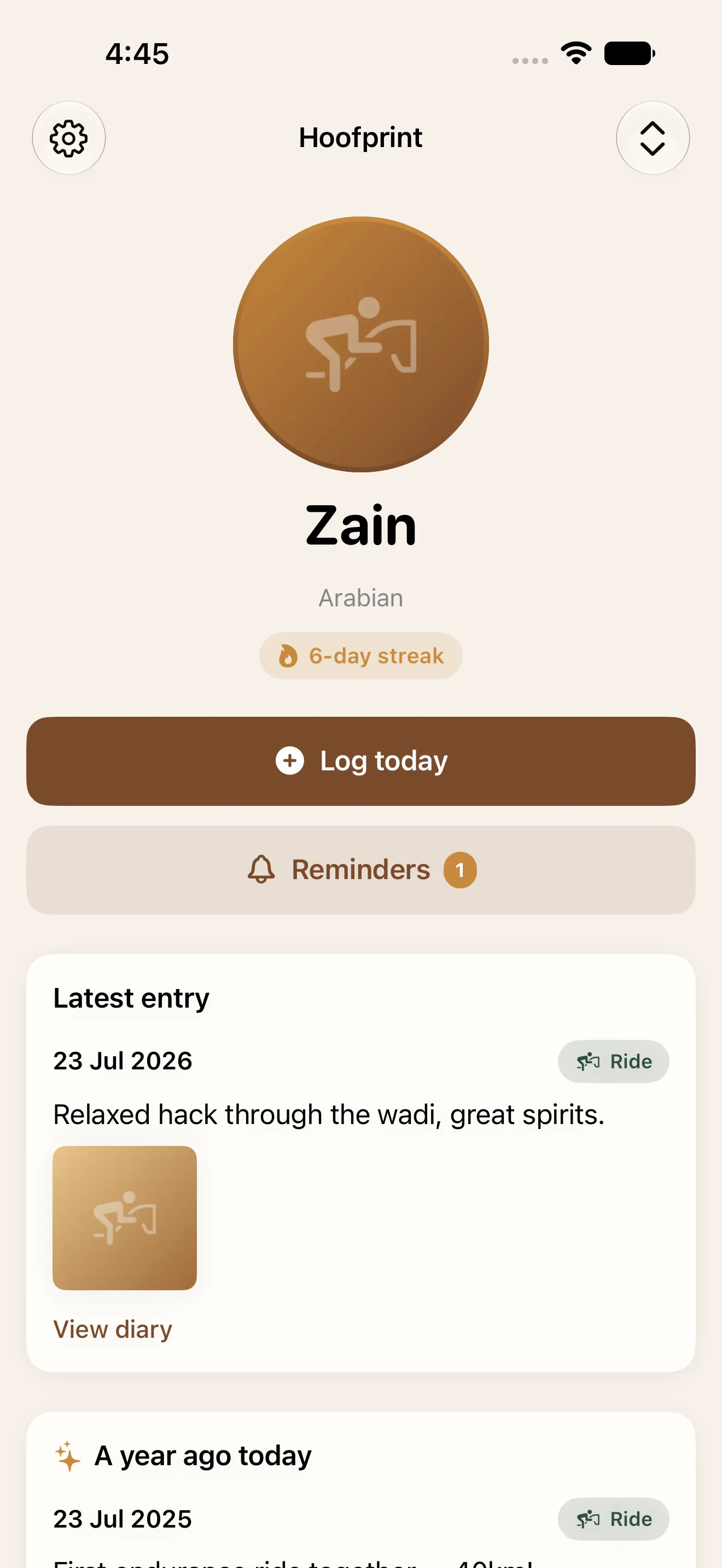
- Daily log — a one-tap entry for today, with optional notes, photos, and activity type
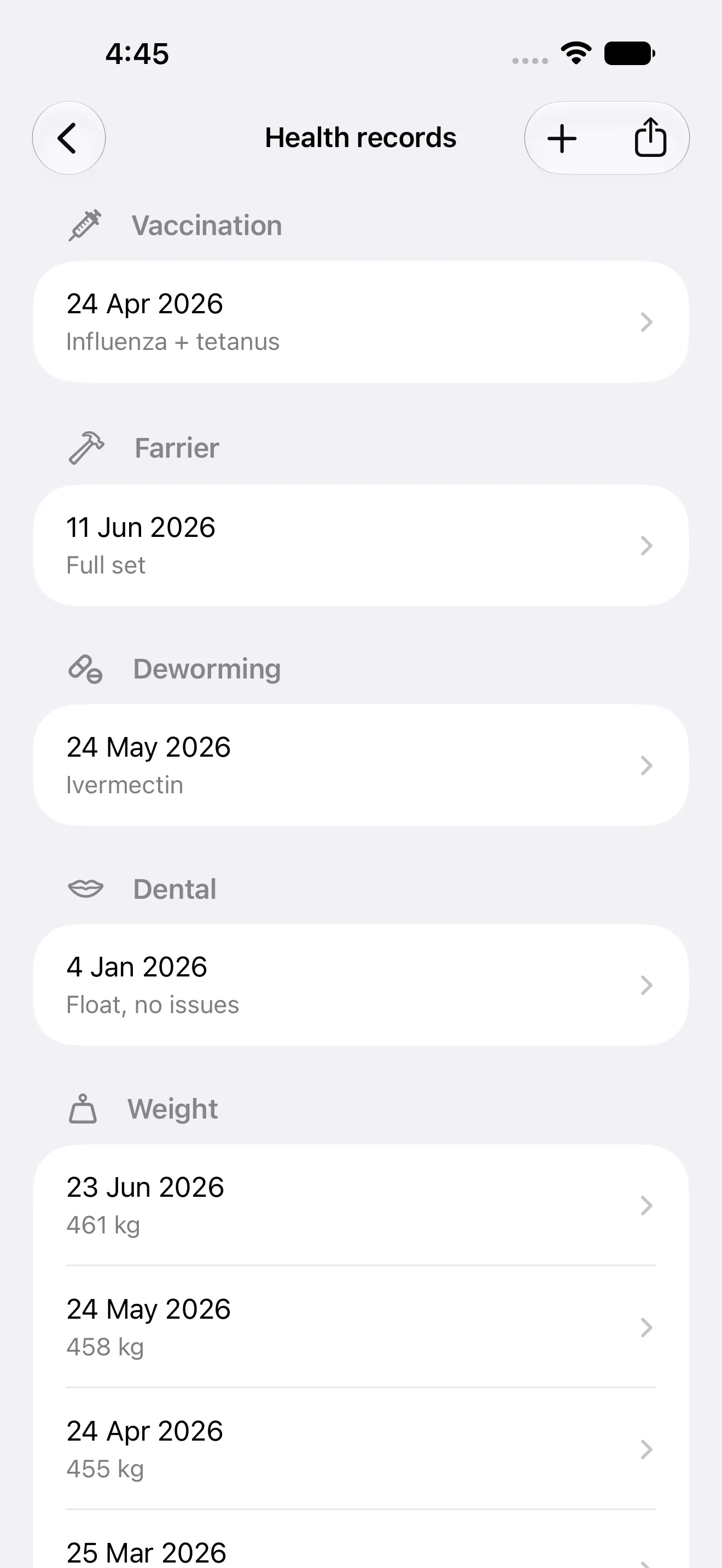
- Health records — categorized entries like vaccinations, deworming, farrier visits, dental, weight, and medication
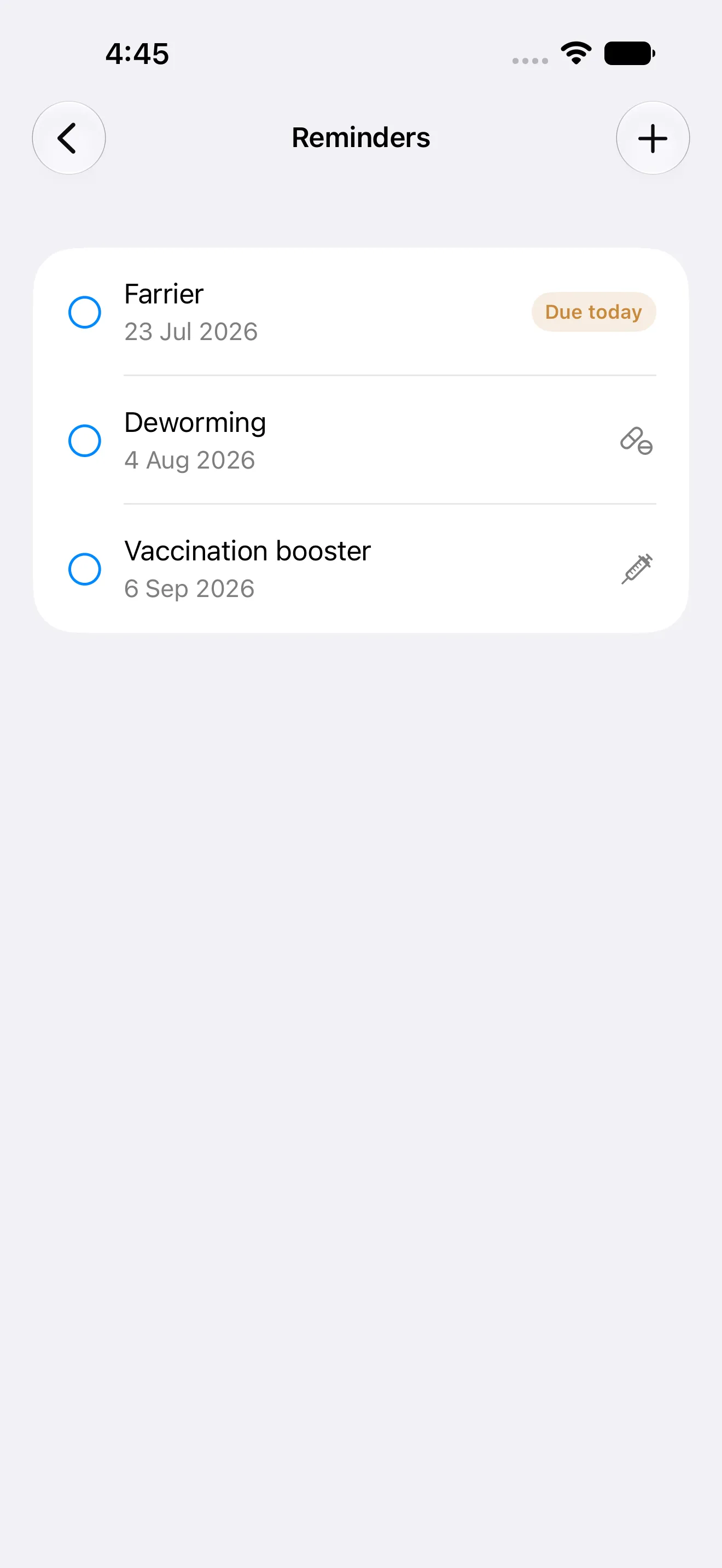
- Reminders — alerts before something is due, ideally right from the notification, not buried in a menu
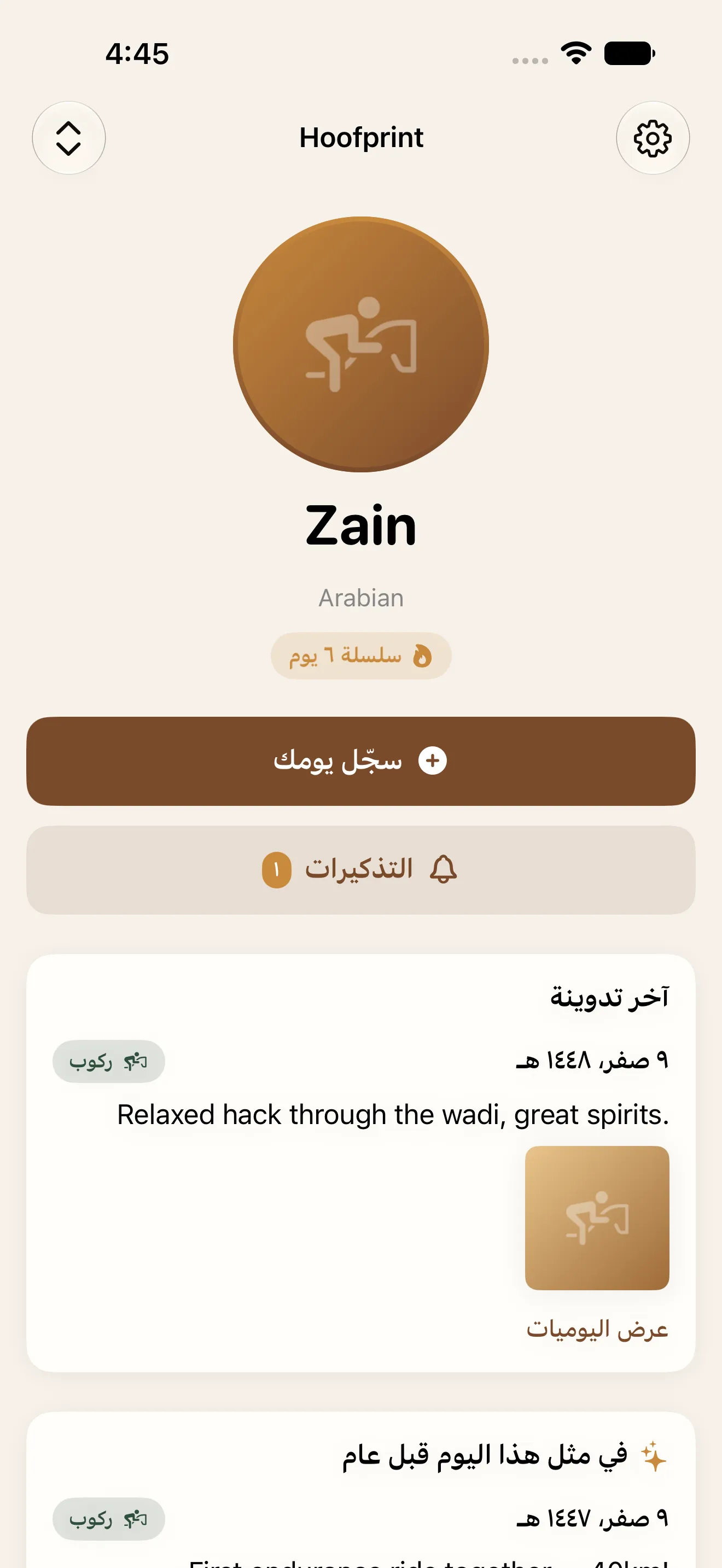
- Horse profiles — if you care for more than one horse, each needs its own history and stats
- Streaks and history — a way to see patterns over weeks and years, not just a single entry
What your first week actually looks like
Day one is setup: add your horse (or horses), maybe drop in a photo, and log today with whatever you actually did — a note, a ride, nothing fancy. Days two through four are where the habit either forms or doesn't, which is why Hoofprint builds in a day of grace for streaks, so missing one day doesn't erase your progress and discourage you from continuing.
By the end of the week, you'll likely have added your first real health record — maybe the last vaccination date, or an upcoming farrier appointment. That's the moment reminders start working for you instead of you working to remember.
The habit that sticks is the smallest one — logging today, in one tap.
Setting up reminders so nothing sneaks up on you
Farriers, vets, vaccinations, deworming, and dentists all run on different clocks, which is exactly why people miss them. Once you enter a due date or interval, the app tracks it in the background and surfaces a badge as it approaches. In Hoofprint, you can even mark something done directly from the reminder notification, so closing the loop takes the same one tap as logging your day.
If you're caring for more than one horse, this is where things get genuinely helpful. Each horse keeps its own schedule, its own record history, and its own stats — nothing gets mixed up between them.
Why privacy and offline access matter more than they seem
A lot of your horse's health information — medications, vet notes, even photos — is personal, and barns don't always have reliable signal. Hoofprint works with no account required and no ads, storing everything on your device and your own iCloud, and it works fully offline. That means logging today at the stable doesn't depend on a cell signal, and your data isn't sitting on someone else's server.
It's also built for owners beyond one language and layout. Hoofprint supports English and Arabic with full right-to-left support, so the app feels native either way you read.
Looking back: stats and your year in review
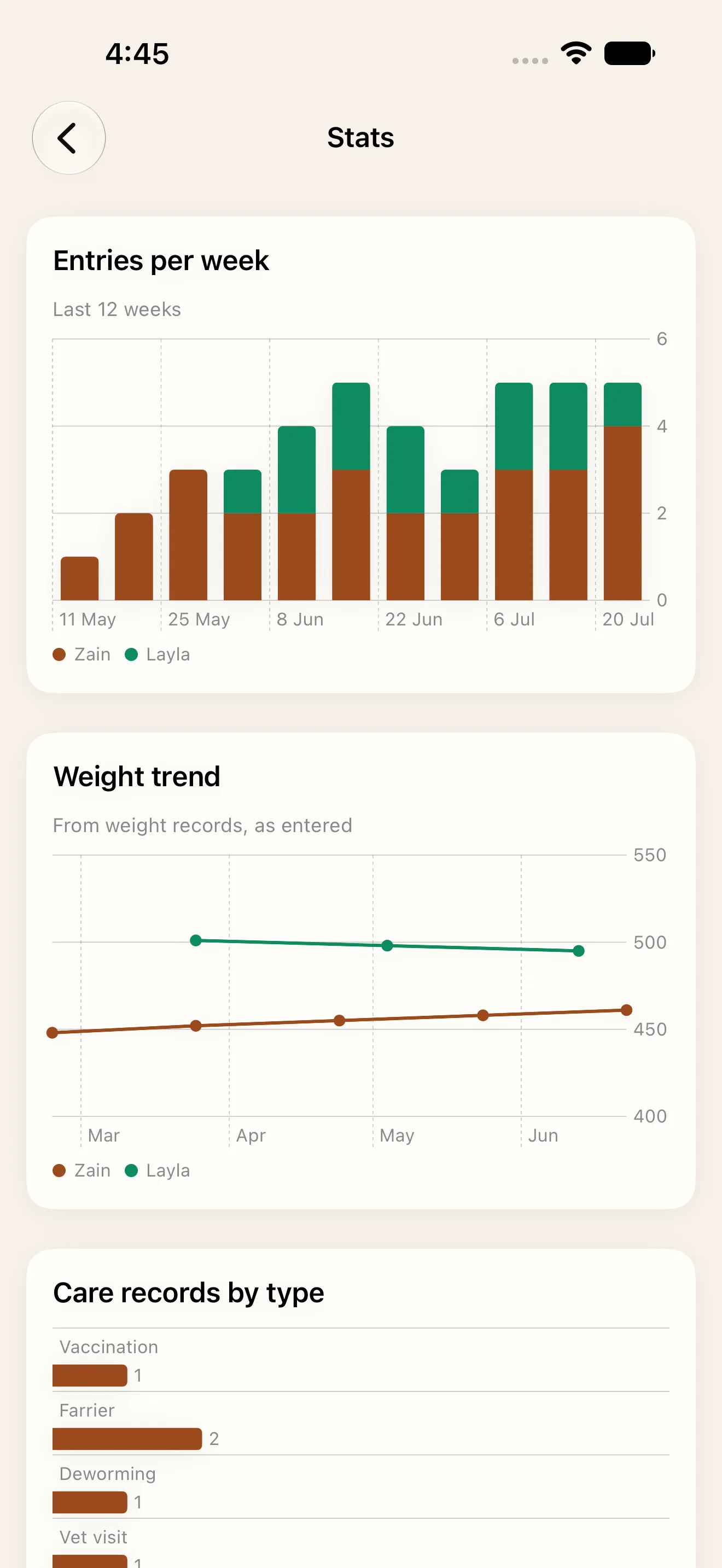
The daily entries and health records you build up over weeks eventually become something worth looking at as a whole. Weekly activity, weight trends, and records by type all surface automatically, across every horse you care for, so you can spot patterns without digging through old notes yourself.
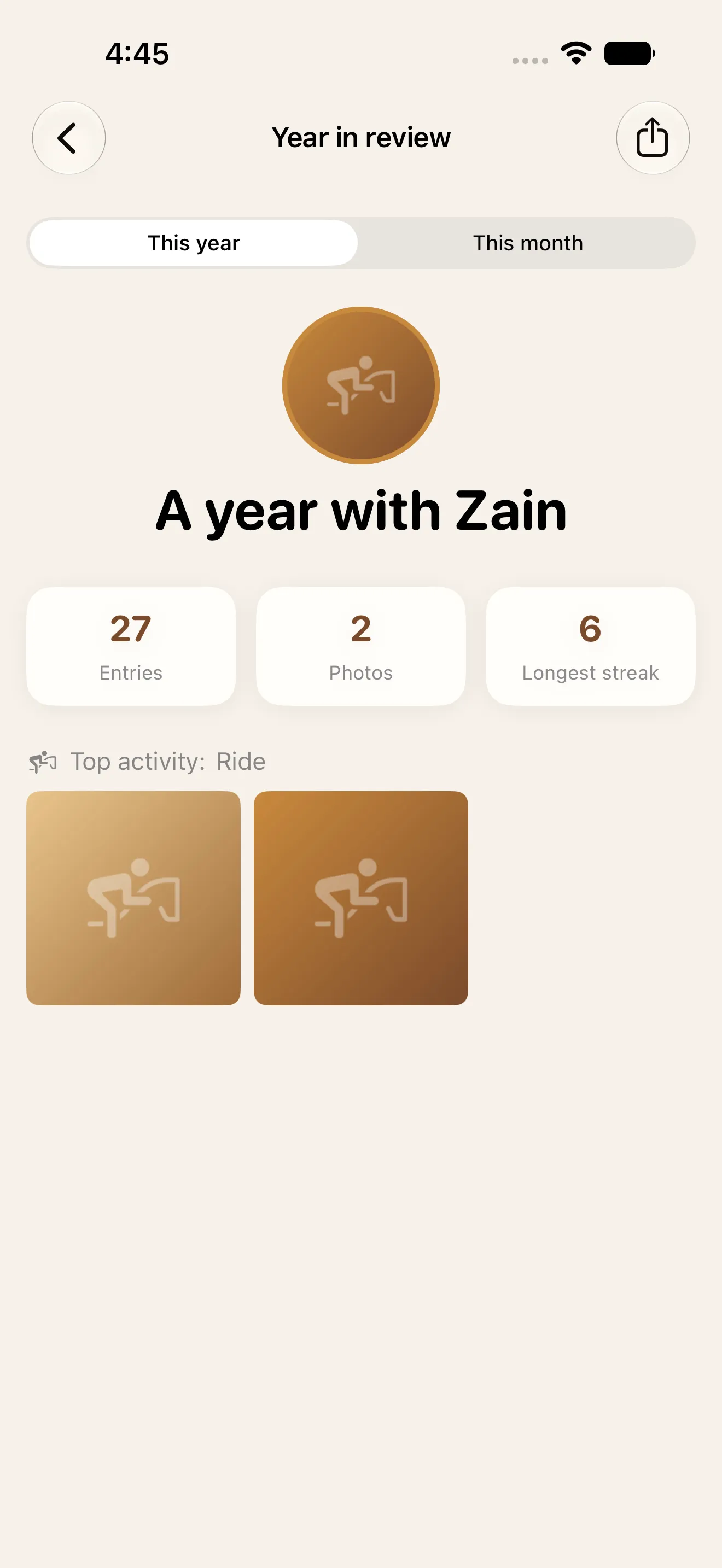
At the end of the year, that history turns into something shareable — a year in review built from the entries you already logged, no extra work required.
Your first steps
- Download Hoofprint and add your horse's profile, with a photo if you have one handy
- Log today, even if it's just a short note — this starts your streak
- Add one health record you already know, like the last farrier visit or vaccination date
- Set the reminder interval so the next due date surfaces on its own
- Come back tomorrow and log again — that's the whole habit
There's no complicated setup and no account to create. The app is meant to fit into the minute you already spend near your horse each day, not add a new chore on top of it.
This article was drafted with AI assistance and reviewed by a human editor before publishing.