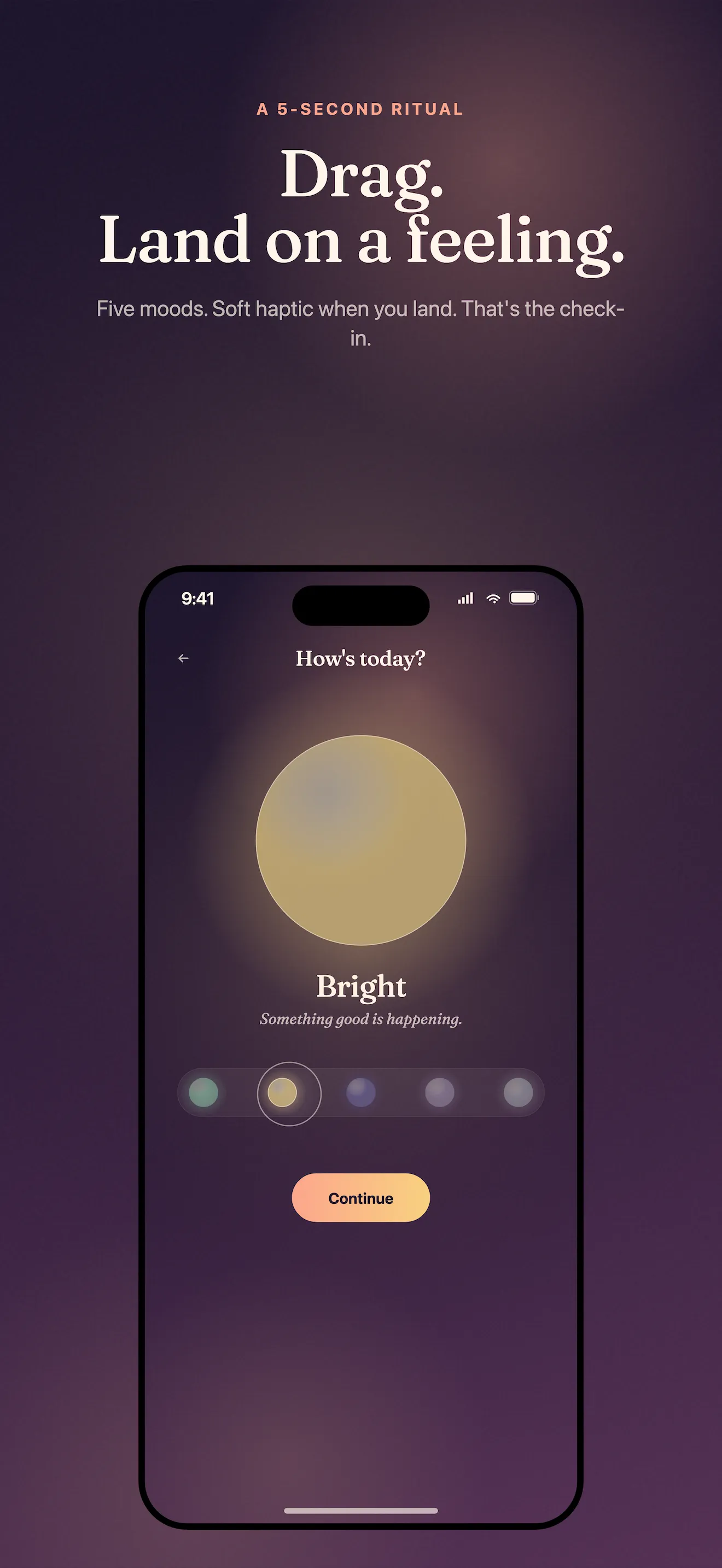
MoodLight asks one simple question: How are you, really? The answer lives in one of five orbs—calm, bright, heavy, off, or numb—and takes thirty seconds. But knowing which orb to tap and how to make sense of your week's gradient is another thing. Here's how to get the most from your mood check-ins without letting them become another habit to abandon.
Tap the Orb That Matches Your Gut, Not Your Ideal
The five orbs work because they skip the false precision of 1-10 scales. Calm is steady and grounded. Bright is energized and clear. Heavy is weighed down or overwhelmed. Off is scattered or disconnected. Numb is absent or muted. The key is honest tapping. Your brain knows which one fits right now—the one that makes you nod slightly when you see it. Don't overthink which is "more accurate" than the others. There's no ranking. Pick what resonates in the moment.
Add a One-Line Note When It Matters
After you tap an orb, MoodLight offers an optional one-line note. This is where the real data lives. You don't need to write "I'm feeling sad." Instead, capture the thing that changed your day: "Slept well for the first time in weeks." "That meeting derailed my morning." "Coffee helped, but the afternoon was rough." These notes create a bridge between your mood and the context—and when you scroll back, they're what actually tell your story.
Your brain knows which orb fits right now. Don't overthink it. Pick what resonates in the moment.
Check In at the Same Time Each Day (If You Can)
MoodLight doesn't punish skipped days because it doesn't have streaks. But consistency builds pattern recognition. Try checking in at the same moment each day—morning coffee, lunch break, right before bed. Pick whatever time you're already pausing anyway. When your check-in becomes part of an existing routine, you'll actually do it. And the more consistent your timing, the easier it becomes to spot which hours or days tend to shift your mood.
Read Your Weekly Gradient Like a Story
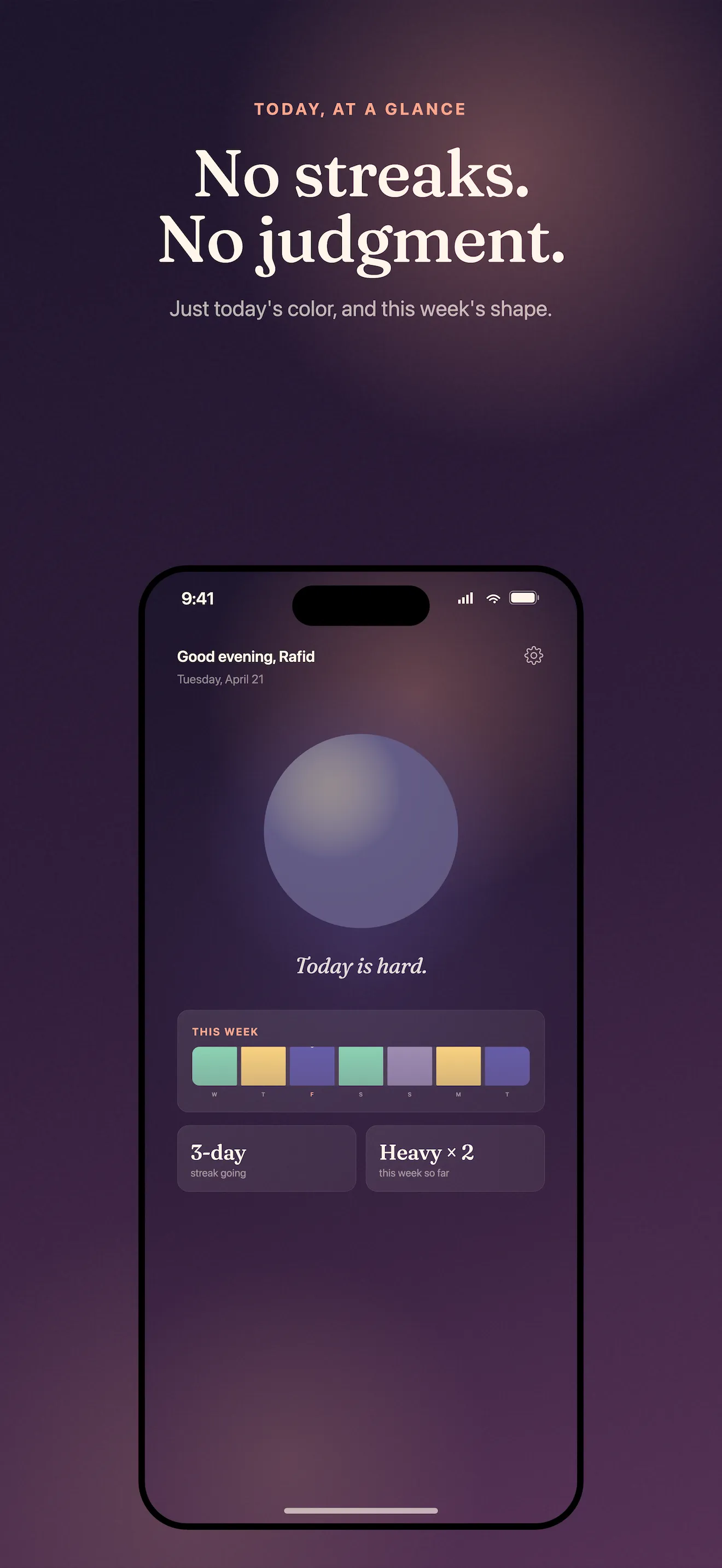
The colored gradient strip at the top of your home screen is MoodLight's signature—your week in color, no numbers, no clinical chart. Instead of reading it as data, read it as narrative. Does Monday tend to be heavier? Does your brightness spike mid-week? Are there long stretches of off before you shift back to calm? These patterns are invisible in a traditional journal. The gradient makes them visible. Spend a minute each Sunday looking at your strip and noticing what the colors tell you about your week.
Share Your Week Without Oversharing
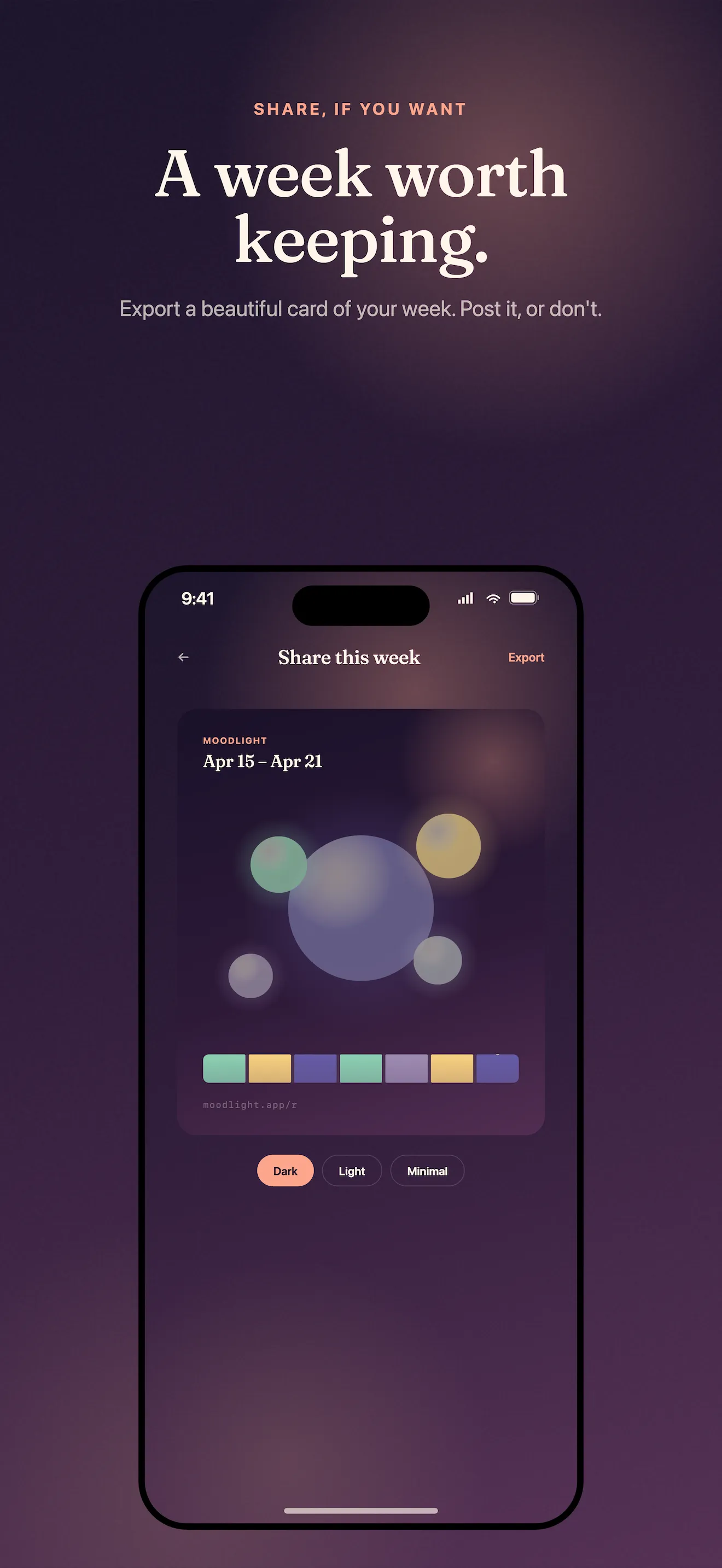
MoodLight lets you export soft, shareable mood cards—your gradient, your orbs, your week in color. Share them if you want. Keep them private if you don't. They work best when you send them to someone who actually gets it: your therapist, a close friend, a partner. The card says more than "I had a rough week." It shows the texture of it. And because everything stays on your device by default, you control what leaves and what stays. For more on the privacy-first design, read our guide on getting started with MoodLight.
Bring Your Data to Therapy (or Bring It Nowhere)
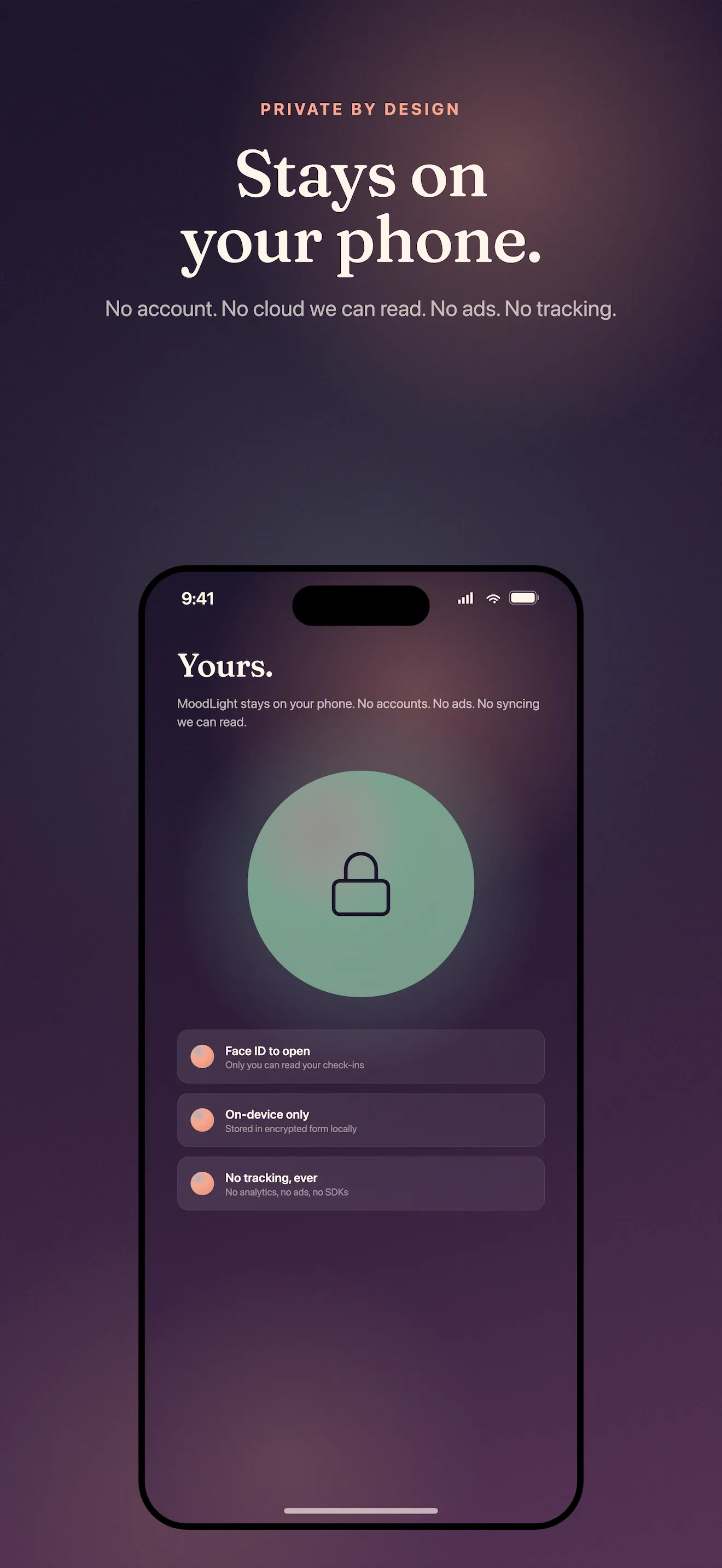
If you see a therapist or counselor, your MoodLight cards become a small artifact of the week you lived. You can show your therapist your gradient, your notes, the patterns you noticed. Or you can keep it entirely private—MoodLight doesn't care. The point is that your mood map belongs to you. It's on your device. No cloud. No account. No data harvesting. You own the record of how you've been, and you decide who sees it. Learn more about how the five orbs rethink daily mood tracking.
This article was drafted with AI assistance and reviewed by a human editor before publishing.