How to Value Pokémon Cards With Your iPhone
A practical guide to scanning and valuing Pokémon cards on iPhone: how card recognition works, where market prices come from, and how CardSnap tracks your collection's total worth.
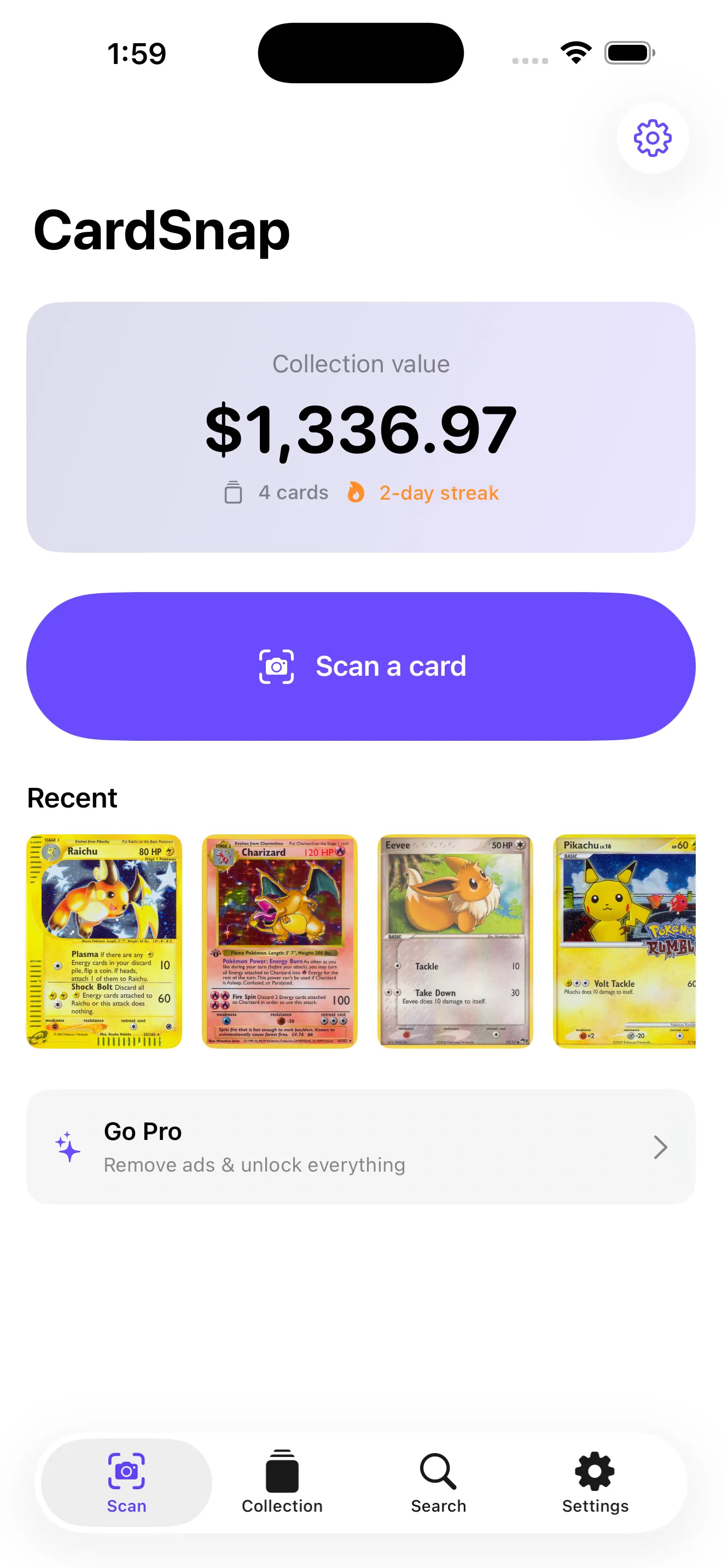
Why scanning beats manual lookup
Typing a card name, hunting for the right set, and matching the collector number by hand is slow — and easy to get wrong when a card has dozens of printings. A scanner reads the set symbol and number printed on nearly every modern card and matches it for you.
CardSnap uses on-device recognition so the card frame never leaves your phone. In seconds you get the name, set, number, and a market value pulled from major marketplaces.
Where the prices come from
Trading card prices move constantly, so freshness matters. CardSnap shows low, market, and high prices from TCGplayer and Cardmarket, each tagged with an "as of" date so you know how current the number is before you trade or sell.
For cards you don't have in hand, text search by name, set, or number returns every printing with its current value — useful for planning trades and tracking a wishlist.
Tracking your collection over time
Saving cards into a collection turns one-off price checks into a living total. CardSnap rolls every saved card into a live collection value, lets you sort by value, set, or date, and tracks streaks and value milestones as your binder grows.
See the CardSnap product page for screenshots, pricing, and the full privacy policy. Scanning and search are free with no account required.