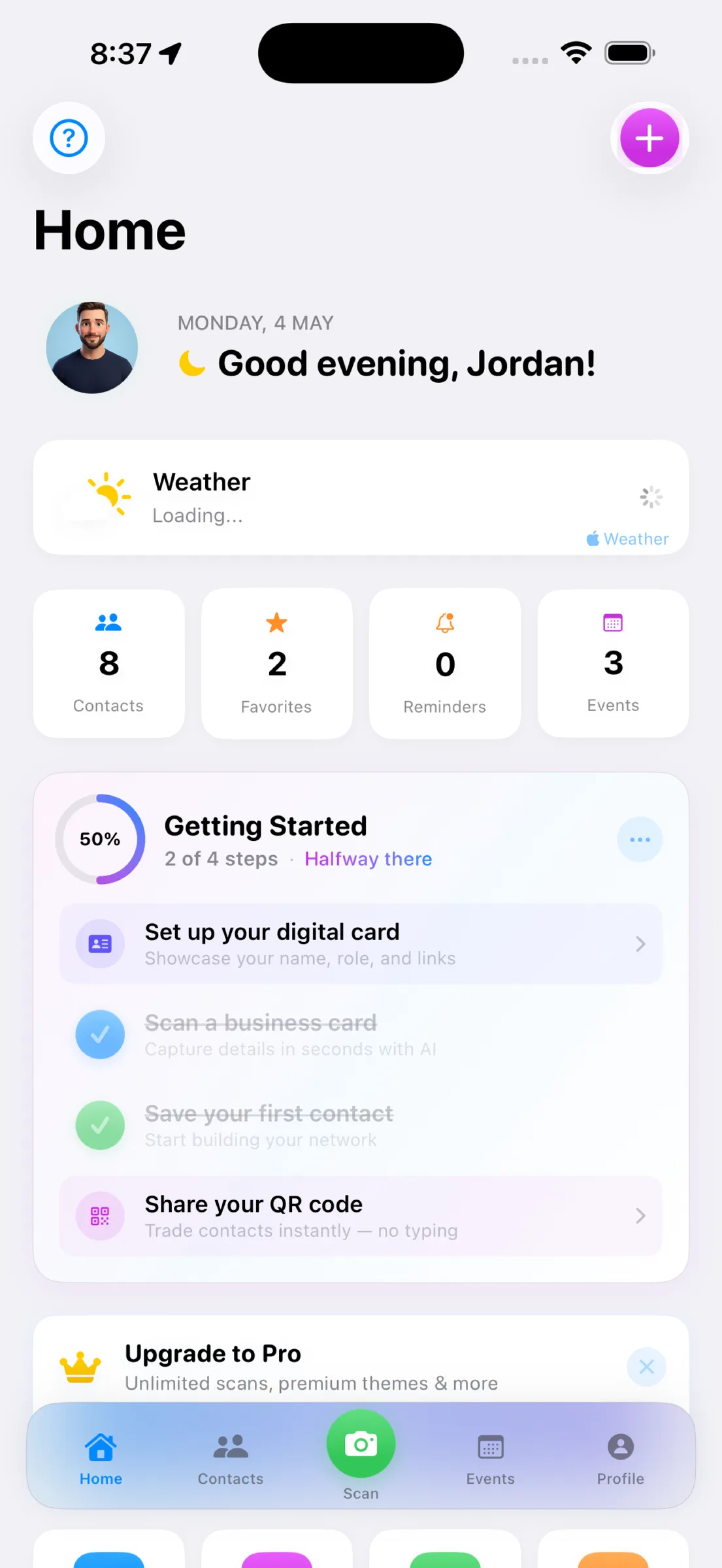
If you've ever collected a stack of business cards at a conference only to lose half of them or forget who you promised to follow up with, MeetStack addresses a real problem. It's a business card scanner built around the actual friction of networking: scanning works instantly via on-device OCR, your contacts land in an organized list with one tap, and reminders nudge you to follow up before the connection goes cold. We spent time with the app across free and Pro tiers to see what it does well and where it has real limits.
Who It's For
MeetStack makes the most sense for three groups. First: sales and business development professionals who work events regularly and need a fast way to capture, organize, and act on leads. Second: recruiters and talent managers collecting contacts across job fairs, conferences, or networking dinners. Third: event organizers and teams running campaigns who need to collect attendee details with consent and export for follow-up. If you're a solo freelancer or small-business owner who attends a handful of events per year, the free tier covers you. If you're working events weekly or managing a team doing lead capture, Pro or Business makes sense.
This is not a replacement for a full CRM. MeetStack is a focused tool that sits between the moment you meet someone and the moment you bring them into your broader sales or hiring workflow. It's designed to solve the specific friction of event networking, not to manage complex sales pipelines.
The Core Strengths
On-Device Scanning Is Actually Fast
The standout feature is the scanning itself. Point your phone at a card, tap scan, and the OCR pulls names, titles, companies, emails, phone numbers, and LinkedIn profiles in under a second. We tested it on cards with different fonts, colors, and layouts—including a few tricky ones with small print—and the accuracy was consistently high. More importantly, it all happens on your device. No upload to a server, no waiting, no privacy concerns about your contacts being sent elsewhere.
Scanning works so cleanly that it removes the friction from the moment itself—you can keep your eyes on the person you just met instead of fumbling with your phone.
Smart Organization Out of the Box
Once scanned, contacts land in your library and stay searchable. MeetStack automatically tags them by company, event, or date—you can also add custom tags and notes. The dashboard shows you stats at a glance: total contacts, recent scans, and upcoming follow-up reminders. It's not flashy, but it's genuinely useful. You can filter by event, sort by recency, and instantly see who you promised to follow up with.
Follow-Up Reminders That Actually Stick
The reminder system is simple but effective. After you scan a card, you can set a follow-up date—a few days, a week, or a custom interval. When that date arrives, you get a notification and a suggested action (email, call, LinkedIn message). In practice, this is the difference between a contact list and a networking tool. We set reminders for a few contacts and actually followed up, which wouldn't have happened if the app hadn't nudged us.
What Sets It Apart
Your Own Digital Business Card
MeetStack includes a feature often missing from scanners: a shareable digital business card for you. You get six premium themes (Classic, Midnight, Ocean, Sunset, Forest, and Slate) and can customize it with your details, photo, and social links. Share it via QR code or direct link. It's a small touch, but in a modern networking context, it means both people walk away with something digital and actionable.
Event Capture and Team Collaboration
If you're running an event or a team doing lead capture, MeetStack offers event-specific tools. Create an event, invite team members, capture leads with consent, and export the data for follow-up campaigns. The Business tier unlocks team collaboration and basic analytics. It's not as powerful as a full event management platform, but it fills a gap: you can actually track who captured which lead and who's responsible for follow-up.
The Caveats
It's iOS Only (For Now)
MeetStack is available on iPhone only. If your team uses Android or if you switch between devices regularly, you'll hit a wall. There's no Android app, no web version, and no mention of either coming soon. That's a significant limitation if you're trying to roll this out across a mixed team.
Limited Integration With Other Tools
MeetStack can export contacts and event data, but direct integrations with CRMs, email platforms, or calendar tools are sparse. If your workflow is built around Salesforce, HubSpot, or another platform, you'll be exporting and importing manually. The export function works, but real-time sync would be more powerful.
OCR Accuracy Depends on Card Quality
On-device OCR is fast, but it's not perfect. Heavily textured cards, unusual fonts, or low lighting can cause misreads. We had to manually correct a few fields on cards with metallic or gradient backgrounds. It's still faster than typing everything by hand, but it's worth expecting an occasional manual fix.
Pro and Business Pricing Add Up
The free tier is genuinely useful for light users: unlimited scanning, unlimited contacts, and basic follow-up reminders. Pro ($9.99/month or $99/year) adds premium card themes and priority support. Business ($29.99/month or $249/year) adds team collaboration and event analytics. If you're running a team at scale, the cost is reasonable. If you're a solo user, the free tier often suffices.
The Bigger Picture
Business card scanners aren't new, but most feel like afterthoughts—a feature bolted onto a note-taking app or a generic contact manager. MeetStack is built around the actual moment of networking: you meet someone, scan their card, set a reminder, and follow up. It's a narrow focus, but a sharp one. For anyone working events regularly, that focus is exactly what you need. If you're looking for more detailed guidance on how to use the app, check out our walkthrough on scanning, organizing, and following up, or start with the beginner's guide to your first week.
- On-device OCR scanning
- Yes, instant and accurate
- Follow-up reminders
- Yes, customizable intervals
- Digital business card
- Yes, six themes with QR sharing
- Event lead capture
- Yes (Pro and Business tiers)
- Team collaboration
- Yes (Business tier only)
- Android support
- Not available
- CRM integrations
- Export only, no direct sync
- Free tier
- Full scanning and contact library
This article was drafted with AI assistance and reviewed by a human editor before publishing.