How to Share a Custody Calendar With a Co-Parent Who Will Not Sign Up for Anything
The shared custody calendar fails at the invite, not the schedule. Why co-parents decline the apps they are sent, what a fair join path looks like, and how to handle holidays, swaps and calendar export once you are both looking at the same year.
Why the invite is where it breaks
Most shared custody calendars are set up by one parent and never joined by the other. The schedule is usually fine. The invite is the problem: it asks the co-parent to create an account, hand over an email address, and often to look at a paywall or an "upgrade" prompt for something they did not choose and do not control.
To a person who is already wary - and in a separation, most people are - that reads as being enrolled in the other parent’s system. Declining is rational. The result is a "shared" calendar that is really one parent’s private spreadsheet, and the text thread continues.
What a fair join path looks like
The co-parent should see the schedule before they are asked for anything. No account, no email, no password - a first name is enough to be a member of a household. They should never see a purchase button for a household they did not create, and they should have the same abilities as the parent who set it up: request swaps, add holidays, see the same year.
Visual equality matters more than it sounds. If one parent’s colour is bold and the other’s is pale, or one is filled and the other outlined, the calendar looks like it is keeping score. Both parents should get the same weight on every screen, and nothing in the app should celebrate anyone.
Agreeing changes without a text thread
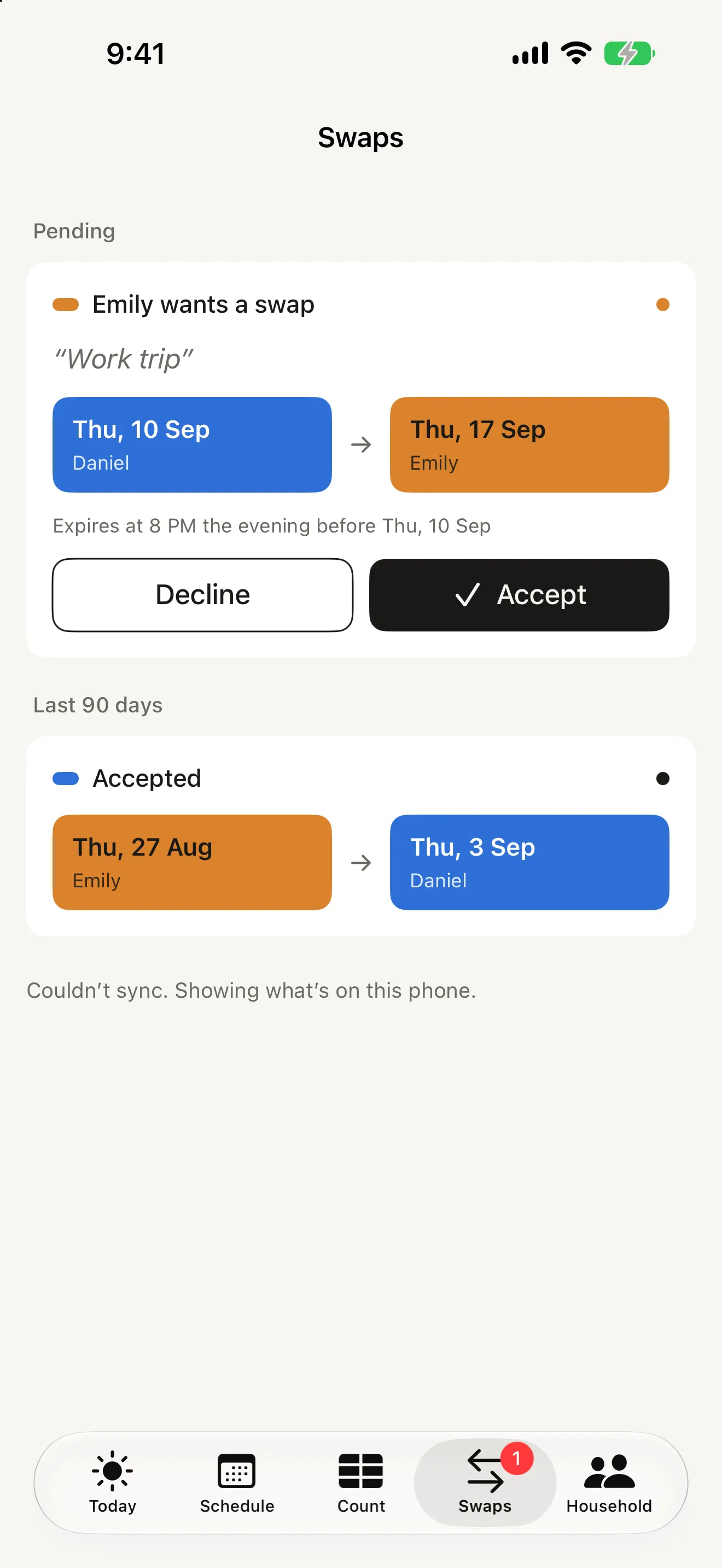
Once both of you are looking at the same year, the remaining friction is changes. Two habits keep them clean. First, separate the reason from the change: a note ("work trip to the UK") explains a day; an exception or a swap changes who has the children. Second, make swaps explicit requests with a visible expiry, so a message that never gets answered simply lapses instead of hanging over the week.
An accepted swap should be final. If plans change again, that is a new request. It feels stricter than a text, and that is the point - the calendar stays an honest record of what was agreed, and the day sheet can say in one line why the day is the way it is.
Bringing in the rest of the household
Schools, grandparents and nannies do not need the app; they need the calendar. A standard .ics export handles that for Google Calendar and Outlook, and a direct write into Apple Calendar avoids the duplicate events that manual imports create. If someone manages one parent’s diary, an assistant seat that shows "acting for" on everything they change is the whole audit trail you need.
Siblings on different schedules - an older child on 2-2-3, a younger on week on / week off - should be two patterns in one household, not two apps. And when a child sleeps at the other parent’s on a single Saturday, that is an exception for that child, not a new pattern.
How Alternate does it
Alternate’s invite is a QR code or a link that lives 30 minutes. Your co-parent installs the app, scans, adds their name, and sees the year - no account, no purchase button, same abilities as you. One subscription covers the whole household, so nobody pays twice, and the free tier already includes pairing, one child and the next 60 days.
Swaps are requests with an optional day in return and a note; unanswered ones expire at 8 PM the evening before. Holidays and exceptions can repeat every year or alternate years. Export writes twelve months into Apple Calendar without duplicates or shares an .ics file. Both parents’ colours are kept equal by design, there are no streaks or percentages, and nothing is tracked. See the Alternate product page for screenshots and the privacy policy for what syncs, which is your household’s schedule and first names, and nothing else.