Strength percentiles - Real meet data - Works offline
BenchmarkOne lift in. One honest percentile out.
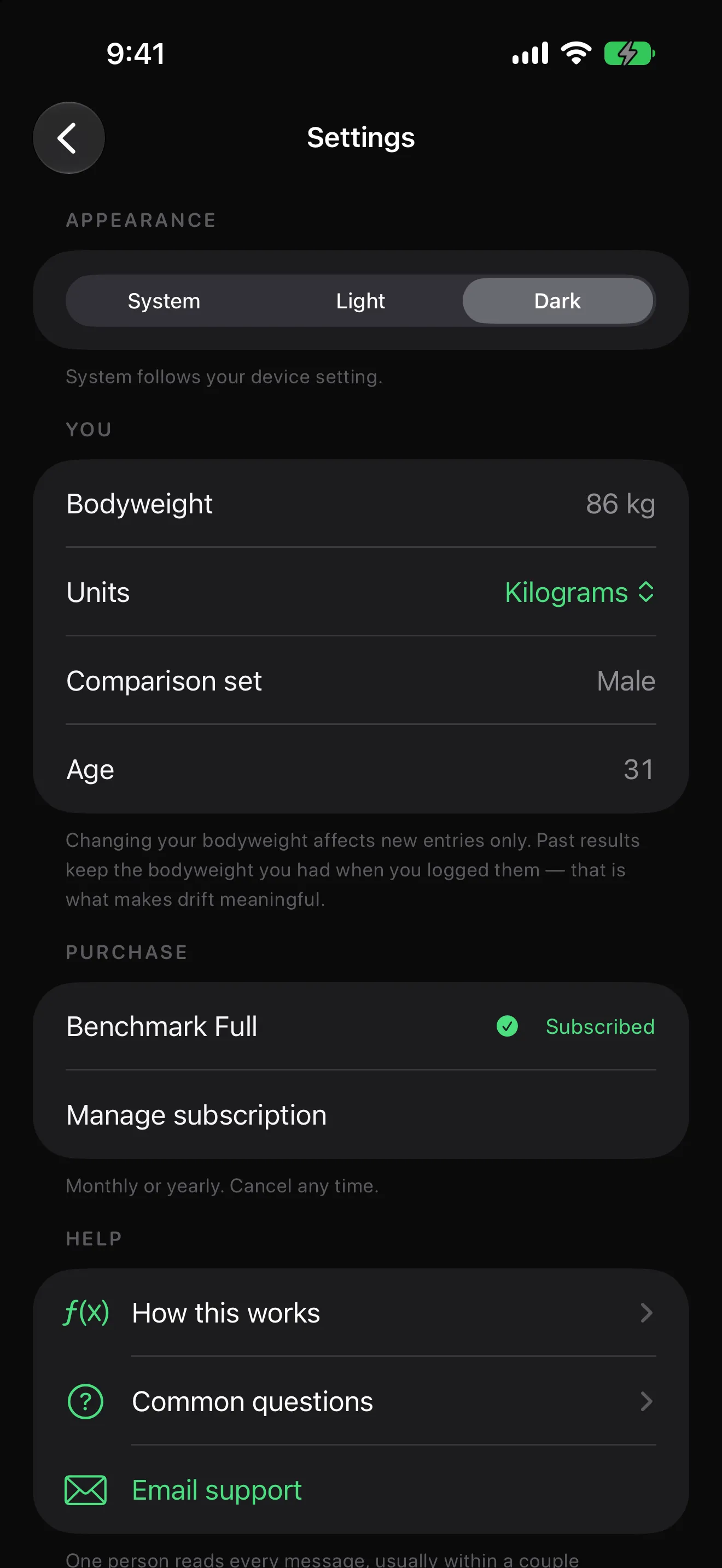
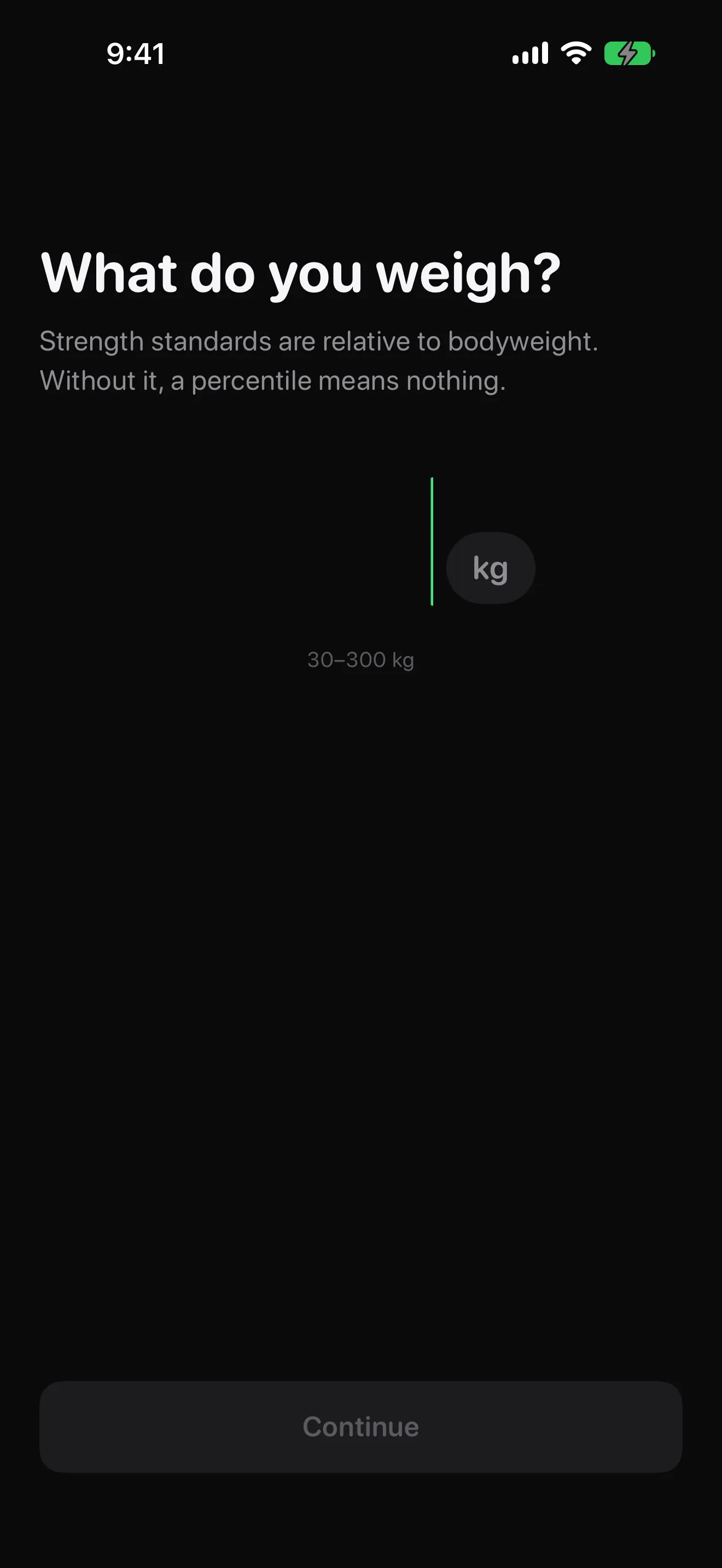
Benchmark is a strength standards calculator for people who lift and want to know what their numbers mean. Setup takes under twenty seconds: bodyweight, sex, and an optional age - no email, no sign-in, no permission prompts. Then you tap the plus button, pick bench press, squat or deadlift, type the weight, and tap Check. In under 200 milliseconds you get a percentile against 1.8 million judged lifts from sanctioned powerlifting meets, a tier word from Untrained to Elite, and a distribution curve with your marker on it. Every result is labelled with what it is measured against, because a competitive dataset reads harsher than gym intuition and Benchmark says so rather than letting you conclude the app is broken. Each check is saved as a dated entry, and the history view shows two lines: your PR timeline, and percentile drift - your placement over time, which is the number that tells you whether you are actually progressing relative to a fixed standard or whether you just got heavier. Bodyweight is snapshotted onto every entry, so updating your weight never silently rewrites your history. Widgets put a lift and its percentile on your Home Screen and a composite three-lift ring on your Lock Screen, and share cards render entirely on-device with your actual weights included only if you switch them on. Bench press is free forever with unlimited checks; a subscription unlocks squat, deadlift, drift, history, widgets and share cards. The percentile engine ships inside the app and works in airplane mode.
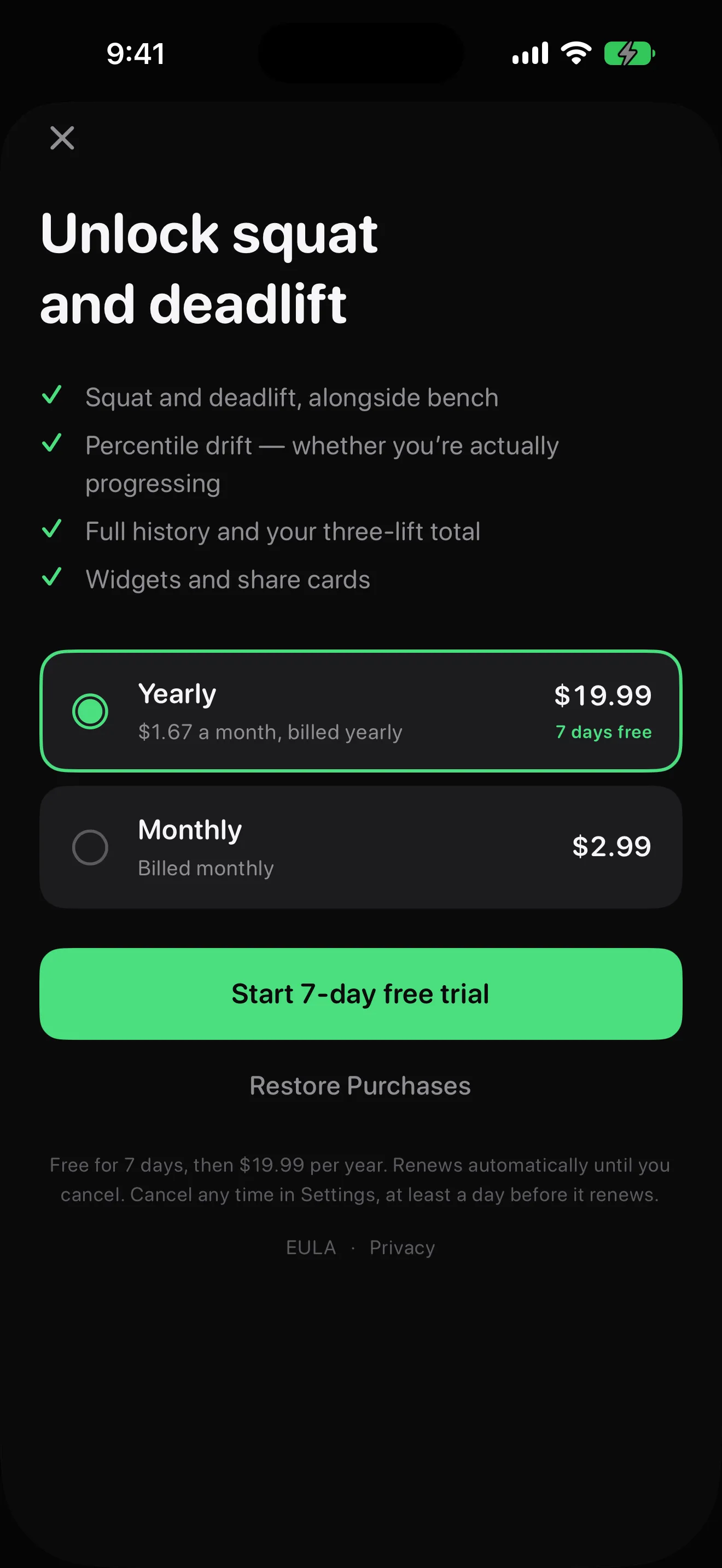
FreeFree to downloadBenchmark Monthly from $2.99 per month
Health & Fitness
One number we can stand behind
Every strength standards table on the internet claims to tell you how you compare to the average gym-goer. Almost none of them can. Gyms do not record one-rep maxes, so no verified dataset of general-population lifts exists - the most widely used table is expert opinion derived from competition data, and its own author says it should not be mistaken for population norms. Benchmark was built on the refusal to ship that number. The comparison it does make comes from the OpenPowerlifting project: 1.8 million lifts performed at sanctioned meets, judged to competition standard, and released into the public domain. The fitted curves are checked against independently published, peer-reviewed norms and reproduce them to within 3%. That choice has a cost - a lift that impresses your gym might land in the 20th percentile against people who chose to compete - and Benchmark pays it openly, labelling every result with exactly who you are being measured against. There is no overhead press in the app for the same reason: it is not a competition lift, the dataset contains none, and we would rather leave a lift out than compare you against numbers we invented. The result screen states the sample size behind your curve, warns you when your bodyweight sits in a thin region of the data, and shows a confidence band instead of pretending precision it does not have. We would rather show you one number we can stand behind than two where the second is a guess wearing a lab coat.
New: compare against drug-tested lifters, and export your history as CSV or JSON. Your placement against real meet data, tracked over time.
Key features
What Benchmark does
01
Three lifts and a composite, on one screen
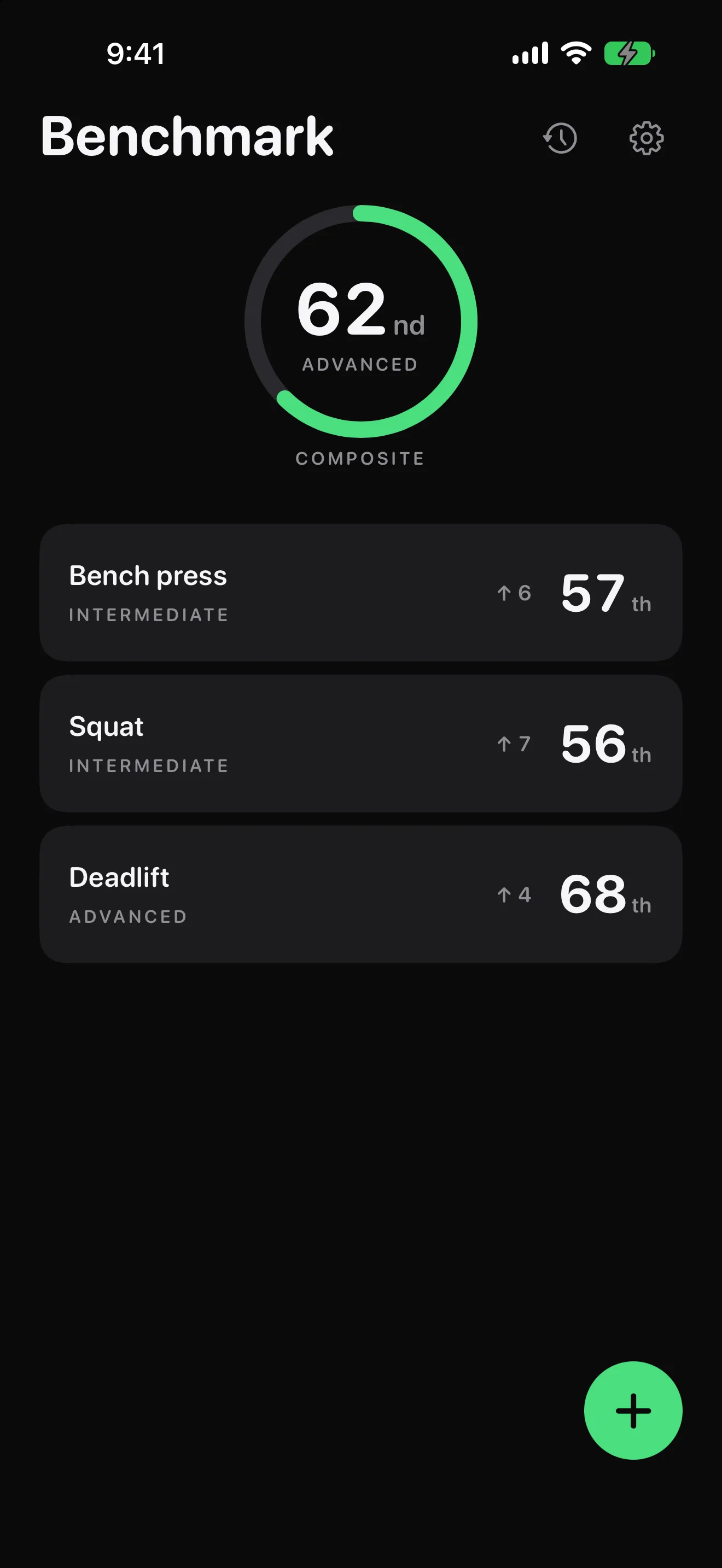
Home shows a card per lift - bench press, squat, deadlift - each with its current percentile, tier word and drift arrow, plus a composite ring across your three-lift total at the top. No tab bar, no feed, no clutter: three lifts and a history view do not need one.
02
Enter a weight, tap Check
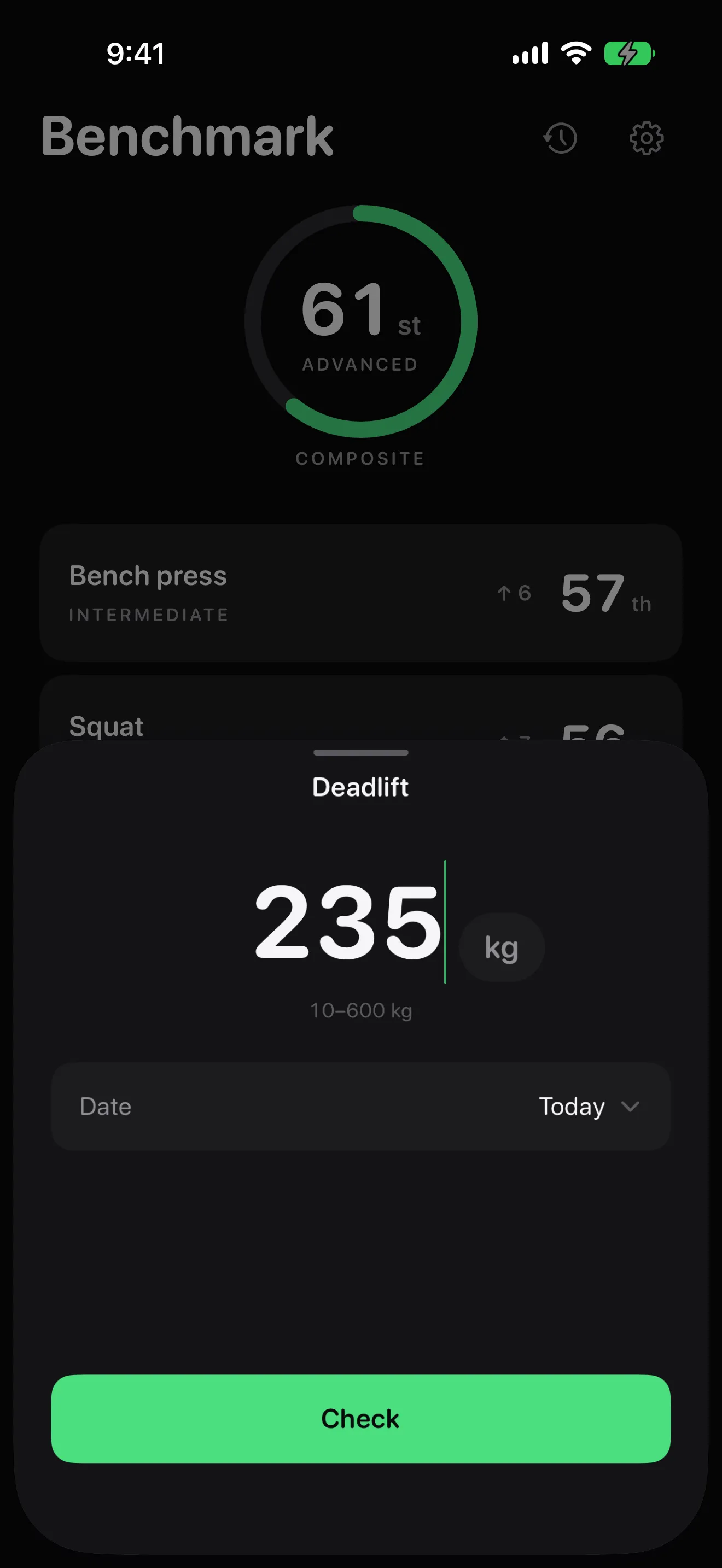
The entry sheet is a lift name, a large numeric field, a tappable kg/lb toggle and an optional date that defaults to today. Backfilling months of old PRs from a spreadsheet is a first-class use, which is why entry dates are editable from day one.
03
A percentile, a tier, and who it is against
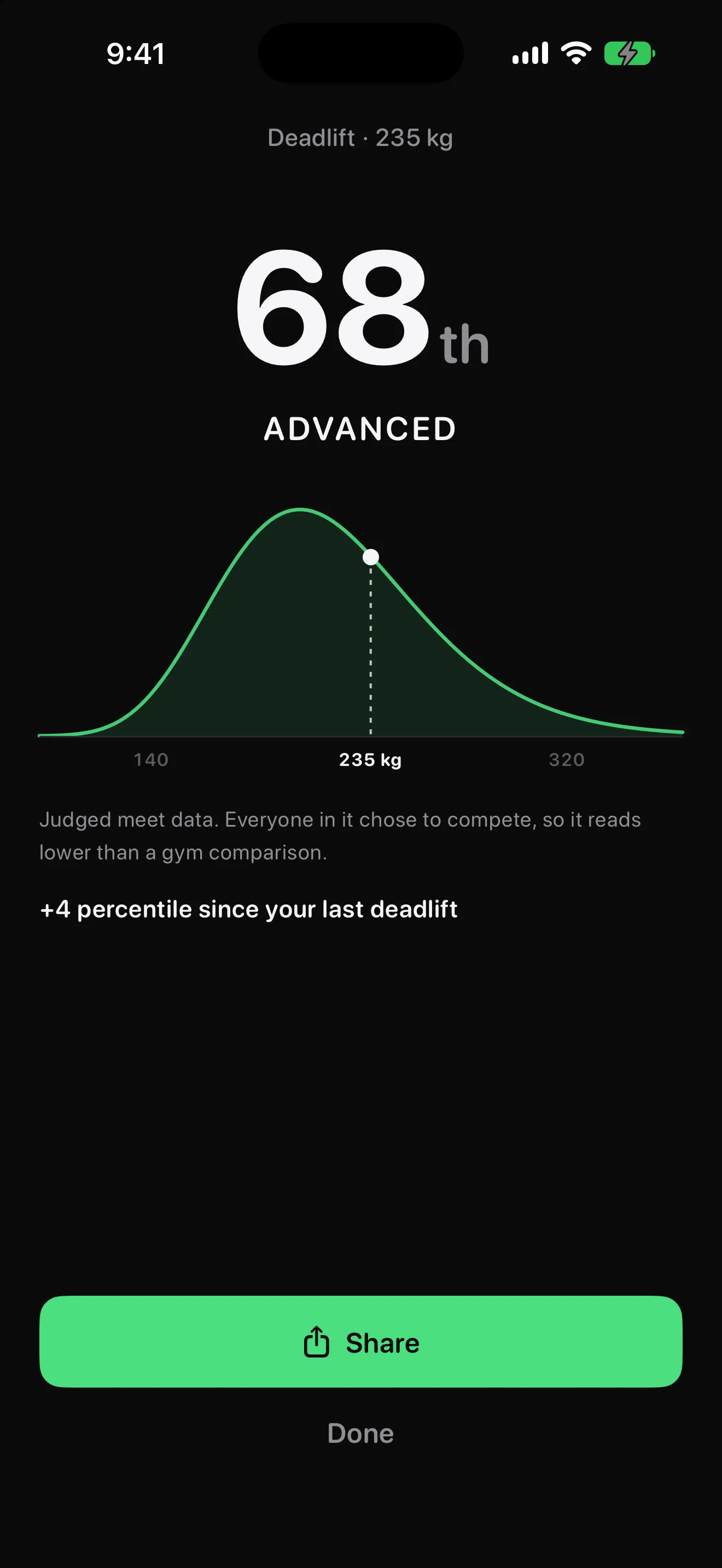
The result screen shows your percentile large, a tier word beneath it, and your marker on the real distribution curve. The source caption sits above the fold: judged meet data, everyone in it chose to compete, so it reads lower than a gym comparison. Information, not judgement.
04
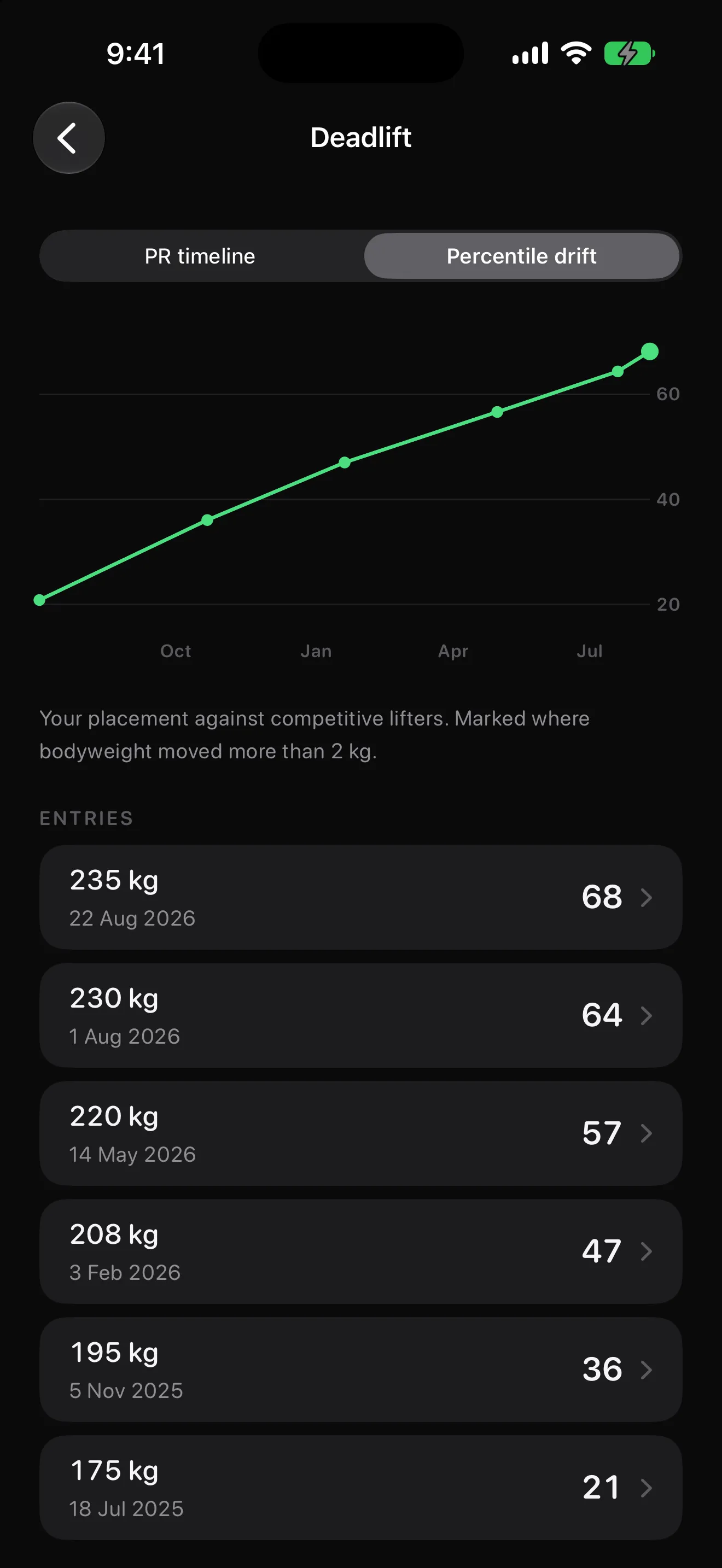
Percentile drift: the honest progress line
Your placement over time, not just your weights. A lifter who gains 5 kg of bodyweight and 5 kg on their bench has usually gone backwards on percentile, and Benchmark shows that plainly - the chart is annotated wherever your bodyweight moved by more than 2 kg, so the two facts sit side by side.
05
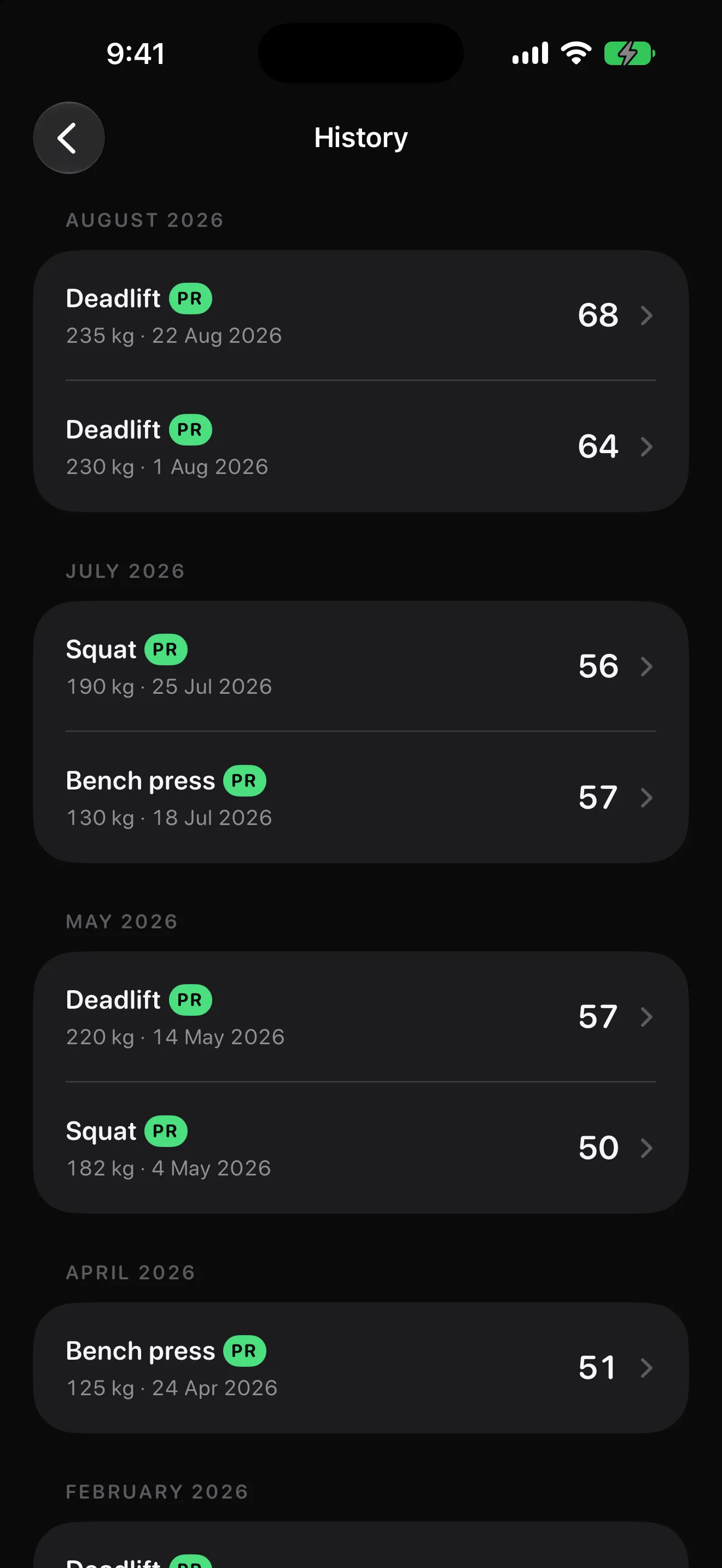
Every check saved, every PR flagged
History keeps a dated entry for every lift you check, grouped by month with PR badges on personal records. Long-press to edit a weight or date, or to delete - and each entry keeps the bodyweight you had when you logged it, so your history is never silently rewritten.
06
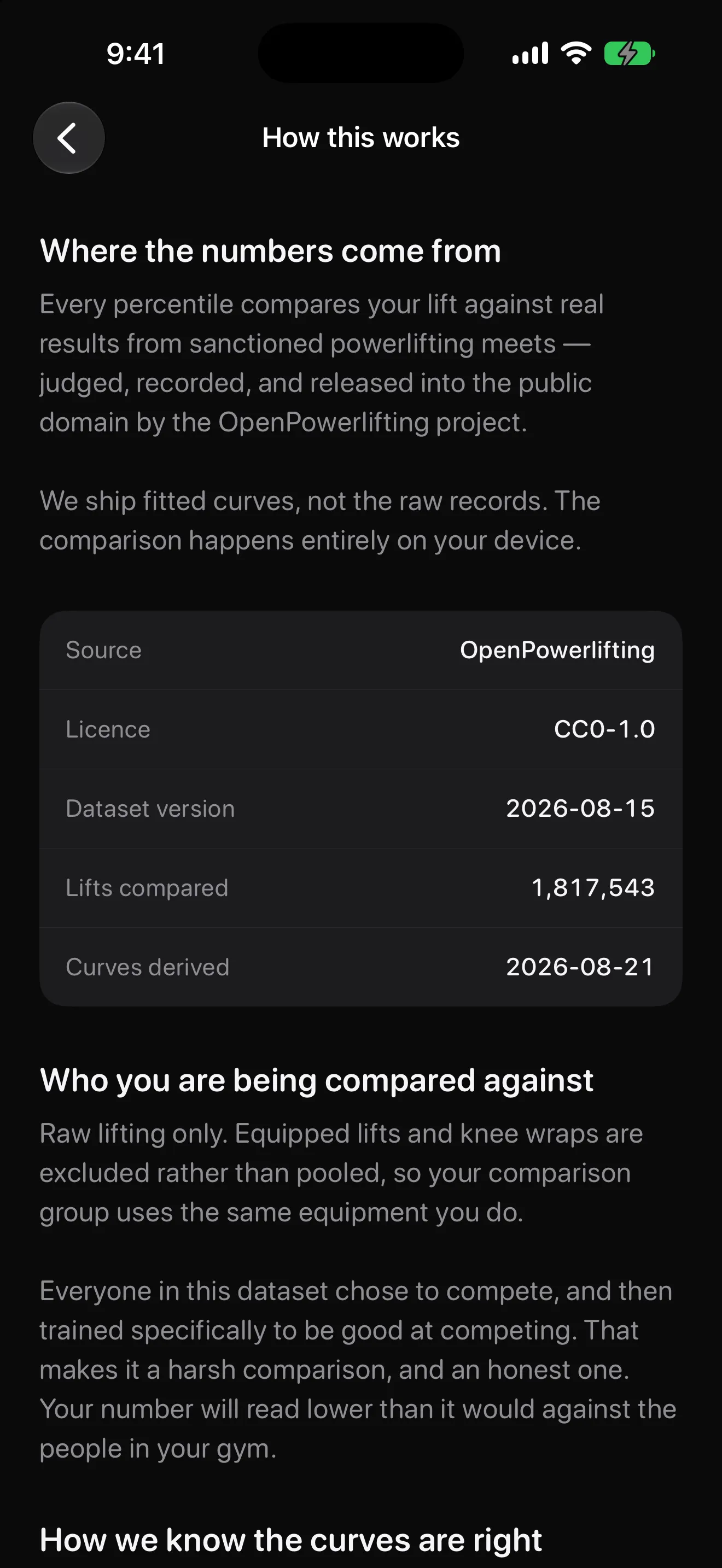
The methodology is a screen, not a secret
How This Works names the source, the licence, the dataset version, the number of lifts compared and the derivation date. Raw lifting only, equipped lifts excluded, and thin regions of the data flagged with a confidence band instead of a false-precision number.
07
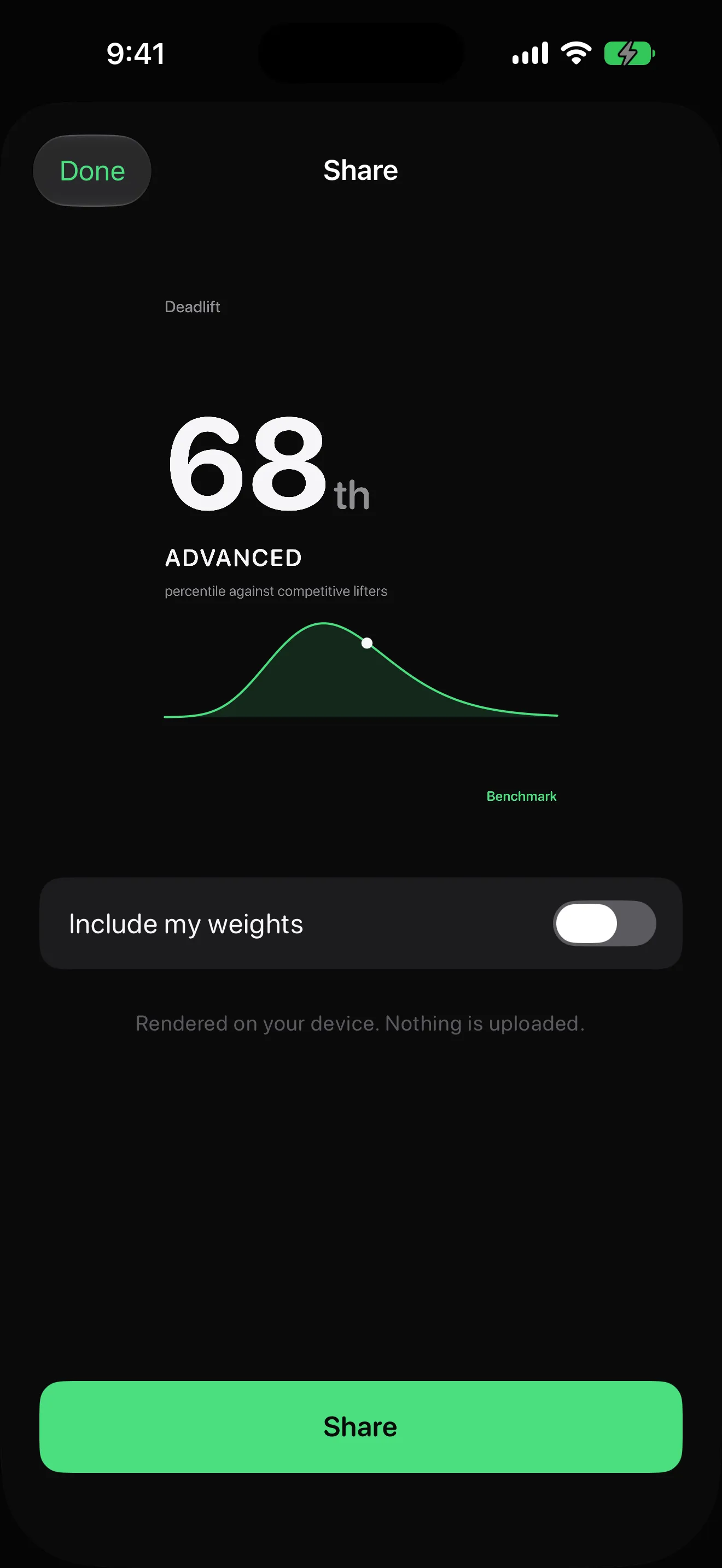
Share cards that respect your numbers
Tap Share on any result to get a card with your percentile, tier and curve. Whether it includes your actual weights is a toggle that defaults to off, and the card is rendered on your device - nothing is uploaded, because there is no server to upload to.
More screens
Benchmark screenshots
What's new
Version 1.0.1
Released on the App Store
Compare against drug-tested lifters
A second comparison population: results from meets and divisions that OpenPowerlifting marks as drug-tested — 1.35 million of the 1.82 million raw lifts. Same judged data, one more filter, and the sample size is shown. Switch in Settings or at the top of any result; Home, History, widgets and share cards follow.
Export your history
History now exports to CSV or JSON through the Files picker. Every row carries the date, the lift, the weight in kg and lb, the bodyweight you were at, and the percentile. Export only. Nothing is uploaded — Benchmark has no server.
Settings → How this works explains what “tested” does and does not mean.
Who it's for
When people reach for Benchmark
Settle "is 100 kg good?" with real data
You have googled it, landed on a random standards table, and closed the tab unconvinced. Benchmark answers with a percentile against 1.8 million judged lifts, tells you exactly who the comparison is against, and saves the entry so the next check shows a delta instead of a guess.
Find out whether you are actually progressing
Your lifts are creeping up, but so is your bodyweight. Percentile drift shows your placement against a fixed standard over time, annotated where your bodyweight moved - the one chart that separates getting stronger from getting heavier. Backfill months of PRs from your spreadsheet with editable entry dates.
Show a client their progress is real
Coaches use the same forty-second flow: enter the lift, show the percentile and the drift line. A climbing placement against competition data lands harder than praise, and share cards - with actual weights off by default - give the client something concrete to keep.
Pricing
Straight from the App Store.
Live prices synced from the Benchmark App Store listing.
Benchmark Monthly
Benchmark Full
$2.99 per month
Auto-renewing subscription
Benchmark Yearly
Benchmark Full
$24.99 per year
Auto-renewing subscription
Prices shown from the US App Store. Local pricing may vary.
Guides & resources
Benchmark guides
Step-by-step answers to the questions people ask most about Benchmark.
Real, verified competition data: 1.8 million lifts performed at sanctioned powerlifting meets, judged to competition standard, from the OpenPowerlifting project. Raw lifting only - equipped lifts and knee wraps are excluded rather than pooled, so your comparison group uses the same equipment you do. Benchmark ships precomputed percentile curves derived from that dataset, and the How This Works screen shows the dataset version, the sample size behind each curve and the derivation date.
Why does my percentile read lower than I expected?
Because everyone in the dataset chose to enter a powerlifting meet and then trained specifically to be good at it. A lift that impresses your gym might land in the 20th percentile against that population - that is not the app being harsh, it is a selective comparison group, and Benchmark labels it on every result screen. The more useful reading is direction: percentile drift shows whether your placement is climbing, which is the question that actually matters.
Why is there no "versus the average gym-goer" number?
Because nobody has that data. Gyms do not record one-rep maxes, so no verified dataset of general-population lifts exists. Every published table claiming to be gym-population strength standards is expert opinion, self-reported app data, or competition data relabelled - and the author of the most widely used one says plainly it should not be mistaken for population norms. We would rather show you one number we can stand behind than two where the second is a guess.
Which lifts does Benchmark support?
Bench press, squat and deadlift. Bench press is free forever; squat and deadlift come with the subscription. There is no overhead press, and that is deliberate: it is not a powerlifting competition lift, so the meet dataset contains none - and rather than compare you against numbers we invented, we left it out. If a citable data source for it ever appears, it becomes a candidate for a future version.
Is Benchmark free?
Bench press is genuinely free: unlimited checks, the full result screen, forever. It is not a trial, it does not expire, and there is no cap. Benchmark Full is $2.99 a month or $24.99 a year - which works out at $2.08 a month and starts with a free week - and adds squat, deadlift, percentile drift, full history, the composite three-lift total, widgets and share cards. Subscriptions renew automatically until cancelled, and the renewal terms are stated on the paywall itself, not behind a link.
Do I need an account?
No, and there will never be one. Benchmark asks for three things at first launch - bodyweight, sex, and an optional age you can skip - because strength standards are meaningless without the first two. No email, no sign-in, no permission prompts. You are on the main screen in under twenty seconds, and your first result is typically on screen inside forty.
Does it work offline?
Yes. The comparison curves ship inside the app, so the percentile is computed entirely on your device in under 200 milliseconds - the core of Benchmark works in airplane mode. There are no network calls in the core loop: entering a lift, seeing a result, browsing history and updating widgets all happen locally, with nothing to fetch and nothing to wait for.
What is percentile drift?
Your placement over time, as opposed to your weights over time. Adding 5 kg to your bench while gaining 5 kg of bodyweight usually moves you backwards against a fixed standard, and a weight-only chart hides that. Drift shows it plainly, and the chart is annotated wherever your bodyweight changed by more than 2 kg so the two facts sit next to each other. Every entry snapshots the bodyweight you had when you logged it - updating your weight never rewrites your history.
How accurate are the percentiles?
The fitted curves are checked against independently published, peer-reviewed strength norms - van den Hoek et al. (2024), Journal of Science and Medicine in Sport - and reproduce them to within 3%. When your bodyweight, sex and lift combination sits in a thin region of the dataset, Benchmark says so: it shows the sample size and a wider confidence band rather than a single hard number. And if the curve data ever fails to load, the app shows an error rather than inventing a percentile.
What data does Benchmark collect?
Your lifts, bodyweight, age and history stay on your device and are never transmitted. The app records anonymous usage analytics - which screens get used and roughly where percentiles land, in ten-point bands - never your actual weights, your bodyweight, or anything that identifies you, and Settings has a switch that turns it off entirely. There is no ad tracking, no HealthKit access, and no server of ours holding your training data.
Is Benchmark a workout logger?
No, deliberately. There are no exercise libraries, no rest timers, no programme builders, and it will not tell you what to train. If you want to log sessions, use a logger. Benchmark does one job: it tells you where a lift places you against real competition data, and tracks that placement over time. A percentile is a comparison against other lifters - it is never a health, safety or injury-risk assessment.