Visual routines - Ages 3-9 - Nothing leaves the phone
StarlingThe morning routine, in pictures, run by the person who has to do it.
Starling is a visual schedule for children who cannot read yet, or who read fine and still need the sequence in front of them. You add a child, pick a starter routine - Morning, Bedtime, After School, Getting Out The Door - and edit the pre-filled picture steps until they match your actual house. That takes about ninety seconds and it is the last setup you do; routines repeat on the days you choose, so there is no daily data entry to fall behind on. Your child then opens the app, or taps the Home Screen widget, and sees one big card: the current step as a picture, a short word underneath, and a Done button at thumb height. Tap it and the next step arrives. Finish the routine and a full-screen celebration drops a star into the Nest, where a companion bird grows across six stages, and where the rewards you priced in stars sit waiting. Older children who prefer a checklist can switch the same routine to list mode. There are no failure states anywhere in the app: a missed routine is simply not completed, nothing turns red, and nothing scolds. Accessibility is never behind the paywall - VoiceOver, Dynamic Type and Reduce Motion support are free forever, as are the widget and iCloud sync across your own devices. Starling has no account, no sign-up, no analytics on children and no server of ours; everything lives on your iPhone.
90 secto a working routineAdd a child, pick a starter routine, delete the steps that do not apply. Under a dozen taps from opening the app for the first time to a populated home screen, with no sign-up wall in the way.
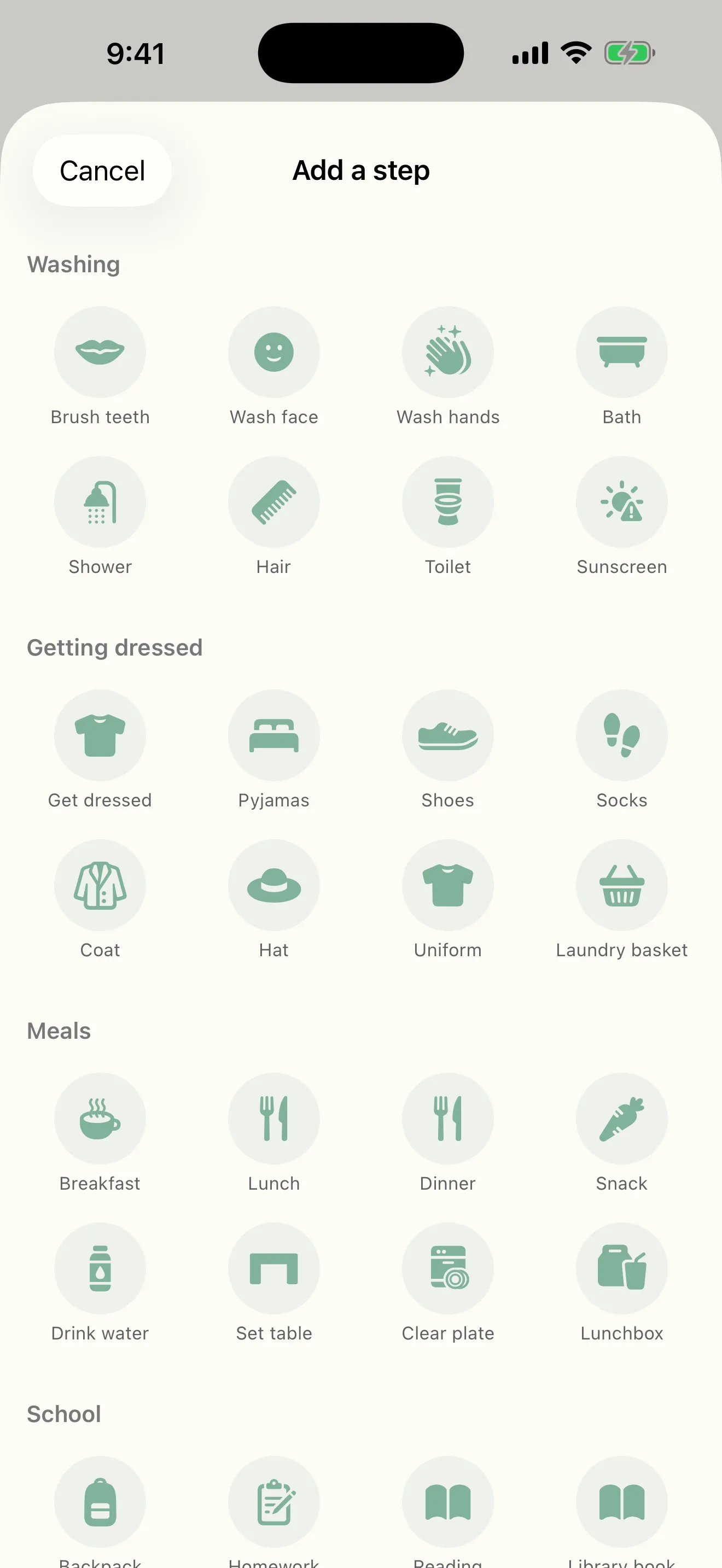
~120built-in step picturesWashing, getting dressed, meals, school, chores, bedtime, screen-free play and medication - so a child who cannot read yet can still follow the whole sequence on their own.
0accounts, ads or trackersNo sign-up, no email capture, no advertising and no analytics on children. Routines and stars stay on your iPhone and sync privately through your own iCloud.
Education
The chart that survives week three
Almost every parent of a small child has tried a paper chart, a whiteboard, or a printable sticker grid. It works for two weeks and then dies, and it dies for a reason that has nothing to do with willpower: the chart needs a literate adult standing next to it, and it needs somebody to redraw it every week. Starling was built to remove both jobs. The pictures mean the child does not need an adult to read the chart to them, and the repeat schedule means nobody has to rebuild it on Sunday night. That is also why the widget and iCloud sync are free and always will be - the loop only survives if the routine lives where you already look, and charging for that would be charging for the part that makes it work. The other decision that mattered was refusing to punish. A meaningful share of the children this is built for are autistic or have ADHD, and their parents were told to use a visual schedule by an OT or a teacher. Streak counters that break, red overdue badges, and guilt-shaped notifications are exactly wrong for that child. Starling has none of them.
Key features
What Starling does
01
One screen your child can read without reading
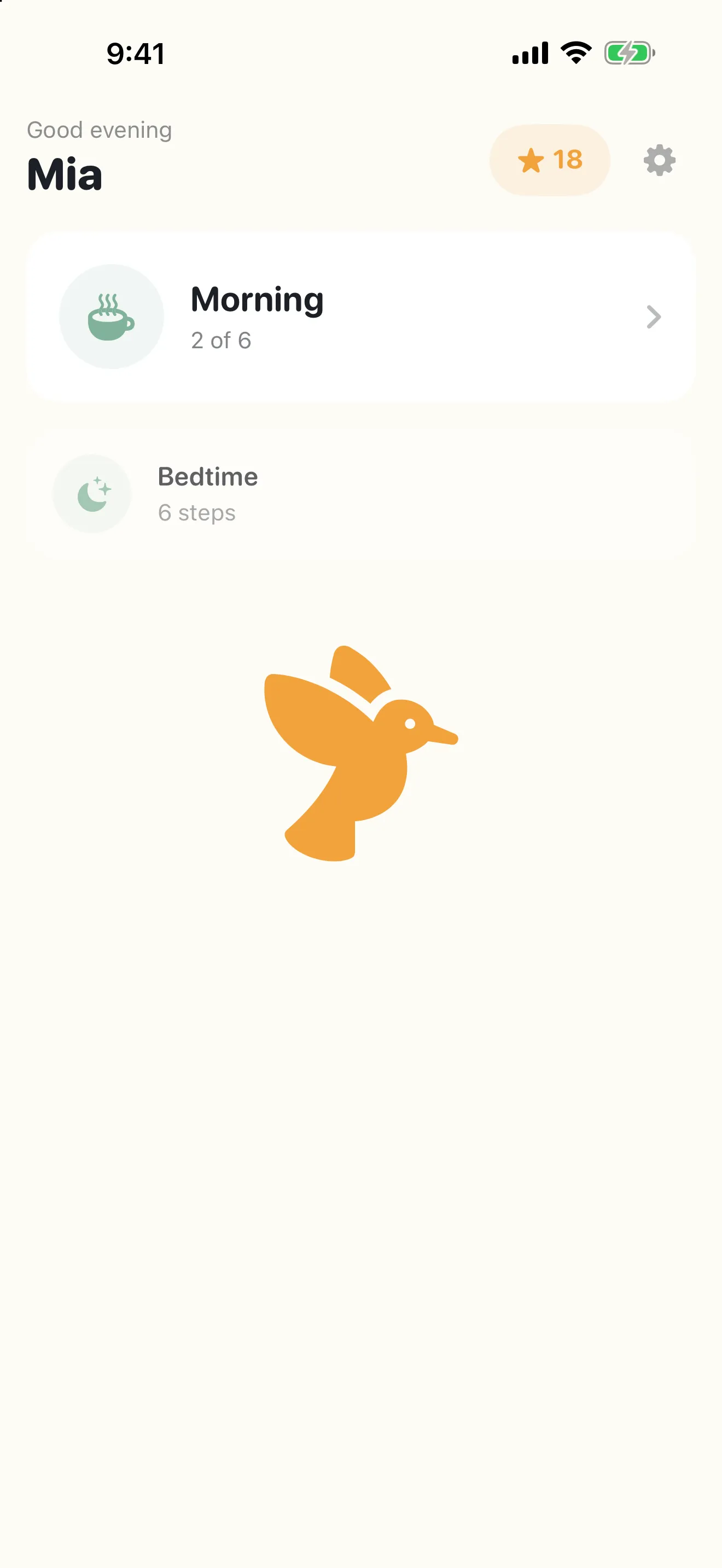
Today shows the routine that is running now as a large card with its progress, and the rest of the day dimmed underneath. The star balance sits in the corner, the parent gear is small and out of the way. Tap a routine and the child is in Focus mode.
02
Focus mode: one step, filling the screen
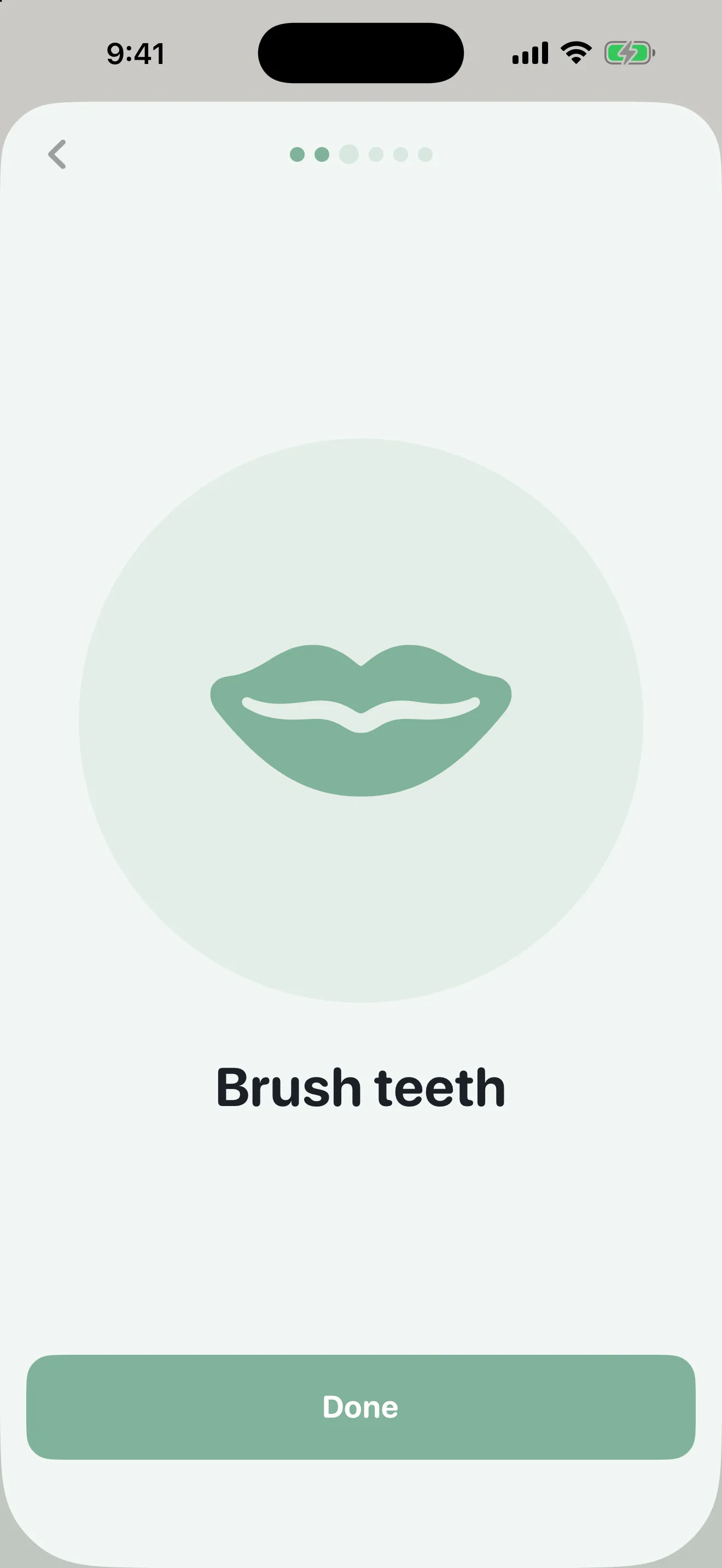
A picture at nearly half the screen, a short word underneath in large rounded type, an optional depleting timer ring, and a full-width Done button at thumb height. Tap it and the step flies away, the next one slides in, and the progress dots move on. Nothing else is on screen to get lost in.
03
A celebration, then a star in the Nest
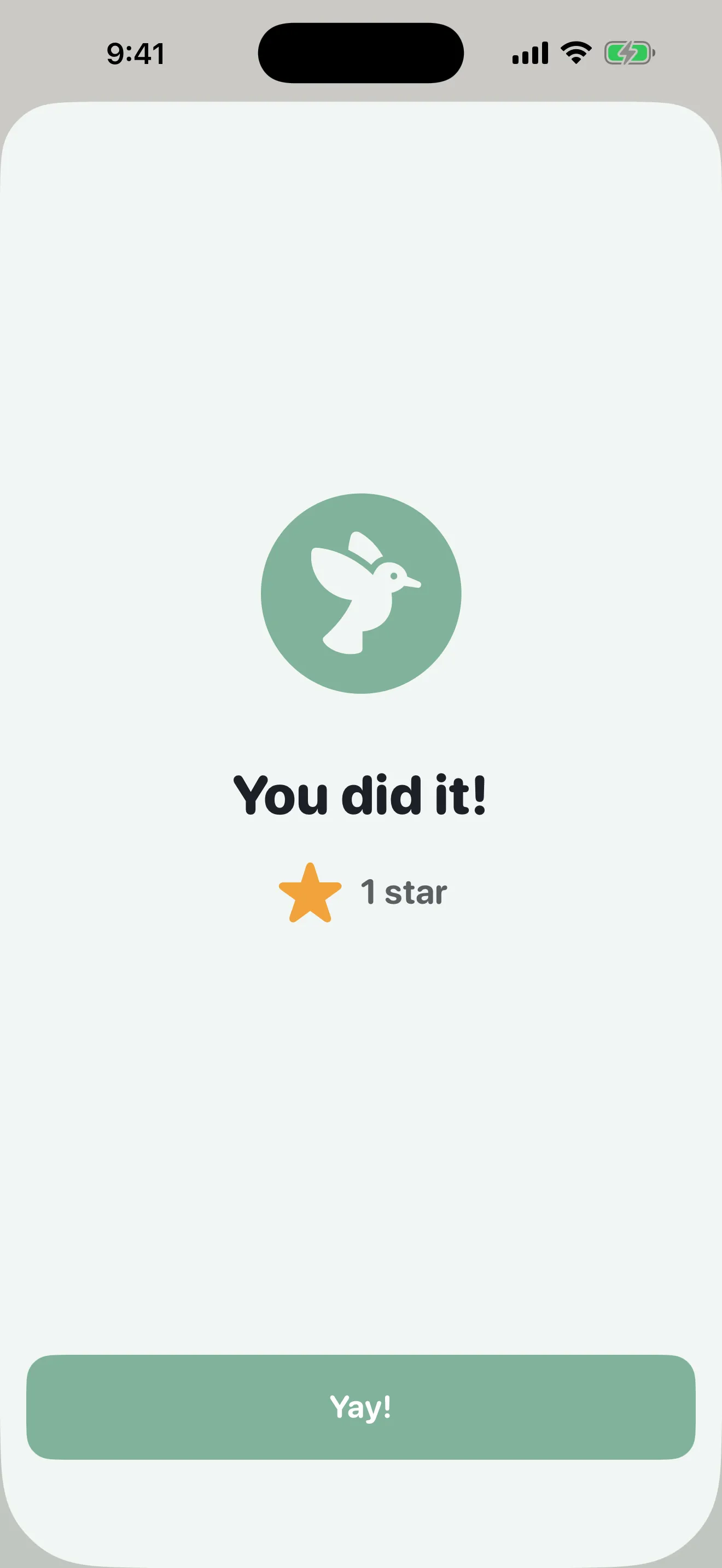
Finishing a routine earns exactly one star, however many times the last step is tapped. The celebration is full-screen and character-led rather than a badge, and it degrades to a quiet static state with a haptic when Reduce Motion is on.
04
The Nest: a bird that grows, and rewards you set
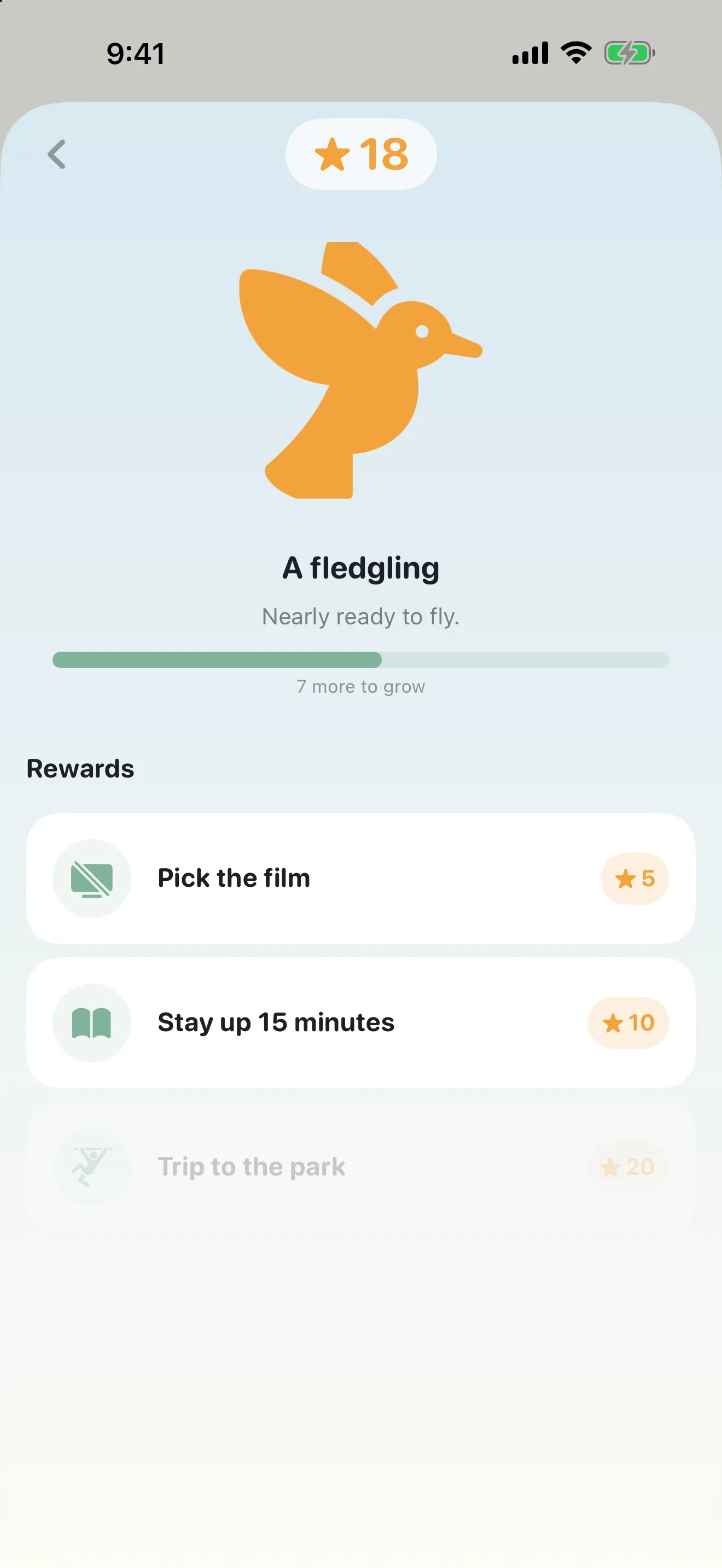
Stars grow a companion bird across six stages over roughly eight weeks of consistent use - a slow reward a child asks about. Underneath sit the real-world rewards you defined and priced in stars, with the ones that are not affordable yet visibly greyed rather than hidden.
05
List mode for children who prefer a checklist
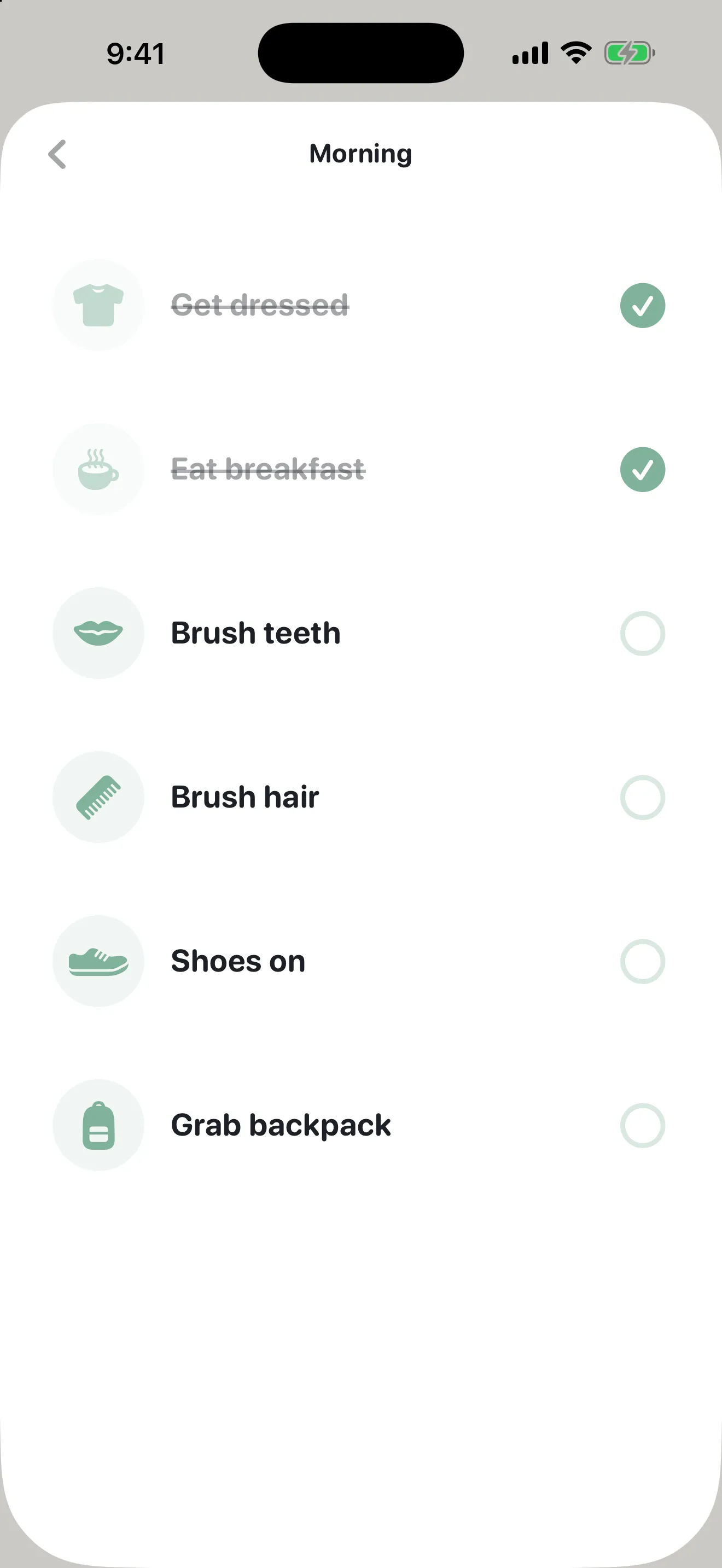
Older children often want to see the whole routine at once and tick it off. The same routine switches to a checklist with the picture, the label and a check circle per step, completed items struck through. Nothing is rebuilt - it is the same steps, shown differently.
06
Set it up once, behind a parent gate
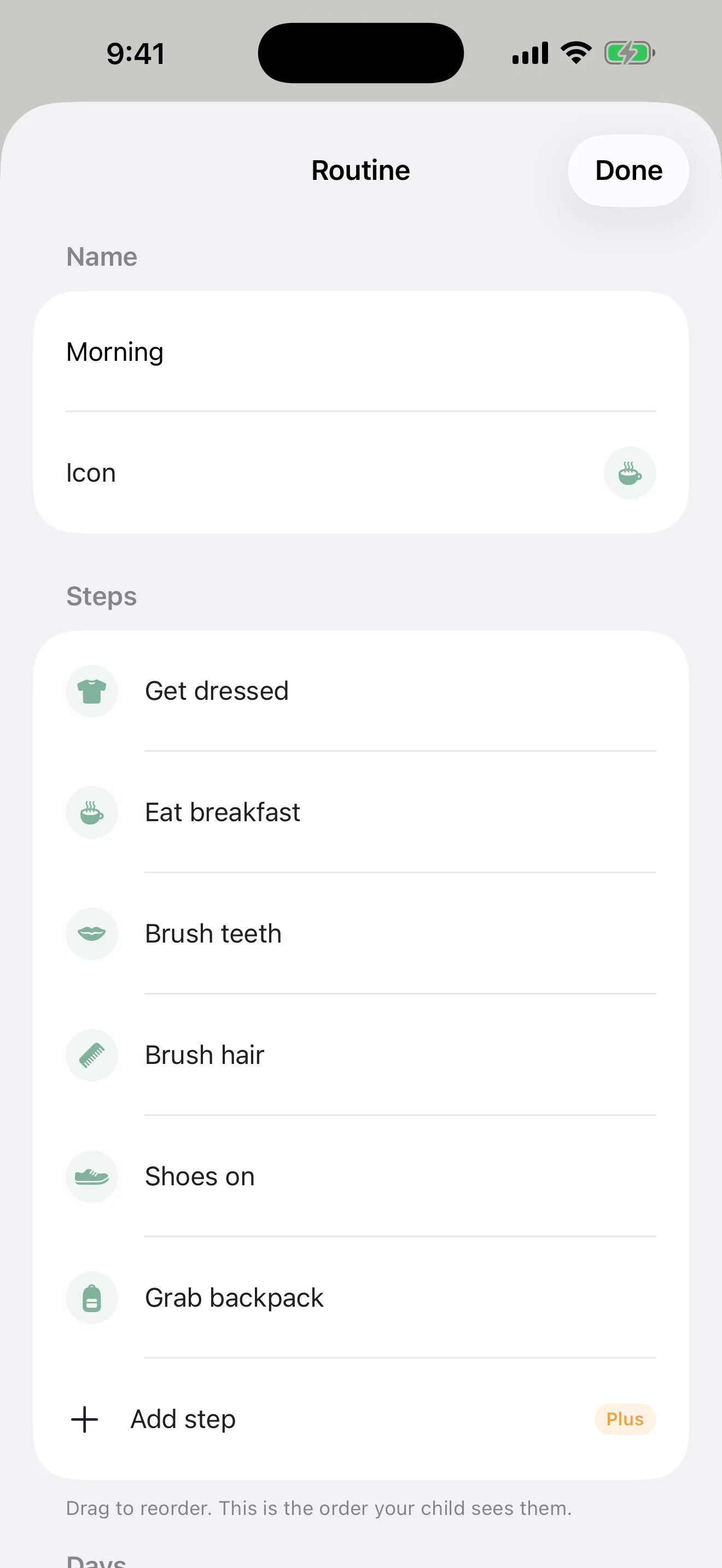
Name the routine, pick its icon, drag the steps into the order your child will see them, and choose which days it runs on. Editing, settings and purchase sit behind a simple arithmetic gate - not a PIN you will forget - while everything the child uses stays open.
07
A weekly view that does not keep score
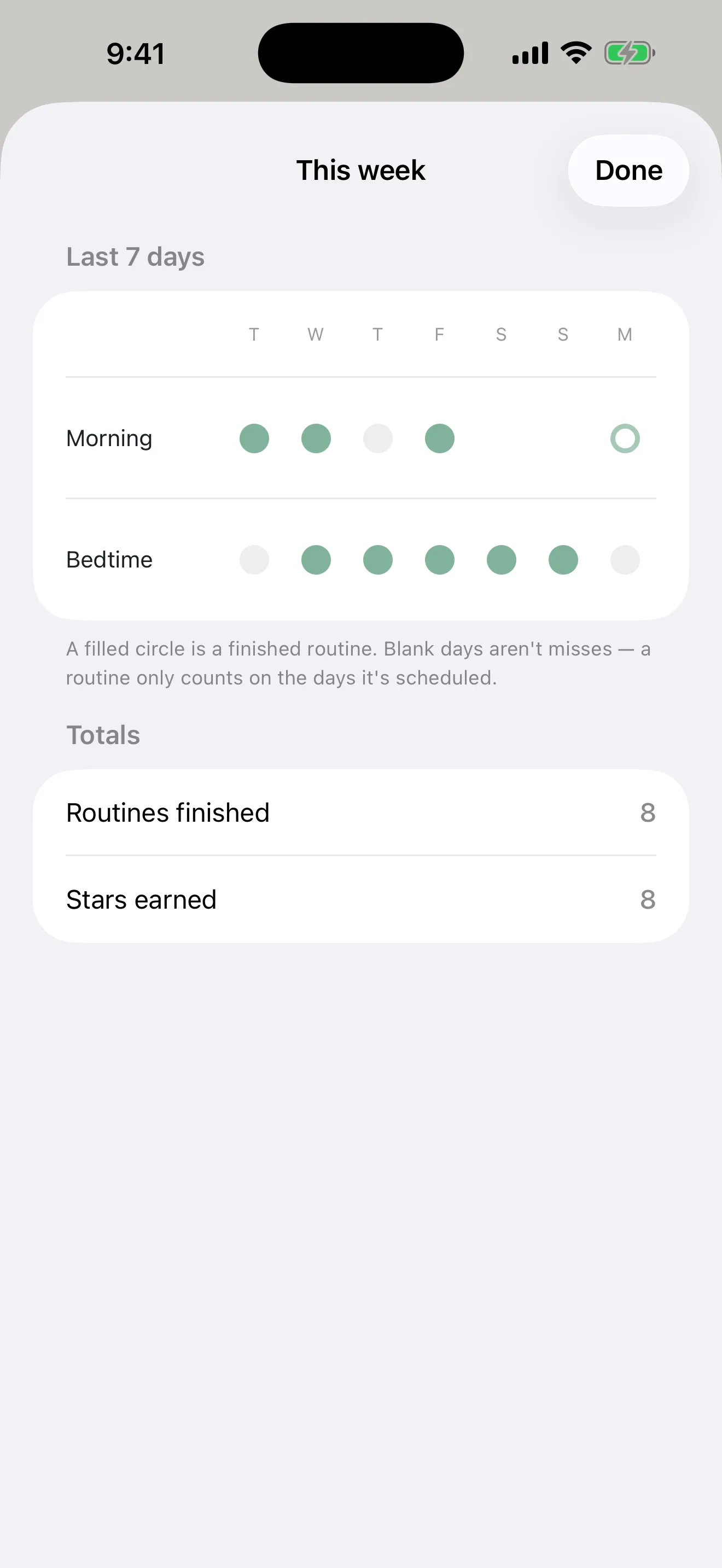
Seven days, one row per routine, a filled circle for a finished run. Blank days are not misses - a routine only counts on the days it is scheduled, and the app says so on the screen. Enough to see which step keeps getting stuck, and nothing that turns a bad week into a guilt trip.
More screens
Starling screenshots
Who it's for
When people reach for Starling
The morning that used to take five reminders
Get dressed, breakfast, teeth, hair, shoes, backpack - as six pictures your child works through while you deal with everything else. Set it to run on weekdays only and it appears on its own, with an optional reminder at 7:15am.
A visual schedule an OT would recognise
The picture-first sequence recommended for autistic and ADHD children, without laminating anything. Custom photos of the actual toothbrush and the actual backpack, no time pressure by default, no red states, and accessibility support that is free forever.
Bedtime, and the reward that ends the argument
Bath, pyjamas, teeth, story, lights out - then a star. Price the things your child already negotiates for, like picking the film or staying up fifteen minutes, and let the star balance do the negotiating instead of you.
Pricing
What Starling costs
Free
$0
no account, no ads, no time limit
One child and one routine
Focus mode and list mode
Around 120 built-in step pictures
Stars, the Nest, and your starter companion bird
Home Screen and Lock Screen widget
iCloud sync across your own devices
VoiceOver, Dynamic Type and Reduce Motion
Works fully offline
Recommended
Starling Plus
$29.99
per year with a 7-day free trial - or $4.99 monthly, or $49.99 once for lifetime
Unlimited children, routines and steps
A full reward menu
Your own photos as step pictures
The weekly view and print-to-fridge charts
Every companion bird
Everything in Free included
Lifetime option always shown, never buried
Cancel and keep every star of history
Guides & resources
Starling guides
Step-by-step answers to the questions people ask most about Starling.
Roughly three to nine. The whole child-facing side of the app is designed to be operated without reading: every step is a picture first and a short word second, so a pre-reader can work through a routine on their own. Older children in that range often prefer list mode, where the whole routine is visible as a checklist rather than one step at a time, and the same routine switches between the two without being rebuilt.
Do I need an account to use it?
No. There is no sign-up, no email capture and no login anywhere in Starling. You open the app and start. That also means there are no passwords to reset and nothing about your child sitting on a server of ours, because we do not operate one. Routines, stars and history live on your iPhone and sync privately through your own iCloud account, which we cannot see.
Is Starling free?
Starling is free to use with one child and one routine, which is enough to run a real morning or bedtime. Starling Plus unlocks unlimited children, routines and steps, a full reward menu, your own photos as step pictures, the weekly view and print-to-fridge charts. It is $4.99 a month, $29.99 a year with a 7-day free trial, or $49.99 once for lifetime access. The lifetime option is always visible on the paywall, never buried.
What happens to our data if I cancel?
Nothing is deleted. An expired or cancelled subscription reverts access to the free tier, and every child, routine, star and day of history is preserved exactly as it was. If you subscribe again, or buy lifetime later, it is all still there. If a payment fails, Starling keeps full access during the retry window and shows one dismissible banner in the parent area - never on a screen your child is looking at.
Is the widget behind the paywall?
No, and it never will be. The Home Screen and Lock Screen widget shows the next step and can be tapped to tick it off without opening the app, which is the single feature that keeps a routine alive past week three. iCloud sync across your own devices is free for the same reason. Starling charges for scale - more children, more routines, more steps - not for the loop itself.
How do you stop my child getting into the settings?
Settings, routine editing, reward creation and anything involving a purchase sit behind a parent gate: a single arithmetic problem with a numeric keypad, not a PIN. Parents forget PINs. The gate stays passed for a few minutes and then closes again when the app has been backgrounded. Everything the child actually uses - Today, Focus, the Nest - is open, because the child surface is the default and the parent surface is one deliberate step away.
Will it nag my child or make them feel bad for missing a day?
No. There are no failure states in Starling. A routine that is not finished simply rolls over as not completed at midnight: nothing turns red, no notification is sent about it, and no streak is dramatically lost. The weekly view says on the screen that blank days are not misses, because a routine only counts on the days it is scheduled. Timers are off by default and opt-in per step, so nothing is racing your child either.
Does it work for an autistic or ADHD child?
That is a large part of who it was built for. Visual schedules are routinely recommended by occupational therapists and teachers, and Starling is one you do not have to laminate. Accessibility is never behind the paywall: VoiceOver labels on every interactive element, Dynamic Type up to accessibility sizes, Reduce Motion support that degrades celebrations to a static state, and a reward-free mode for children for whom stars are a distraction rather than a motivator. It is a tool, not a therapy, and it does not claim clinical outcomes.
Can my partner or their grandparents see the routines too?
Starling syncs across your own devices through your personal iCloud account, so the same parent can use it on an iPhone and an iPad signed into the same Apple Account. Sharing with a second person on a different iCloud account is not in this version - it is the most-requested thing on the list and it is what comes next. In the meantime you can export any routine as a printable chart for the fridge, which is often what the other household actually wants.
Does Starling collect analytics on my child?
No. There are no third-party analytics SDKs, no advertising identifiers, no ads of any kind, and no tracking across apps or websites. The app is rated 4+ and collects no personal information from anyone, child or adult. Notifications are optional routine reminders scheduled locally on the device from the times you set; there is no push server involved. Delete the app and the local data goes with it.
Does it work offline, and is there an iPad or Android version?
Starling works fully offline, including the widget - iCloud sync is a convenience, not a requirement, and turning it off simply keeps everything on the one device. This version is iPhone only. There is no iPad, Apple Watch, Android or web version, and there is no plan to split attention across them until the iPhone app is genuinely good.