
Most voice memo apps have the same problem: they're excellent at recording and terrible at follow-through. You end up with a folder of unlabeled audio files you'll never listen to again. Echo is built around a different premise — that the moment you stop talking is the moment the real work should begin. It transcribes, summarizes, and pulls out action items automatically, and it does this in English and Arabic without treating either as an afterthought. After spending real time with it, here's what stands out, what's genuinely different, and where it still asks a little patience of you.
Who Echo is actually for
Echo is aimed at people who think out loud — during a commute, a walk, or right after a meeting ends — and who lose good ideas because writing them down takes too long or feels too formal. It's also clearly built for bilingual households and workplaces where a single note might start in English and finish in Arabic, or the other way around. If your note-taking habit currently lives in a mix of Notes app drafts, half-finished Reminders, and voice memos you never revisit, Echo is trying to replace all three at once.
It's less suited to people who want a full-blown project management system or collaborative workspace. Echo stays personal by design — this is a tool for capturing your own thinking, not for team notes or shared docs.
What it does uniquely well: speed to capture
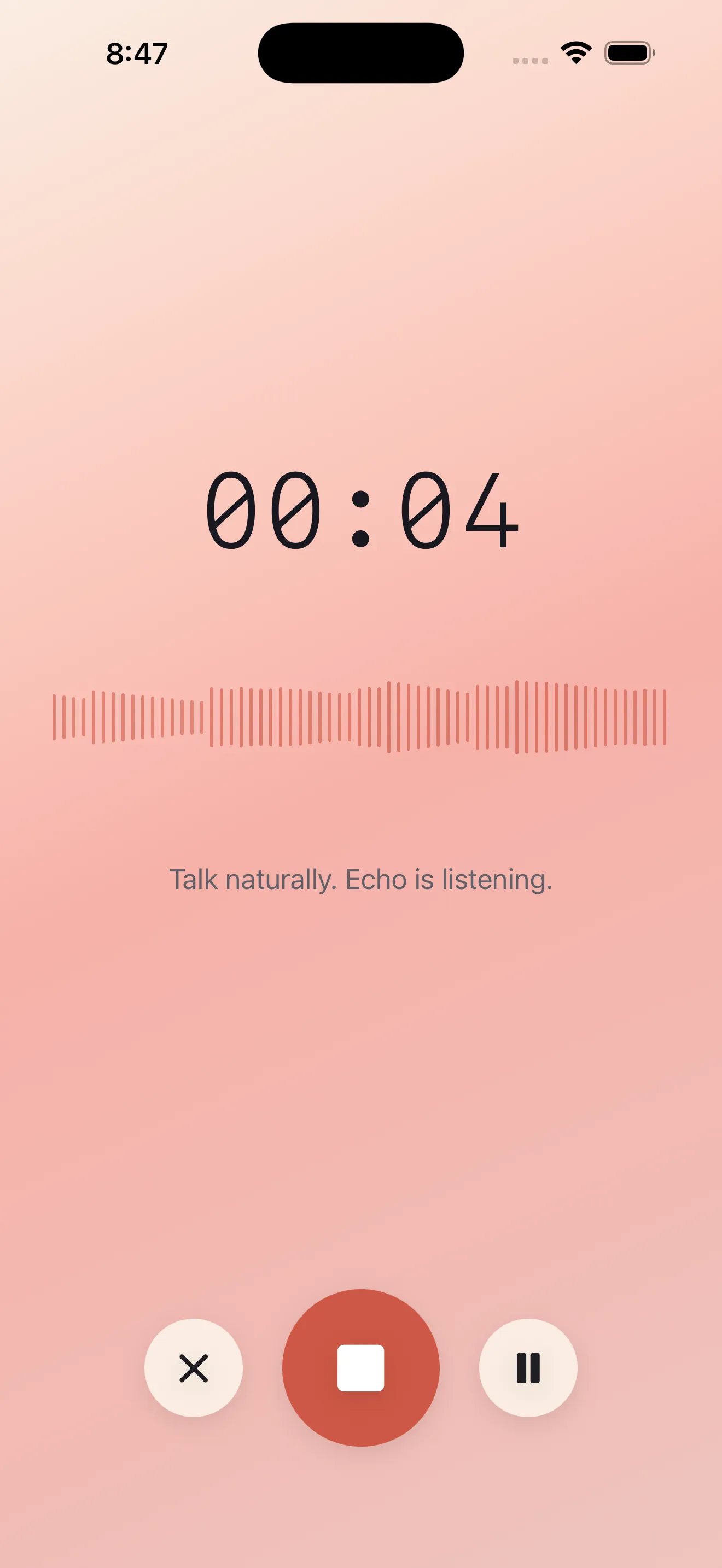
The single best thing about Echo is how little stands between you and recording. There's no setup screen, no folder to pick, no title to type before you start talking. Tap the mic and speak. That sounds like a small thing until you compare it to apps that ask you to name a file or choose a category before letting you say a word — by then, half of us have already forgotten what we wanted to say.
Long recordings hold up well too. Echo is built to keep capturing with the screen locked or the app running in the background, which matters more than it sounds — plenty of voice apps quietly stop recording the moment you switch away, and you don't find out until you go looking for a thought that isn't there.
From transcript to something you can act on
This is where Echo separates itself from a plain transcription tool. Once a recording finishes, it doesn't just hand you a wall of text — it produces a summary and pulls out action items, so a rambling five-minute voice note about your week can turn into three clear tasks and a reminder. For anyone who has tried to turn a voice memo into a to-do list after the fact, this is the actual point of the app, not a bonus feature bolted on afterward.
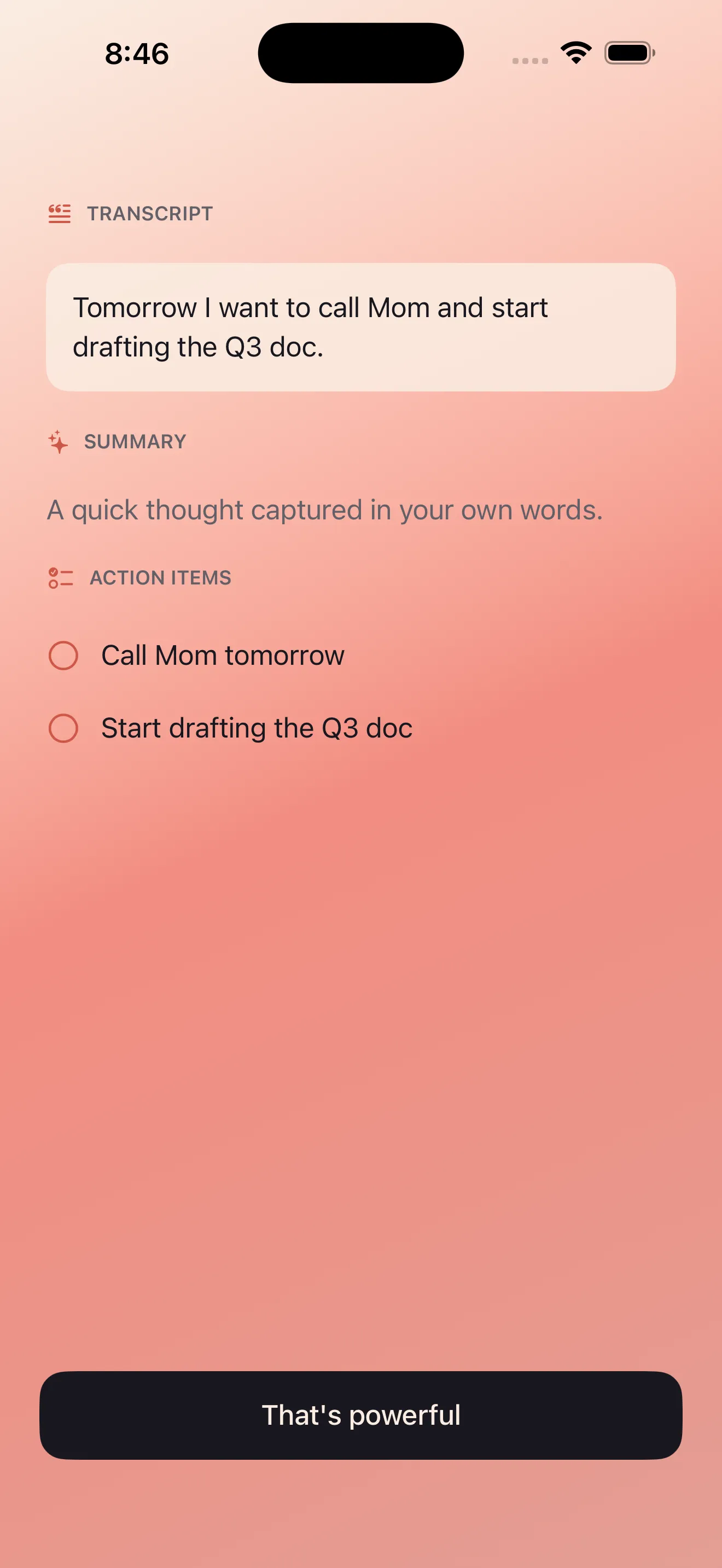
Echo treats the recording as the raw material, not the finished product — the transcript is just the starting point.
This action-oriented approach is worth understanding in more depth if you're evaluating Echo specifically for task capture — there's a full breakdown of the workflow in how to turn voice notes into actionable tasks. And if reminders specifically are your main use case, the resource on turning voice notes into reminders on iPhone goes deeper into that particular flow.
Bilingual capture that doesn't feel bolted on
Arabic support in most transcription tools is an afterthought — accuracy drops, right-to-left text renders awkwardly, and mixed-language sentences confuse the model entirely. Echo treats English and Arabic as equally first-class from transcription through summarization, including notes that switch between the two languages mid-sentence, which is how a lot of bilingual speakers actually talk. RTL rendering is handled properly rather than patched in, which matters more than it sounds once you're actually reading your own notes back.
If bilingual voice capture is your main reason for looking at Echo, the deeper dive in bilingual voice notes on iPhone covers how mixed-language notes are handled in more detail.
The dashboard, and finding things later
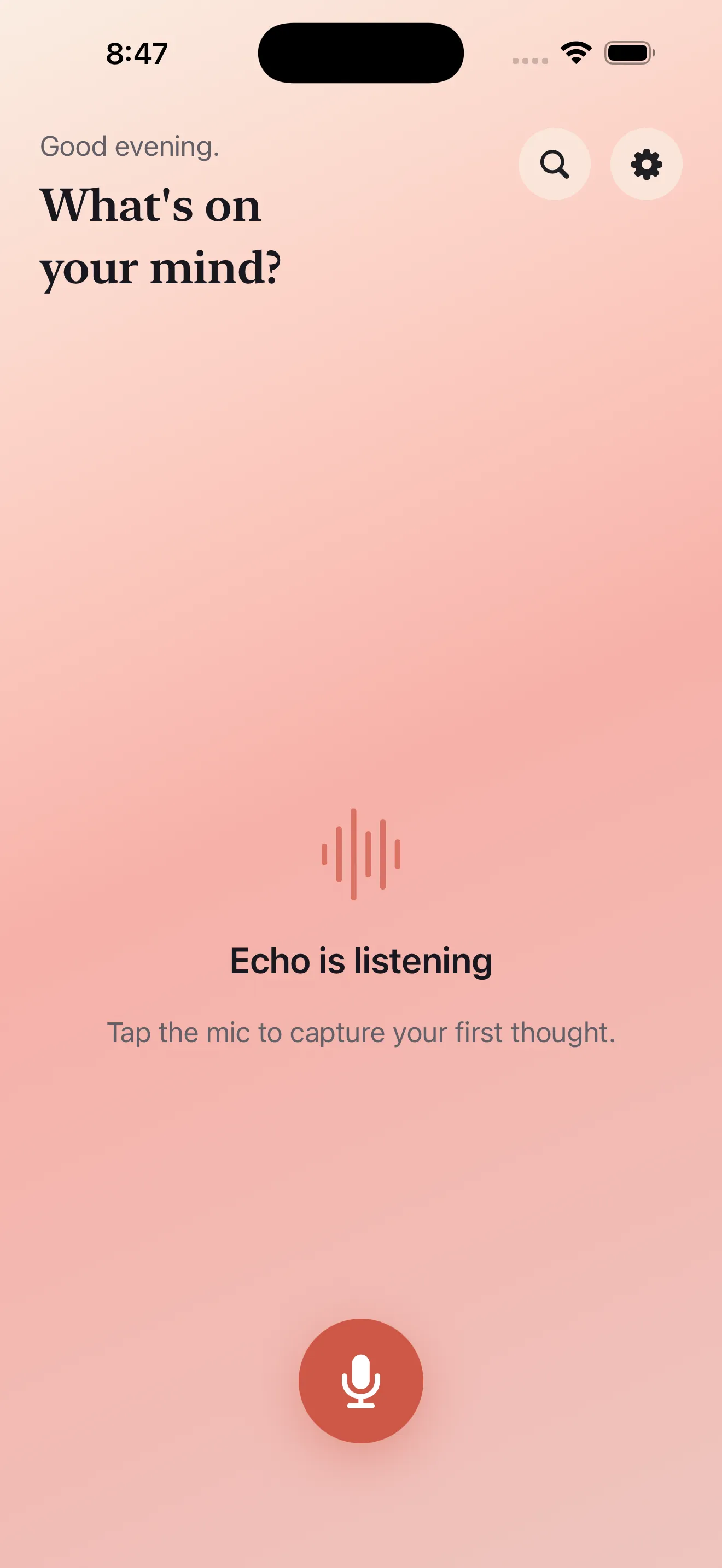
Recording is only half of a voice notes app's job — the other half is making sure you can find what you said three weeks later. Echo's dashboard groups today's recordings separately from recent notes, which keeps the app from turning into an undifferentiated list the moment you use it regularly. Because everything is transcribed, notes become genuinely searchable by content rather than by file date, which is the difference between a voice notes app you use once and one you keep using.
Privacy, sharing, and where notes go
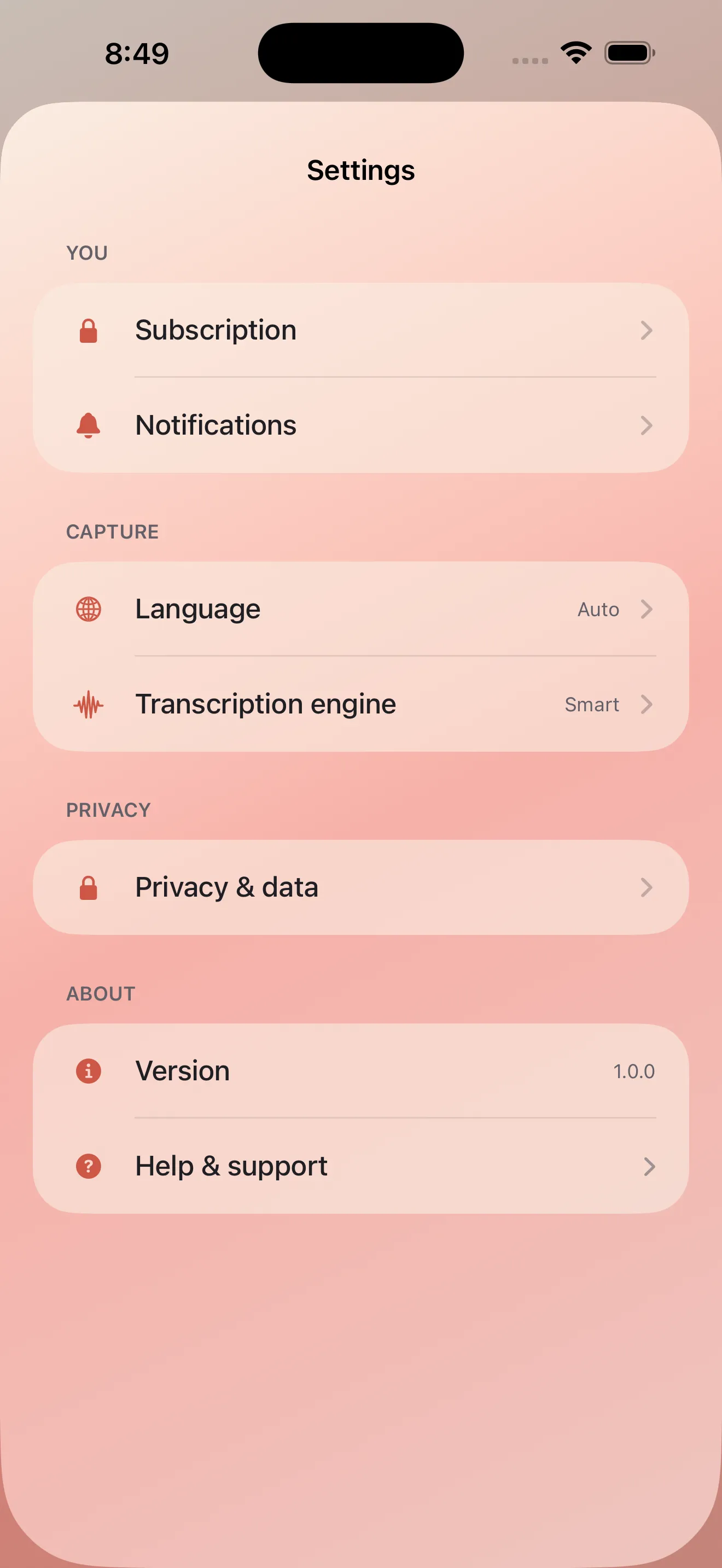
Echo's privacy-first approach to audio processing is worth calling out on its own, particularly for anyone journaling personal or sensitive material. The settings screen lays out the privacy controls plainly rather than burying them, which is a small but meaningful trust signal for an app that's listening to your unfiltered thoughts.
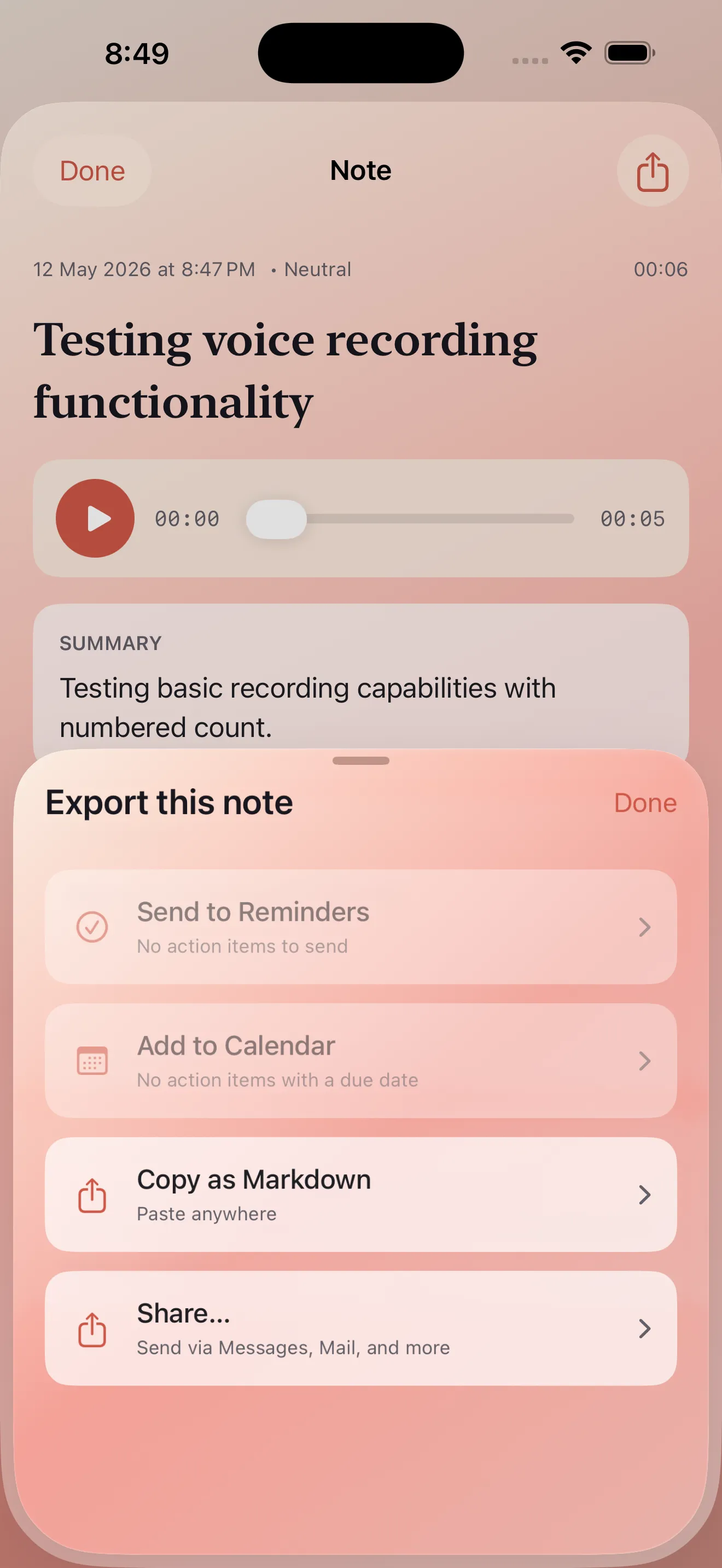
Once a note is useful, Echo's share and export options make it easy to send a transcript, summary, or action list wherever it needs to go next — a chat, an email, a calendar entry — rather than trapping it inside the app forever.
Caveats worth knowing
- Echo is a personal capture tool, not a team or collaboration app — there's no shared workspace for notes.
- Accuracy on summaries and action items depends on how clearly you speak; rambling recordings still produce rambling summaries, just shorter ones.
- If you're comparing it against other transcription-first apps, it's worth seeing where it actually differs before committing — the comparison in where Echo fits among voice notes apps is a useful gut check.
- Like any transcription-based tool, heavy background noise or overlapping speakers will reduce transcript quality.
Is Echo worth it if I only speak one language?
For newcomers still deciding whether voice-first note-taking fits their habits at all, the beginner's guide category is a reasonable place to start before committing to any single app.
Common questions
Does Echo work well for long recordings, like a full meeting?
Can Echo turn a voice note into a calendar event?
How does Echo handle mixed English-Arabic sentences?
This article was drafted with AI assistance and reviewed by a human editor before publishing.