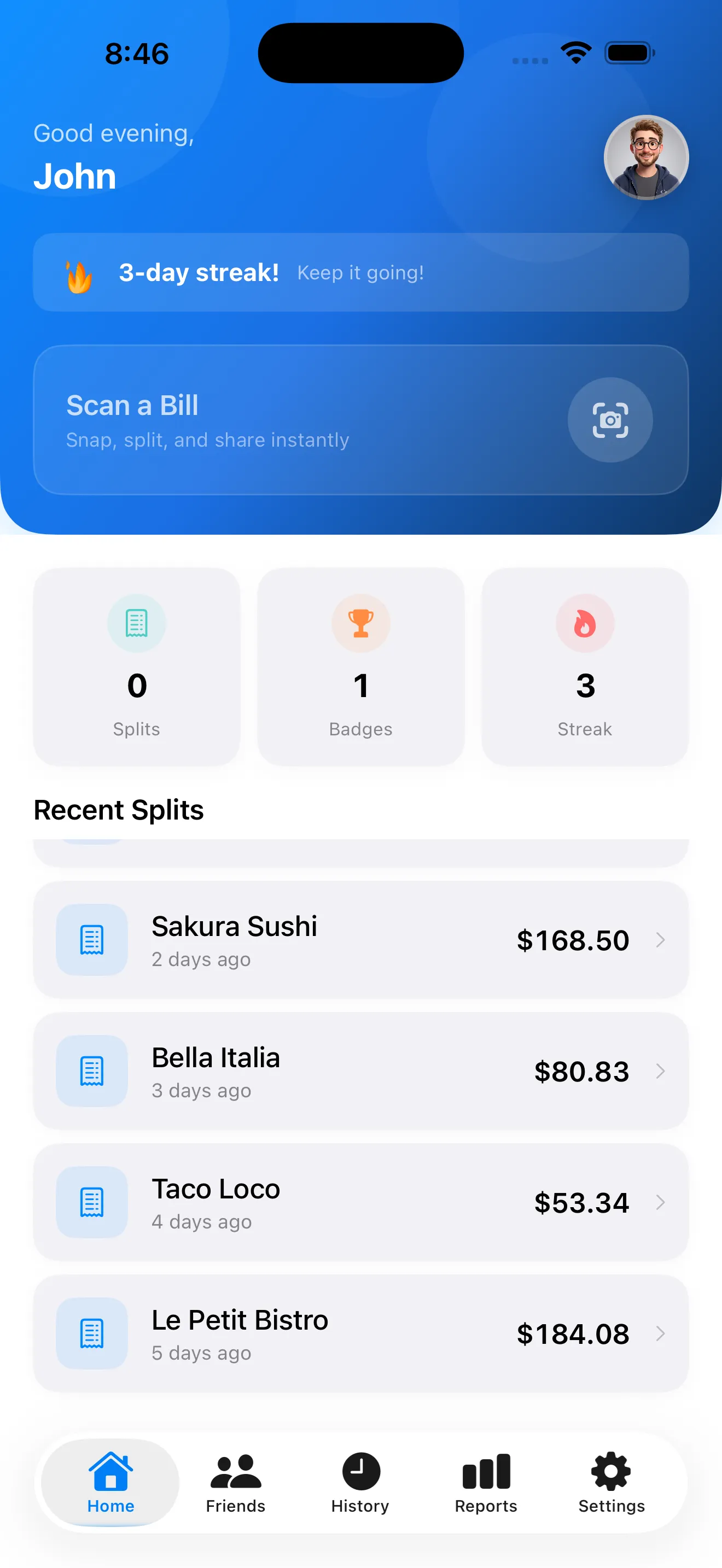
The last time you split a bill at a restaurant, someone had to pull out their phone and do math. Maybe there was confusion about tax, or someone ordered an appetizer for the table, or the tip calculation sparked a debate. SplitSnap removes all of that. Point your camera at the receipt, let Claude Haiku Vision read every line in 1–3 seconds, assign items to people, and you're done. No typing. No mental math. No arguments. Here's exactly how it works, from the moment you open the app to the moment you send everyone their total.
Your First Open: The Dashboard
When you launch SplitSnap, you land on the home dashboard—a clean, centered screen with one clear action: Scan a Bill. No onboarding friction, no paywalls, no prompts to enable notifications. If this is genuinely your first time, you'll see the onboarding splash briefly, but the intent is immediate: you're here to split a bill, and the app gets out of your way.
Step 1: Point and Scan
Tap Scan a Bill and the camera opens. You don't need perfect framing. Tilt your phone over the receipt—portrait or landscape—and SplitSnap's live preview helps you center it. Once the receipt is in frame and well-lit, tap the shutter button or let the auto-capture trigger. The AI reads every line: item names, prices, tax, tip, discounts, everything. In 1–3 seconds, Claude Haiku Vision has parsed the entire receipt.
Step 2: Verify the Extracted Items
After the scan, you land on the item review screen. SplitSnap shows you every line it extracted: entrees, sides, drinks, taxes, tip. You can edit quantities, correct a misread price, or remove items the AI mistook for food (like a line of dashes). This step takes 10–20 seconds most of the time. The AI is accurate, but this is your safeguard. Once you're happy with the list, move on.
Step 3: Add Your Group
Next, you add the people splitting the bill. Tap the people setup screen and type or select names—use your saved friends list for faster re-use, or add new names on the spot. Each person gets a color chip so assignment is visual and quick. You can add as many people as you need. For a dinner party of eight, you'll be done adding names in under 30 seconds.
Step 4: Assign Items and Handle Shared Dishes
This is where SplitSnap shines. Tap on an item from the verified list, then tap the people who ordered it. If three people shared an appetizer, assign it to all three. If one person paid for everyone's coffee as a gift, assign it only to that person—or split it among the group. SplitSnap calculates who owes what based on the assignments you make. The interface uses color chips to keep the mental load low. You're not doing math; you're just pointing at names.
No typing item names, no mental math, no arguments about who ordered what.
Step 5: Review and Share the Split
Once all items are assigned, SplitSnap automatically calculates each person's share of tax and tip. The split summary shows each person's total owed in clear, big text. No surprises, no hidden math. From here, you can generate a shareable split card—a visual breakdown anyone can read on their phone—and send it via text, email, or AirDrop. Everyone sees who owes what and why. If you want to dive deeper into how SplitSnap handles different bill-splitting scenarios, our tips guide walks through strategies for shared plates and group payments.
Beyond the First Split: History and Re-use
SplitSnap saves every split you make. The history tab lets you revisit past bills, re-use the same group of people for the next dinner, and track spending trends over time. Your saved friends list means the next bill takes even less time—familiar names are right there. For travelers or anyone handling multiple currencies, Pro unlocks live conversion so a bill in euros splits correctly for friends back home.
If you want to master the finer points—like how to handle complex bills with discounts or tips already baked in—our receipt scanning tips article covers edge cases and pro moves.
Why This Workflow Actually Works
- No manual typing. Claude Haiku Vision reads the receipt, not you.
- No mental math. The app calculates tax and tip distribution automatically.
- No arguments. Everyone sees the same breakdown, in the same order, with clear item-to-person assignments.
- No friction. Free tier includes everything most people need.
- No learning curve. Open the app, scan, assign, share. That's the whole flow.
Point your camera at the receipt, let AI read every line in 1–3 seconds, assign items to people, and you're done.
This article was drafted with AI assistance and reviewed by a human editor before publishing.