How to Organize Relationship Evidence So Somebody Actually Reads It
The evidence is rarely the problem — the presentation is. How to turn a camera roll and a chat log into a numbered, dated, indexed packet, what captions should say, and why spread across time beats volume.
The problem is almost never that you lack evidence
Couples assembling proof of a relationship usually have far more material than they need. Four years of photos, a chat history running to tens of thousands of messages, a lease, a joint account, flights. What they do not have is a way to hand that to a stranger such that the stranger can see the relationship in ten minutes.
What gets submitted instead is a shoebox: photos exported in whatever order the phone produced, file names like IMG_4418, no dates that a reader can see without opening properties, no captions, and a chat log printed whole. The material is genuine and the presentation buries it. Fixing the presentation costs an evening and changes what the reader experiences.
What a readable packet looks like
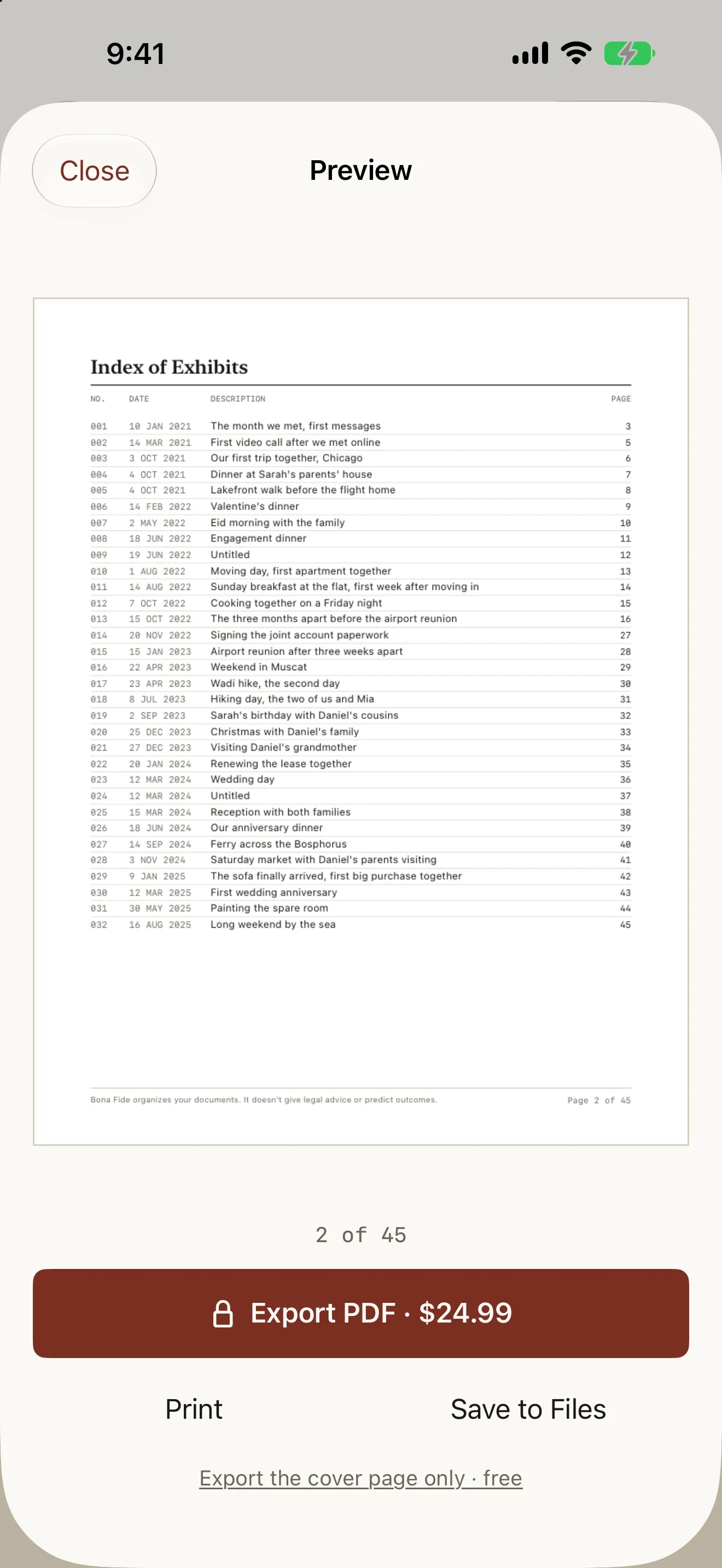
Four things do most of the work. A cover page that says whose packet it is, what format it follows, how many exhibits it contains and what period it covers. An index that lists every exhibit with its number, date, one-line description and page, so a reader looking for the joint lease can go straight to it. Exhibits numbered and in chronological order, because a relationship is a sequence and reading it in order is how the story lands. And a caption on every single one.
Chronological order matters more than people expect. Grouping by type — all the photos, then all the messages, then all the documents — makes each section repetitive and hides the thing you are actually demonstrating, which is continuity over time. Interleaved by date, a packet shows the months and years passing on its own.
Captions: who, where, what
This is the step everyone skips and the one that matters most. "Photo 14" tells a reader nothing. "Our first trip to Chicago, at Sarah’s parents’ house, October 2021" tells them who is in the frame, where it was taken, and why it belongs in a packet about a relationship. It takes ten seconds to write and it is the difference between an image and an exhibit.
Write captions in one sitting, moving straight from one exhibit to the next, rather than at import time. Captioning is a different mode of attention from selecting, and switching between the two is what makes people abandon the job half done.
Spread beats volume
Two hundred photos from one wedding day is thinner than thirty photos across three years. A reader is looking for a relationship that continued, not a single occasion that was well documented, and a packet weighted to one week reads as exactly that.
Photos that include both of you, that include other people, that show identifiable places, and that are spread across the whole span of the relationship tend to carry more than close-ups from a single event. The same logic applies to everything else in the packet: a few documents from different years say more than a stack from one month.
Categories are a description, not a checklist
It helps to see how your exhibits fall across the kinds of evidence commonly included — cohabitation, travel together, family and social, financial, communication, milestones. Seeing a category with nothing in it is a useful prompt to go and look for material you may already have.
It is not a requirement list, and no app is in a position to turn it into one. Requirements vary by agency, differ by filing type, and change over time. Read your agency’s current guidance, and if what your filing needs is genuinely unclear, that is a question for an immigration attorney rather than for software.
Doing it without spending an evening on layout
Bona Fide was built to do the mechanical part. You import photos and it reads each one’s date and place off the photo itself and puts them on a timeline in order; photos with no date go to a queue you fill in by hand rather than being guessed at. You caption by swiping from one exhibit to the next. It numbers everything, builds the index with real page numbers, and renders a cover page and a chronological document you page through before deciding anything.
It formats for USCIS marriage-based, UK Appendix FM and Canada IRCC filings, in English or French, and everything is read and built on your iPhone — no account, no upload, no server, and one tap in Settings deletes all of it. Building and previewing the whole packet is free; exporting it is a single $24.99 purchase. Bona Fide organizes and formats documents. It does not give legal advice and cannot tell you whether a filing will be approved.