Sound · Light · Level
TrueMeter icon
iOS product page

Three honest meters. One price. No subscription.

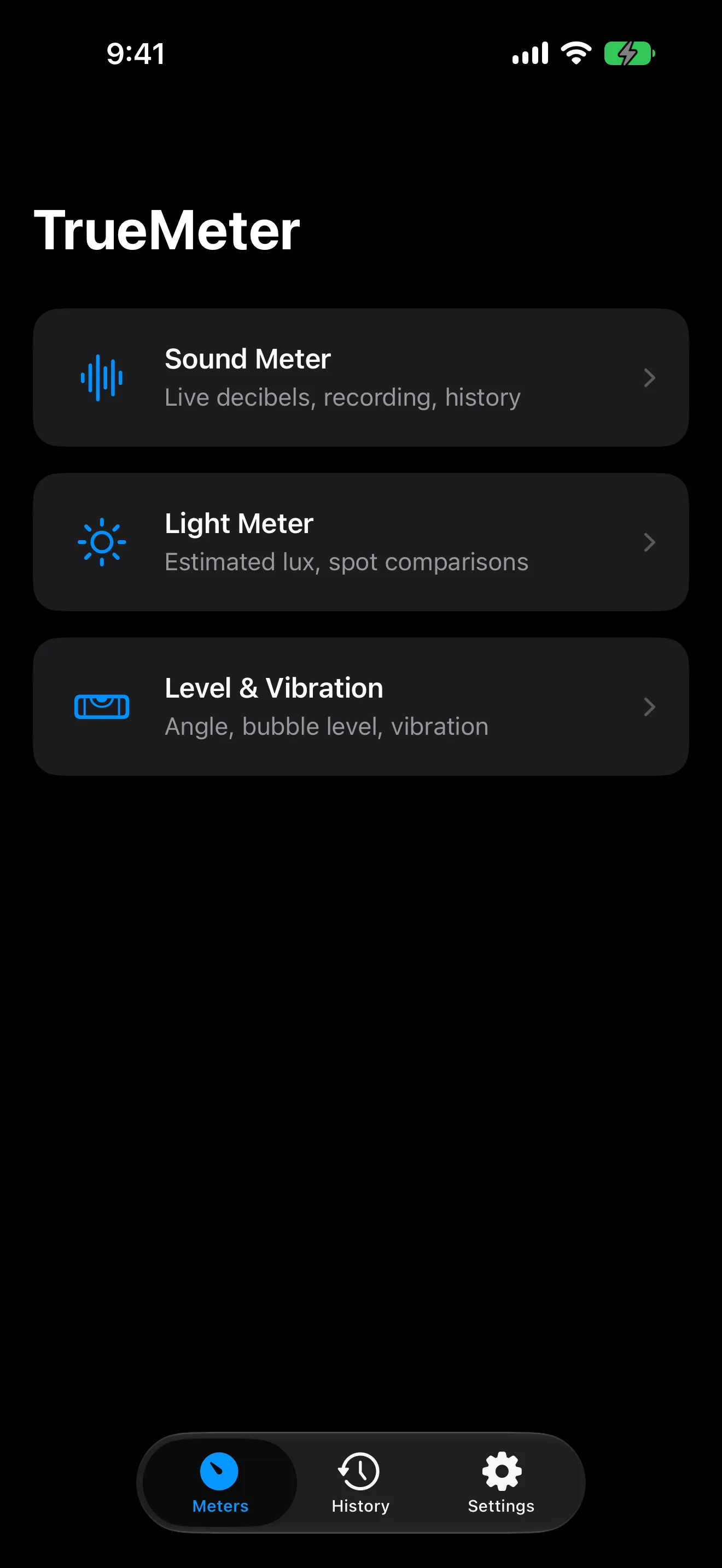
TrueMeter turns the sensors already inside your iPhone into three clean measurement tools: a sound level meter with dBA, dBC, and dBZ weightings and live min/avg/max/Leq, a camera-based light meter with saved spots you can rank and compare, and a level & vibration tool that needs no permissions at all. Record timestamped sessions, keep them in History, and export CSV data or a formatted PDF report a landlord or building manager will actually read. Every tool publishes its real accuracy limits in the app rather than hiding them. TrueMeter Pro is a single $4.99 purchase — there is no subscription and there never will be. No account, no tracking, no ads, and it works entirely offline.

Sound level meterDecibel meterLight meterBubble levelVibration meterPDF noise reportNo subscription
TrueMeter on iPhone
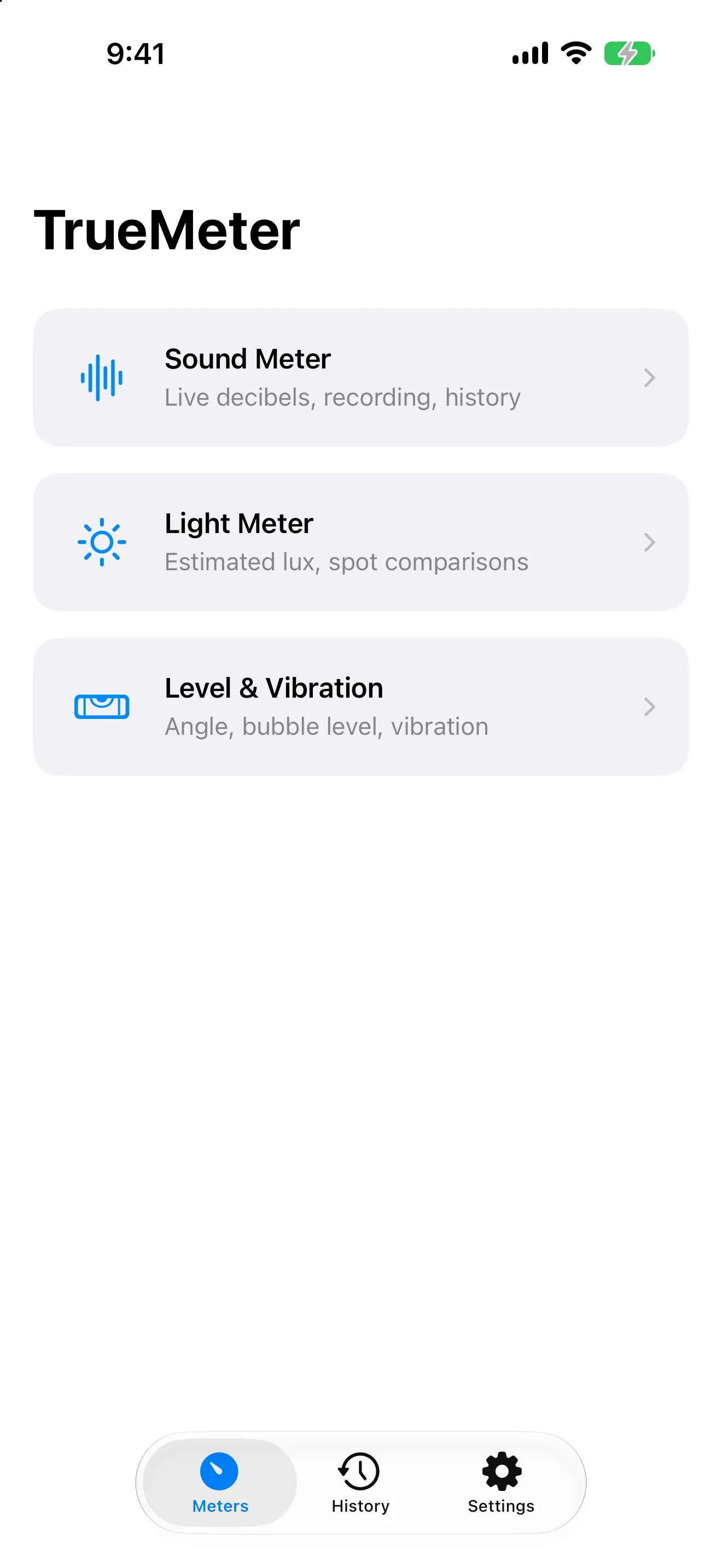
  • 3meters in one appA sound level meter, a camera-based light meter, and a level & vibration tool — each with its real limits stated up front, not buried in the small print.
  • $4.99once, not monthlyTrueMeter Pro is a single one-time purchase that unlocks exports, extra weightings, alerts, and unlimited history. There is no subscription and there never will be.
  • 0data collectedNo account, no analytics, no ads. Audio and camera frames are processed live and never recorded, stored, or transmitted — the App Store label reads Data Not Collected.
Utilities

Built for people who need a number, not a subscription

Every app in this category runs on the same phone hardware, so the only thing left to compete on is honesty. Most of them hide their accuracy limits — or invent capabilities outright, like "EMF radiation" detectors that are really just reading a magnetometer. TrueMeter does the opposite: it states the reliable band, warns you when a reading drifts outside it, and tells you plainly that above roughly 100 dB an iPhone microphone clips and reads low. Then it charges you once. If you are documenting a noisy neighbour, comparing which windowsill your plants should live on, or checking whether the shelf you just hung is true, that combination is the whole product.

Key features

What makes TrueMeter stand out.

01

A decibel reading in two taps

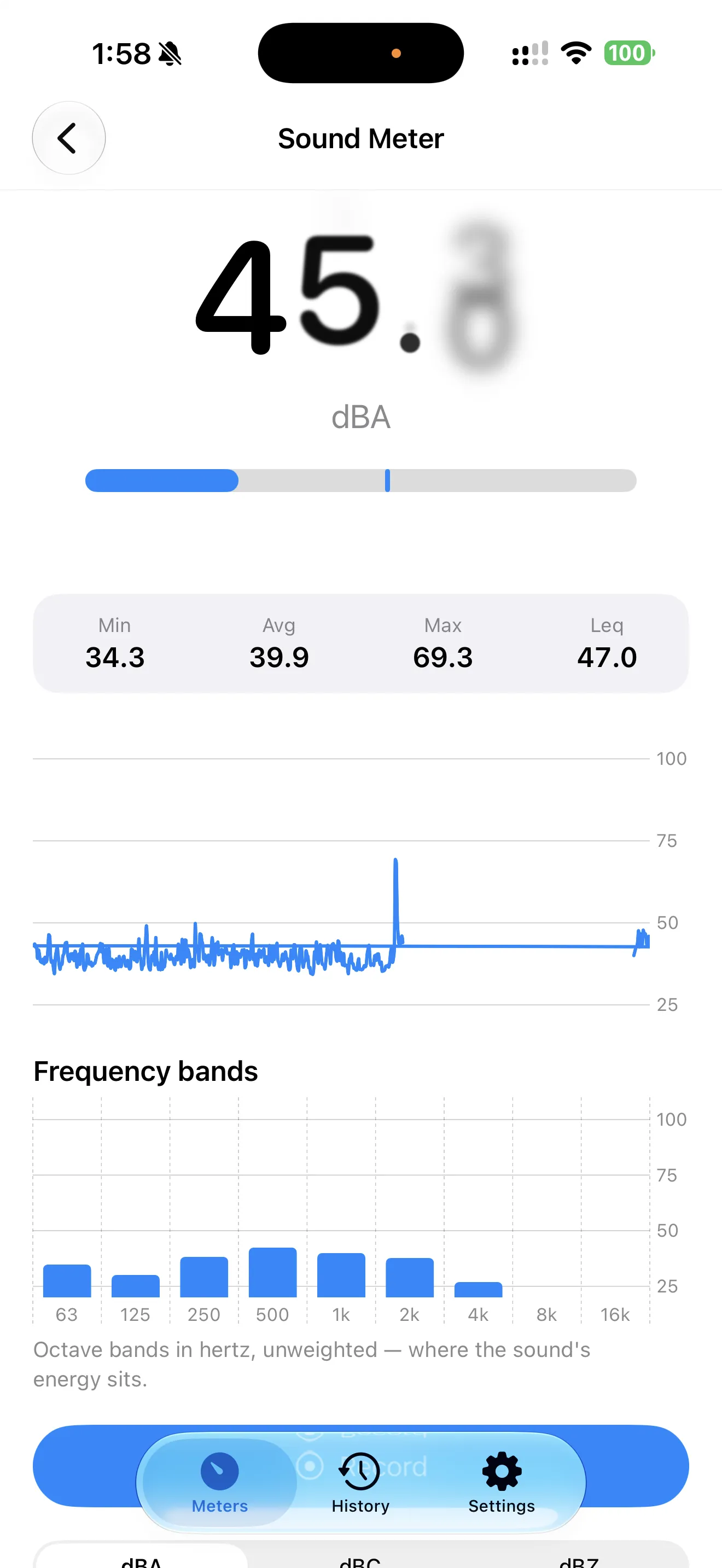
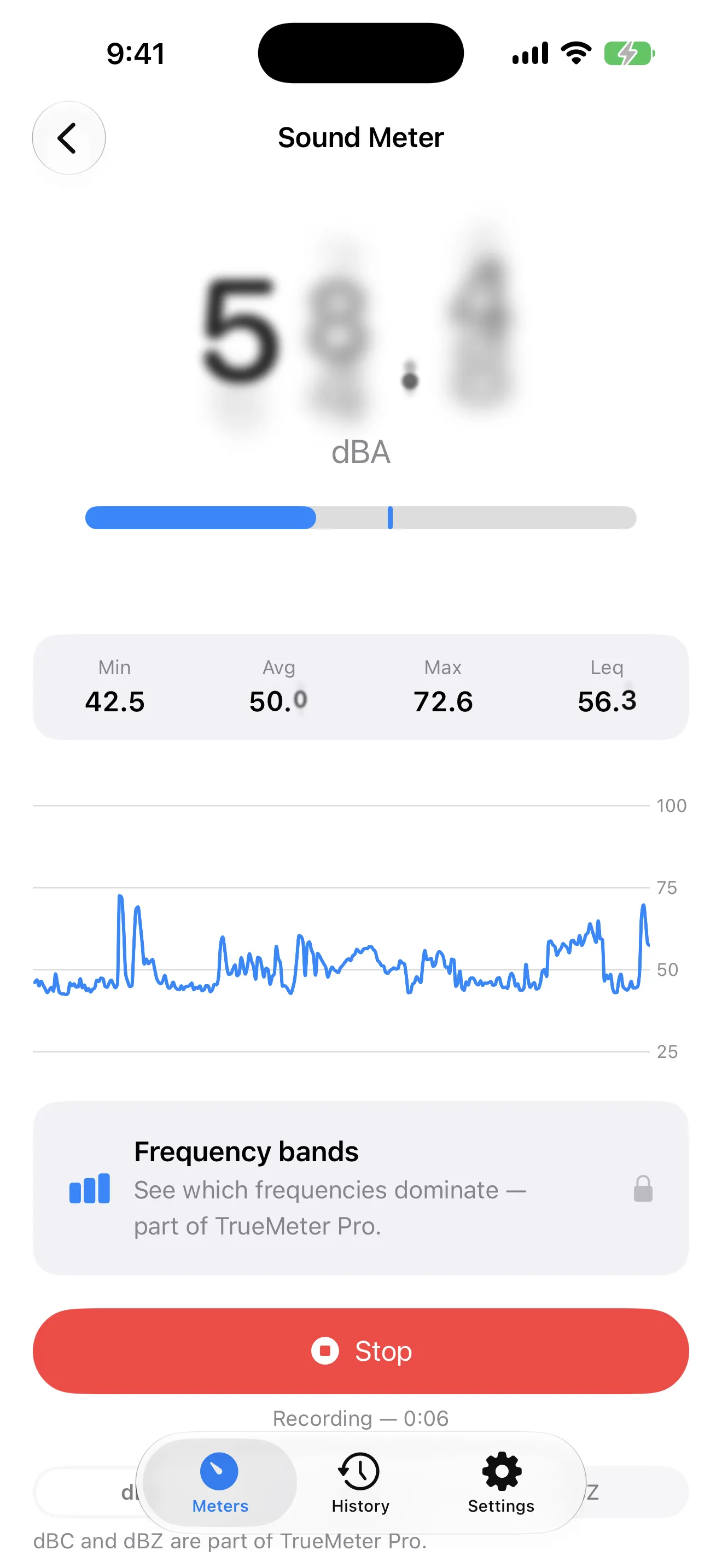
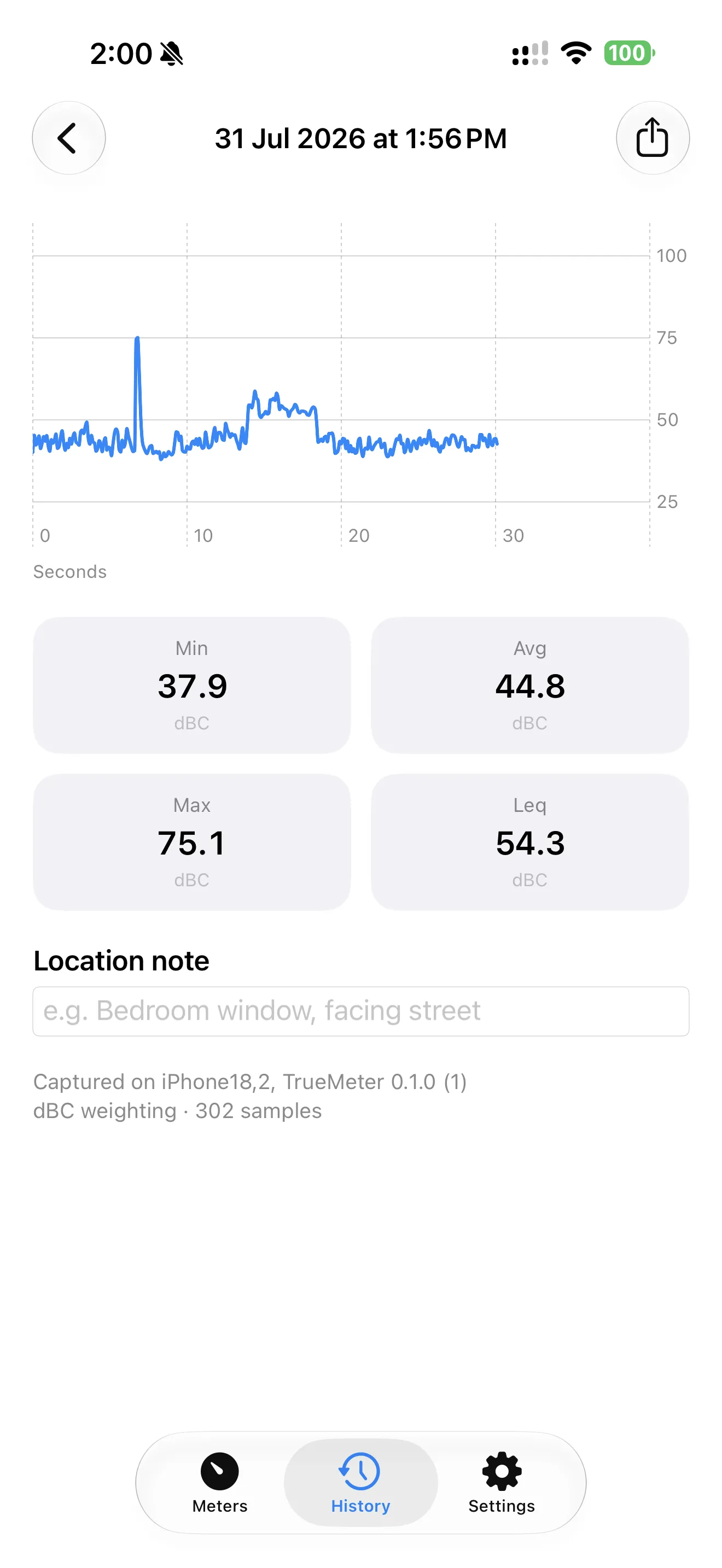
Live sound level in dBA with min, average, max, and Leq — the single best number for "how loud was it overall" — plus a rolling 60-second graph and octave frequency bands. Pro adds dBC for bass-heavy noise through walls and dBZ for unweighted technical work.

02

Record it while it is happening

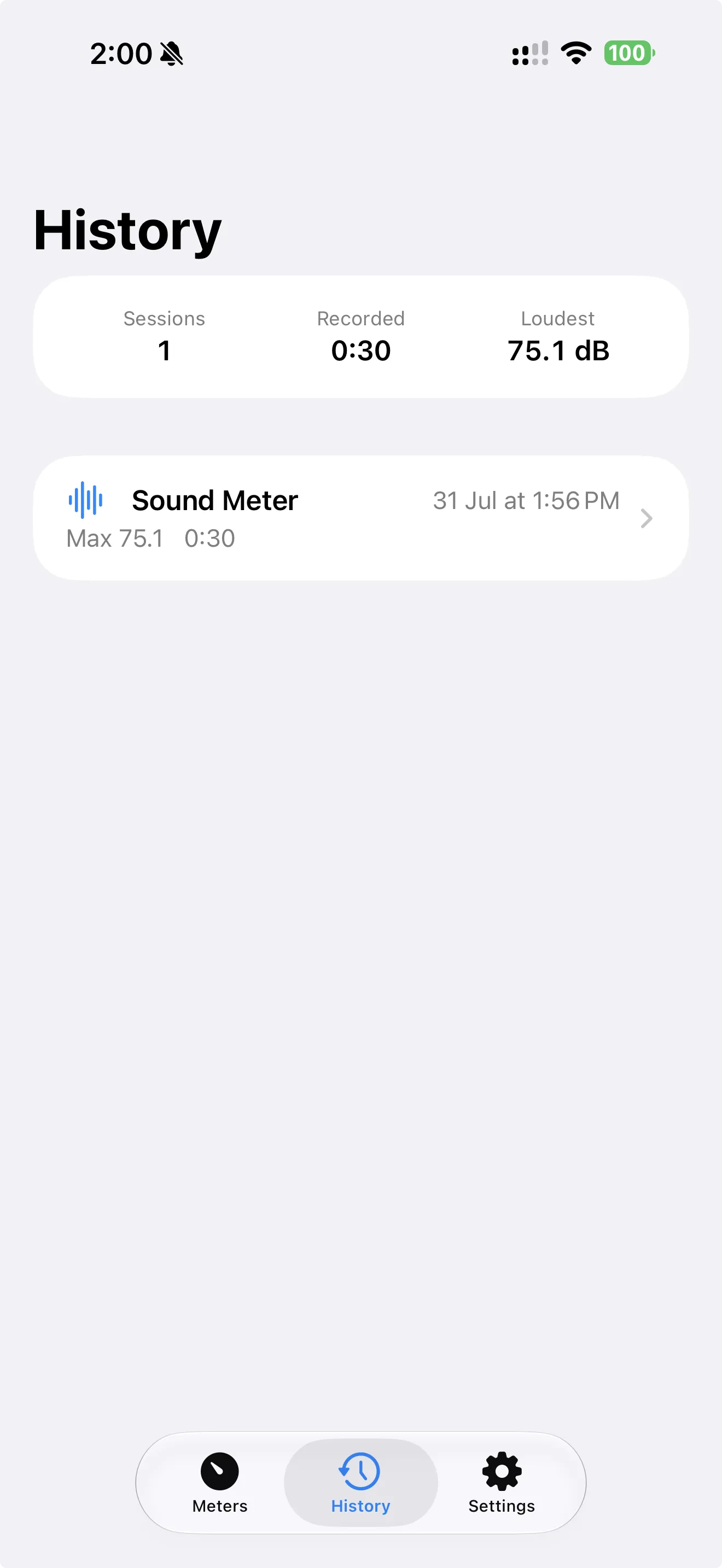
Tap Record, leave the phone in place, tap Stop. The session saves with an automatic timestamp, full statistics, and the complete time series — plus an optional location note like "Living room, below Unit 4B" that turns raw data into a record.

03

A report a landlord will actually read

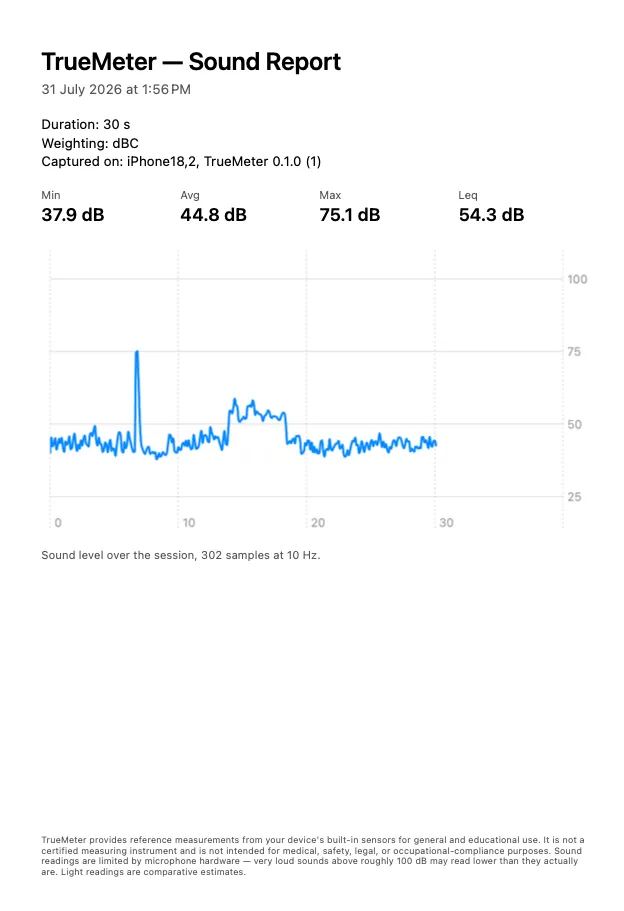
Export any session as a formatted PDF with the date, duration, location note, min/avg/max/Leq, the full graph, your device model, and the accuracy disclaimer. CSV export gives you the full raw samples for Numbers, Excel, or Sheets.

04

Which spot is actually brighter?

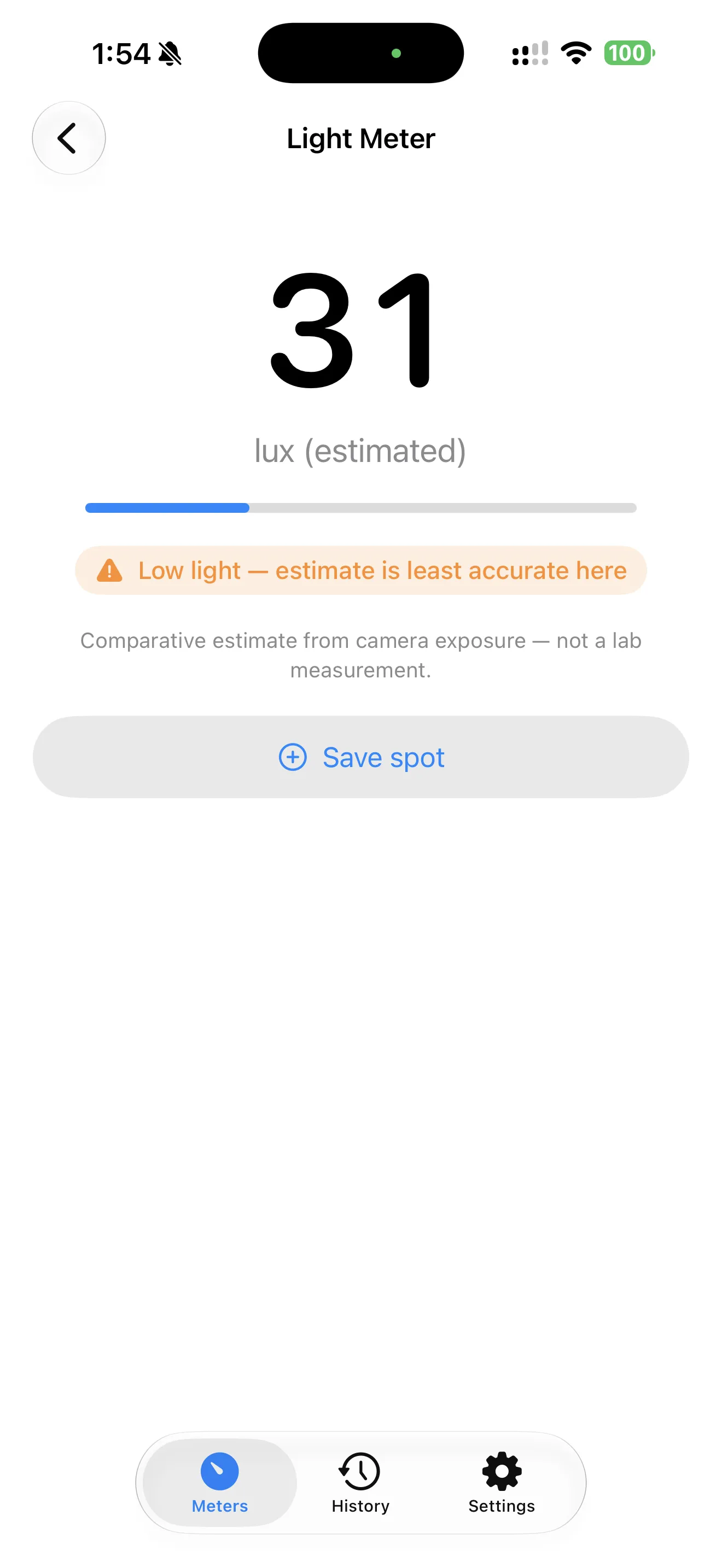
A camera-based light meter in estimated lux. Save named spots — "Kitchen window", "North bedroom" — and the Compare view ranks them, which is what you actually need when you are placing plants, a desk, or a video-call setup.

05

Level and vibration, no permissions needed

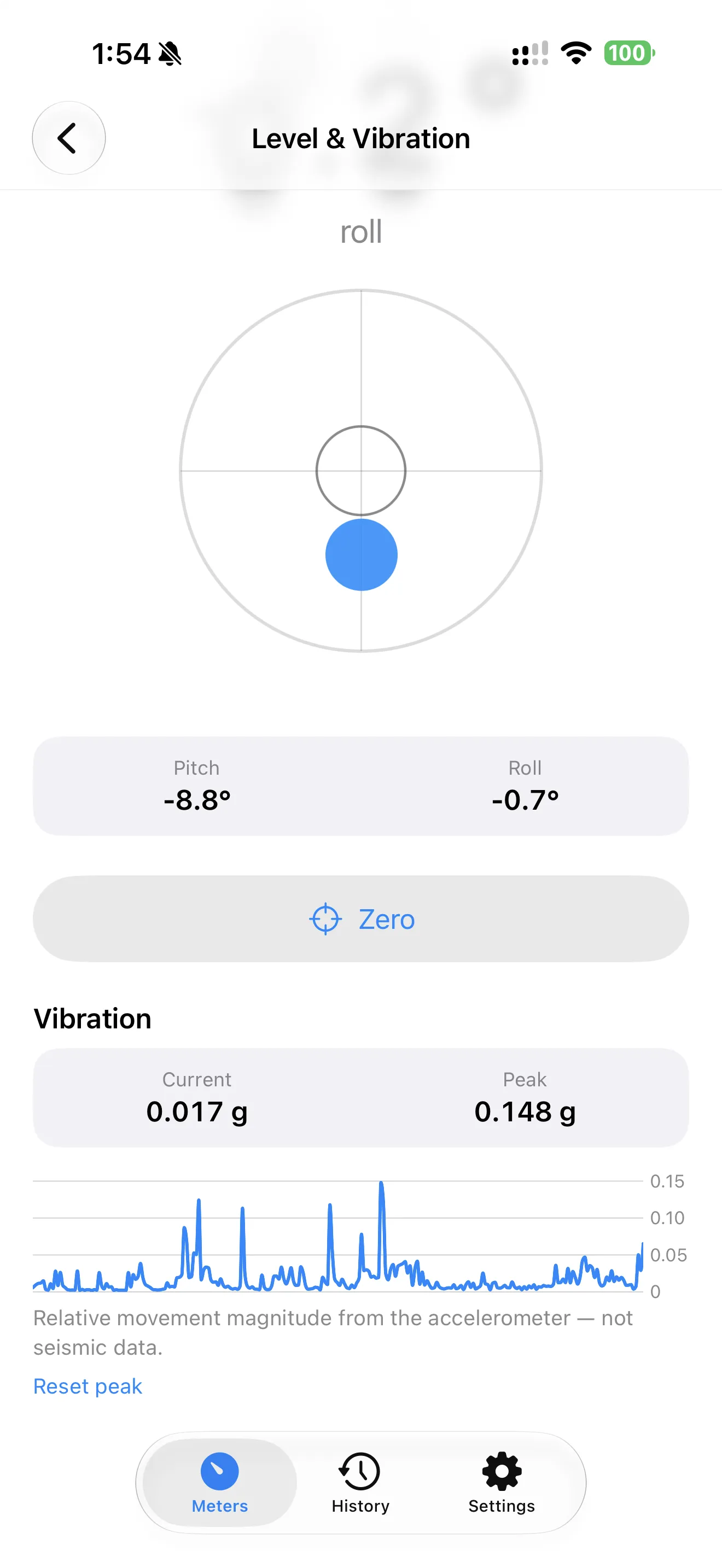
A bubble level with a digital angle readout to 0.1°, in flat or edge mode, with Zero to calibrate against any reference surface. Vibration mode shows live three-axis acceleration and peak magnitude — handy for an unbalanced washing machine or a wobbling desk.

06

Honest about what it cannot do

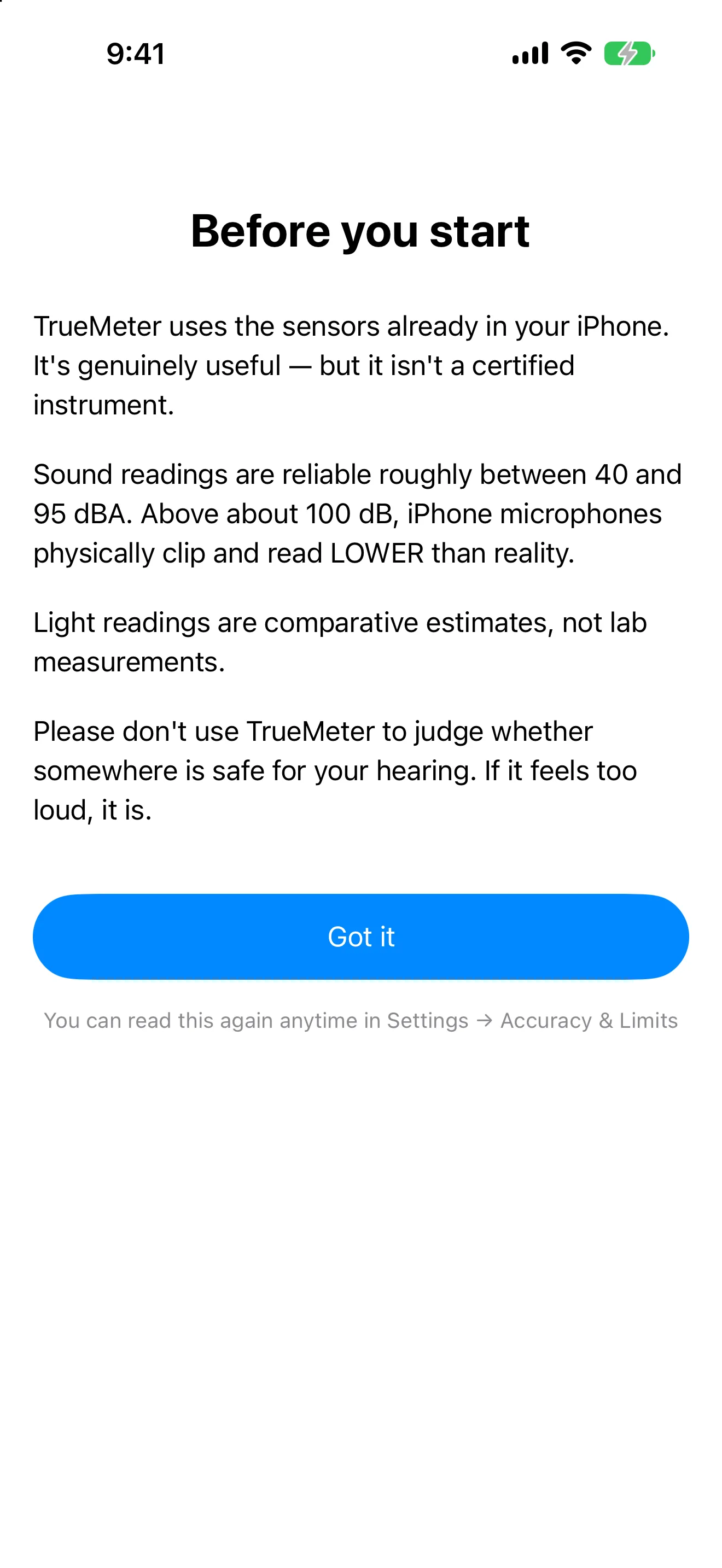
One plain sheet before you start: sound is reliable roughly between 40 and 95 dBA, above about 100 dB iPhone microphones clip and read low, and light readings are comparative estimates. Never use it to judge whether somewhere is safe for your hearing — if it feels too loud, it is.

Who it's for

Built for real workflows.

Documenting a noisy neighbour

Record from the same spot each night, add a location note, and export one PDF report with timestamps, statistics, and graphs at the end of a fortnight.

Placing plants, desks and cameras by light

Save a light reading for each spot in your home, then let the Compare view rank them from brightest to dimmest — no lux expertise required.

Quick checks around the house and on the job

Is the shelf level? Is the new grinder louder than the old one? Is the washing machine unbalanced? Three meters, no permissions for the level tool, works offline in a basement.

Pricing

Simple, honest pricing.

Free

$0

forever, no account
  • All three meters with full live readings
  • dBA weighting and the 60-second graph
  • Session recording with location notes
  • 5 most recent saved sessions
  • Save and compare up to 5 light spots
  • Level and vibration, complete
  • Works 100% offline, no ads, no tracking
FAQ

Common questions about TrueMeter.

Is TrueMeter a subscription?

No. TrueMeter is free to use, and TrueMeter Pro is a single one-time purchase of $4.99 that unlocks exports, dBC and dBZ weightings, threshold alerts, widgets, calibration, and unlimited history. There is no subscription and there never will be. If you get a new phone, Settings → Restore Purchases brings Pro back at no charge.

How accurate is the sound meter?

Within roughly 40–95 dBA it is comparable to other well-built iPhone sound meters, and TrueMeter shows an amber indicator when a reading drifts outside that band. Above about 100 dB the iPhone microphone physically clips and readings will be too low — a 115 dB concert may display as 98 dB. Below about 30 dB the microphone's own noise floor limits accuracy in the other direction. We publish these limits rather than hiding them.

Can I use it to document a noisy neighbour?

Yes — that is what the recording and PDF export are built for. Record from the same spot each time, add a location note, and the PDF gives you a timestamped, consistent record with statistics and a graph. It is documentation, not a certified measurement, and it carries no legal weight on its own; its value is in showing a repeated pattern over time, which is often what a landlord or building manager actually responds to. Check your local noise ordinance for the levels and hours that apply to you.

Why is the light meter only an estimate?

Your iPhone's true ambient light sensor is not available to third-party apps, so TrueMeter estimates light from the camera's exposure settings. That makes readings genuinely useful for "is this spot brighter than that spot?" and unreliable for "is this exactly 850 lux?" Accuracy degrades below roughly 100 lux. The Save Spot and Compare views are built around comparison, which is what the hardware can honestly deliver.

Can I use TrueMeter for hearing safety or workplace compliance?

No. TrueMeter is not a certified measuring instrument and must not be used for medical or health diagnosis, occupational safety compliance such as OSHA or NIOSH, or any situation where an inaccurate reading could cause harm. The microphone clips above roughly 100 dB — exactly where the risk is. If somewhere feels painfully loud, it is loud regardless of the screen: wear hearing protection. For certified measurements, hire a professional with a Type 1 or Type 2 sound level meter.

Why is there no EMF or ghost detector?

Because iPhones cannot measure EMF radiation. The magnetometer reads static magnetic fields only — it cannot detect radio frequency, WiFi, cell signal, or electric fields, and apps claiming otherwise are misleading you. We may add an honest magnetic field tool in a future version, clearly labelled as such.

What data does TrueMeter collect?

None. There is no account, no sign-up, no analytics, no tracking, and no advertising identifiers. Audio is processed in real time to compute sound levels and is never recorded, stored, or transmitted; camera frames are processed to estimate light and are never saved. Every session stays on your device, and the app works entirely offline — we do not operate a server.

Privacy & trust

Your data, your control. Read the TrueMeter privacy policy.

We believe in transparency. Every app ships with a clear, public privacy policy so you know exactly how your data is handled.