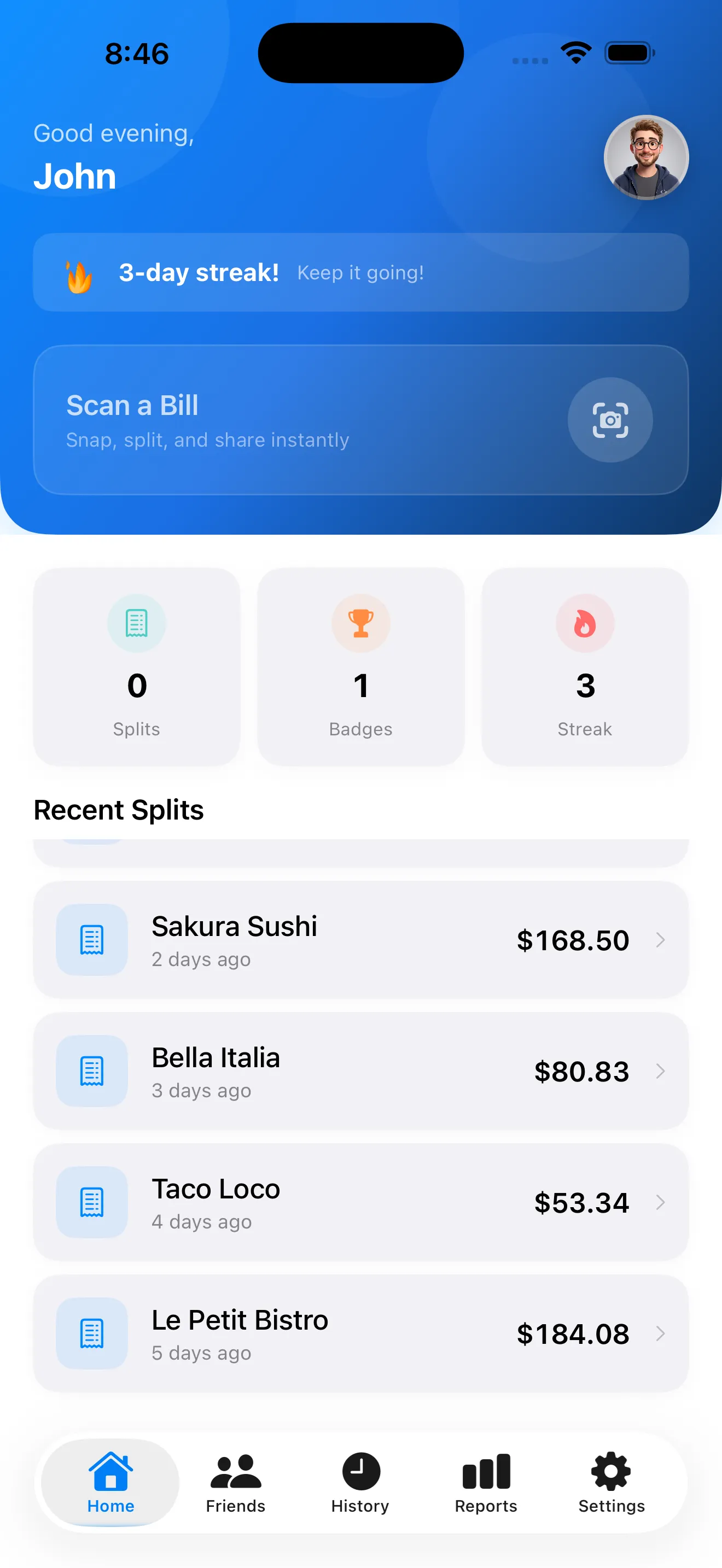
The moment a restaurant bill lands on the table, the dynamic shifts. Someone pulls out their phone to calculate, someone else disputes the math, and everyone gets a little annoyed. SplitSnap exists to end this small but real friction. It's a bill splitter that uses Claude Haiku Vision to read receipts instantly, assign items to people, distribute tax and tip fairly, and generate a shareable split card—all without you typing a single item or doing any mental math. If you've ever been the person stuck calculating who owes what, this app is built for you.
What It Does
SplitSnap's core loop is genuinely simple. You open the app, point your iPhone camera at a receipt, tap scan, and within 1–3 seconds the AI extracts every line item, price, tax, and tip. You then assign items to people (using colorful name chips to keep it visual), confirm the split, and SplitSnap calculates exactly what each person owes—including their share of tax and tip. Once you're done, you can share a split card with everyone involved or save it to your history for later reference.
The app also handles the scenarios that make bill splitting awkward in real life. You can manually add people, import receipts from your photo library if you took one earlier, or type in items by hand if needed. Tax and tip are auto-distributed proportionally based on what each person ordered, so nobody feels like they're subsidizing someone else's choice. If you're traveling or splitting a bill in another currency, the Pro tier unlocks live conversion. And if you need to split the same bill with the same group again, your friends list remembers everyone you've split with before.
Who It's For
SplitSnap is best suited for people who split bills regularly and want the process to be fast, fair, and argument-free. That includes roommates settling utilities, friend groups going out to eat, coworkers splitting lunch tabs, and travel groups who need to track shared expenses. You don't need to be mathematically gifted or patient with manual entry—the AI handles the heavy lifting. The free tier (5 scans per month) works well if you split bills occasionally; the Pro tier makes sense if you're doing this weekly or more often, or if you need multi-currency support for travel.
The AI handles the heavy lifting. You don't need to be mathematically gifted or patient with manual entry.
What It Does Uniquely Well
Three things set SplitSnap apart from paper, calculator, or generic note-app bill splitting.
- Speed and accuracy. Claude Haiku Vision reads receipts in 1–3 seconds and correctly extracts items, prices, tax, and tip. You can verify the extracted data before assigning, so if the AI misread something, you catch it before the split happens.
- Fair tax and tip distribution. Too many bill splitters split items evenly but then divide tax and tip equally, which penalizes people who ordered less. SplitSnap proportionally distributes tax and tip based on each person's subtotal, which is the standard and fairest way.
- Shareability without friction. Once you've split, you can send a shareable card to everyone involved—they see exactly what they owe and how you arrived at that number. No screenshots, no group chat arguments about the math.
Where It Has Limits
SplitSnap is smart, but it's not magic. The AI can occasionally misread handwritten receipts, receipts with very small or unusual fonts, or ones printed on low-contrast paper. You get a review screen after each scan, so you can catch and correct errors before you assign items, but it's still one extra step. If a receipt is genuinely unreadable to the camera, you can fall back to manual entry—which defeats some of the speed advantage.
The free tier caps you at 5 scans per month, which is tight if you're splitting multiple bills per week. Pro pricing isn't yet disclosed in public materials, so you'll need to check the app to see if it fits your budget. Also, SplitSnap works best with itemized receipts; if you're splitting a bill that's just a total with no line items (like a cash bar or tip-only situation), you'll need to add items manually or use a calculator anyway. For more tips on getting the most out of the app's scanning capabilities, see our guide on mastering AI receipt scanning.
Practicality and Design
The design is clean and focused. Each screen has one clear job: scan, review, assign, split, share. The colorful name chips make it easy to see at a glance who is getting which items, and the dashboard keeps a history of past splits so you can re-use the same group or look back at what you spent. If you want to understand the philosophy behind fair bill splitting, our article on splitting bills fairly covers why proportional tax and tip distribution matters.
This article was drafted with AI assistance and reviewed by a human editor before publishing.