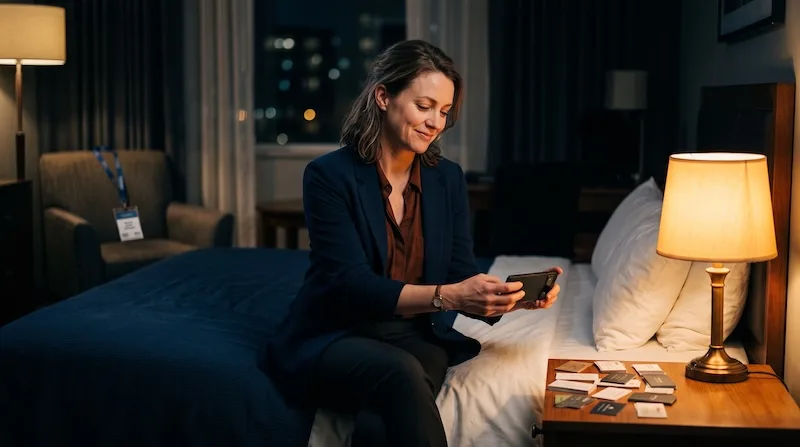
Marcus flew home from a three-day industry conference with a laptop bag stuffed full of business cards, a half-empty phone battery, and the specific kind of exhaustion that comes from shaking two hundred hands. He'd had great conversations. He just couldn't remember which conversation went with which card. By the time he unpacked, the names had blurred into a single stack of cardstock and vague good intentions.
The problem isn't collecting cards. It's remembering them.
This is the part nobody warns you about at your first big conference. Collecting cards is easy — people hand them over freely, especially at booths and after panel talks. The hard part happens two days later, back at your desk, staring at a pile of forty cards and trying to reconstruct forty different conversations from memory. Marcus had tried typing contacts into his phone manually before. It took ten minutes per card and he usually gave up around card fifteen, which meant half his leads never made it into any system at all.
That's the exact gap MeetStack is built to close. It's not just a scanner — it's a full loop from the handshake to the follow-up email, designed for someone who's networking in real rooms with real time pressure, not sitting at a desk with a scanner and unlimited patience.
Turning a pocket of cards into saved contacts, in minutes
On the flight home, Marcus finally opened the app and started working through the stack. He'd expected data entry. Instead, he pointed his camera at each card and watched the on-device OCR pull the name, title, company, email, phone number, and LinkedIn profile straight into a contact record — no typing, no waiting for a server round trip, no signal needed at thirty thousand feet.
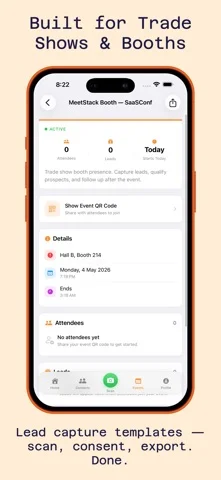
Forty cards took him about twenty minutes instead of the four hours he'd budgeted for a Sunday-night data entry session that, realistically, wasn't going to happen anyway. But the scanning was only half the win. The other half was what he did right after each scan.
Voice memos: the detail that actually saves the relationship
A scanned name and title tells you who someone is. It doesn't tell you why the conversation mattered. So after each card, Marcus tapped the voice memo button and recorded ten seconds while it was still fresh: "Sarah, VP of Ops at Renfield — mentioned they're evaluating new vendors in Q1, wants a demo before their budget cycle closes." Or: "Dave from the panel, we talked about his kid starting college, follow up with the article I mentioned about remote onboarding."
A business card tells you who someone is. A ten-second voice memo tells you why the conversation mattered.
That context is what actually separates a real follow-up from a generic "great meeting you!" email that gets deleted unread. Weeks later, when Marcus prepped for his follow-up calls, he wasn't guessing — he had his own voice reminding him exactly what to say and why it would land.
Never missing the follow-up window again
Marcus's old system, if you could call it that, was hoping he'd remember to follow up before the moment passed. It rarely worked. MeetStack's smart reminders changed that by attaching a suggested follow-up window to each new contact automatically, so instead of a vague mental note, he had a real nudge on the right day. For more on why timing matters this much, the guide on networking follow-up reminders breaks down exactly why the first week after an event is the window that decides whether a lead goes cold.
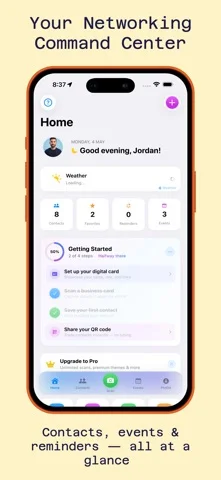
By the following Monday, his dashboard showed exactly who needed a nudge that day. No spreadsheet, no sticky notes on his monitor, no relying on memory that was already three conferences old by the time he circled back.
Handing out his own card instead of hunting for paper
The other shift happened at the next event. Instead of digging through his wallet for a card that was probably bent or three job titles out of date, Marcus shared his own digital card with a QR code and a tap — no app download required on the other person's end. He picked the Slate theme to match his company's palette, and it looked sharper than anything the print shop had made him in years.
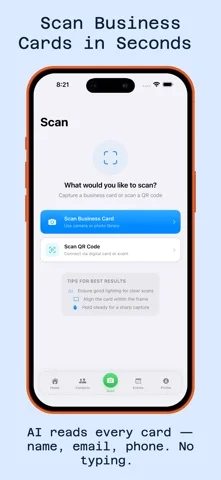
If you're curious about how the sharing side actually holds up in a crowded expo hall — signal issues, fast exchanges, that sort of thing — the deep dive on digital business cards and QR sharing covers it in more detail than fits here.
What changed by the next quarter
Three months later, Marcus had a searchable record of every serious contact from that conference, each one tagged with the context that mattered and a follow-up history he could actually reference in a second or third conversation. Two of those forty cards turned into signed deals. A handful more turned into ongoing relationships that wouldn't have survived the drive home in his old system, let alone a full quarter.
- Scan business cards on-site instead of carrying a stack home to sort later
- Record a quick voice memo right after each conversation, while the details are still sharp
- Let smart reminders decide when to follow up instead of relying on memory
- Share your own digital card by QR so you're never caught without one
- Review contact history before a second meeting so the conversation picks up where it left off
None of this required Marcus to become more organized as a person. It just meant the app did the remembering that used to fall through the cracks. If your own networking routine looks anything like his old one, the story of how another networker turned a trade show card pile into real follow-ups is worth a read, and the beginner's guide is a solid place to start if you're setting this up for the first time.
Common questions
Do I need a data or Wi-Fi connection to scan cards at an event?
What if I forget to record a voice memo right after meeting someone?
Is MeetStack only useful for big conferences?
This article was drafted with AI assistance and reviewed by a human editor before publishing.