New to Horse Care Diary Apps? Start Here With Hoofprint
New to tracking horse care on your phone? Here's what a horse care diary app actually does, what your first week looks like, and the exact steps to get started with Hoofprint.
What You'll Have After One Week With a Horse Care Diary App
By the end of your first week, you'll have a running log of daily notes for your horse, at least one health record saved, and one reminder set for something that's actually coming up — a farrier visit, a vaccination, or a deworming date. The whole setup takes about five minutes, and logging each day after that takes seconds.
An iPhone (Hoofprint works fully offline, no account needed)
Your horse's name and, if you have one, a photo
Any known upcoming dates — farrier, vet, vaccination, deworming, or dentist
Five quiet minutes to set things up
What is a horse care diary app, exactly
A horse care diary app is a digital version of the barn notebook and the sticky note on the fridge, combined. Instead of writing down when the farrier last came, or trying to remember which leg had the abscess, you log it once in the app and it stays there — searchable, dated, and backed by a reminder if it's the kind of thing that repeats. Hoofprint is built specifically for this: one tap to log today, a place for every health record, and reminders before things are due.
If you've never used one before, the learning curve is small. There's no dashboard to configure, no categories to invent. You open the app, you log what happened, and over time you end up with a record of your horse's whole year without having tried very hard.
Get started with Hoofprint, step by step
1
Step 1: Download Hoofprint and open it
Install the app and open it for the first time. There's no account to create and no login screen — you're straight into the app, and it works the same whether or not you have signal at the barn.
2
Step 2: Create your horse's profile
Add your horse's name and, if you'd like, a photo. This becomes the home for everything you log — their diary, their health records, and their lifetime stats. If you have more than one horse, add each one separately; Hoofprint keeps them distinct throughout.
3
Step 3: Log today in one tap
From the home screen, tap Log today. You can add a quick note, a photo, or an activity, or just tap and move on — a bare log still counts and still builds your streak. This is the habit the whole app is built around, so don't overthink the first entry.
4
Step 4: Add your first health record
Open the health records section and add something real — a recent vaccination, a deworming date, or a weight if you know it. You can attach a photo to any record. This is also where you'll see records grouped by type once you've added a few, which makes patterns easier to spot.
5
Step 5: Set a reminder for what's coming next
Pick the next thing on the calendar — farrier, vet, vaccination, deworming, or dentist — and set a reminder for it. You'll get notified before it's due, and you can mark it done right from the notification when the day comes, no need to open the app first.
6
Step 6: Check back in a few days and watch it fill in
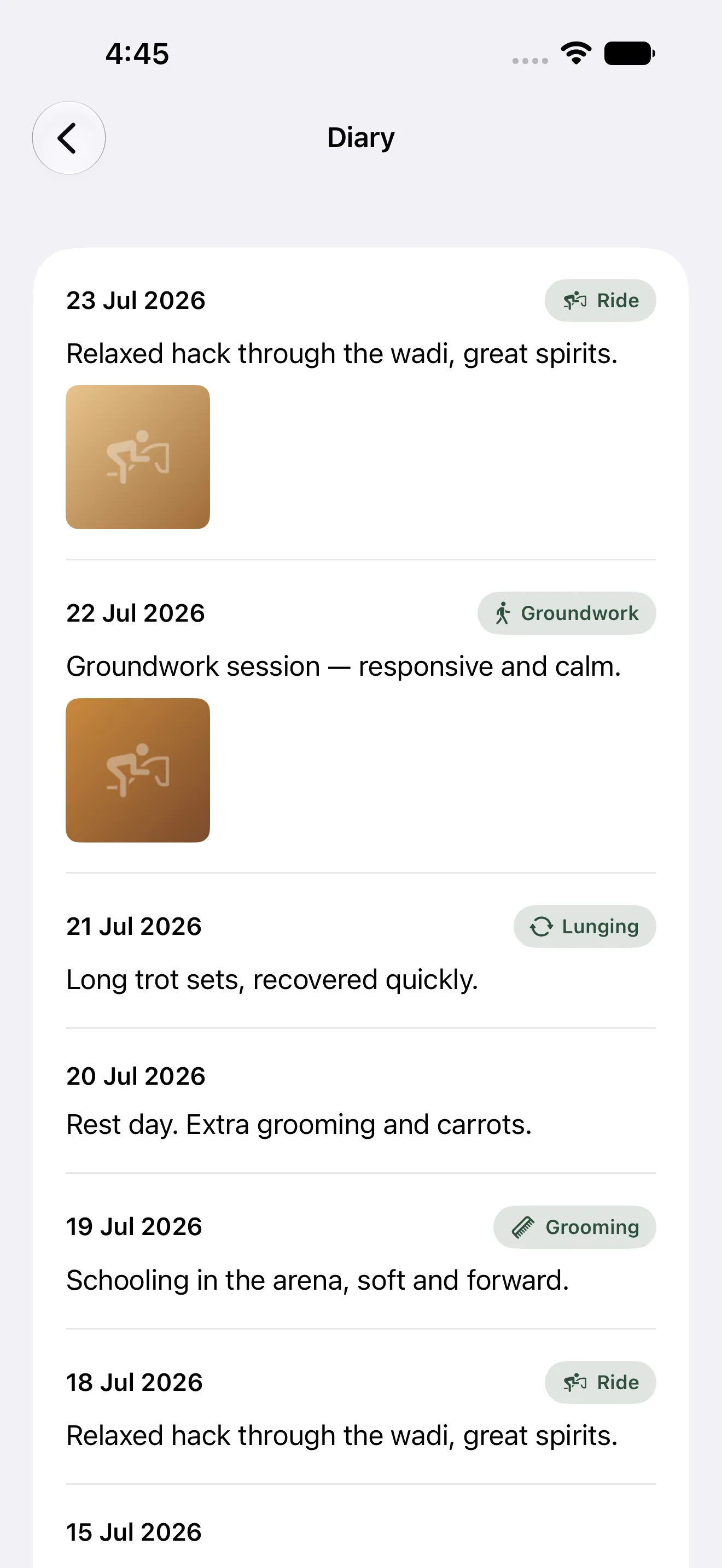
After three or four days of logging, open the diary timeline. You'll start to see your entries laid out with photos and activities in order, and it will already feel less like data entry and more like a story of your horse's week.
The diary timeline fills in day by day, with photos and activities in order
What to expect after the first week
Once you've logged for a week or two, the stats screen starts to mean something — weekly activity, weight trends, and a breakdown of records by type, all visible across every horse you've added. Reminders will have already saved you at least one "wait, when was the last deworming" moment. And if you're setting reminders without a clear sense of timing yet, our vaccination and deworming schedule guide and farrier schedule guide are good starting points.
For a more detailed walkthrough of setup, including reminder customization and the year-in-review export, see our 15-minute Hoofprint setup guide.
Common questions
Do I need an account or internet connection to use Hoofprint?
No. Hoofprint works fully offline with no account required. Everything stays on your device and syncs only through your own iCloud if you choose to use it across devices.
What if I have more than one horse?
Add a separate profile for each horse. Hoofprint tracks logs, health records, and stats individually per horse, while still letting you compare activity across all of them in the stats view.
What happens if I forget to log a day?
Hoofprint gives you a day of grace before a streak resets, so one missed day won't undo your habit. If you skip longer, you simply pick back up — there's no penalty beyond a broken streak.
Is Hoofprint available in Arabic?
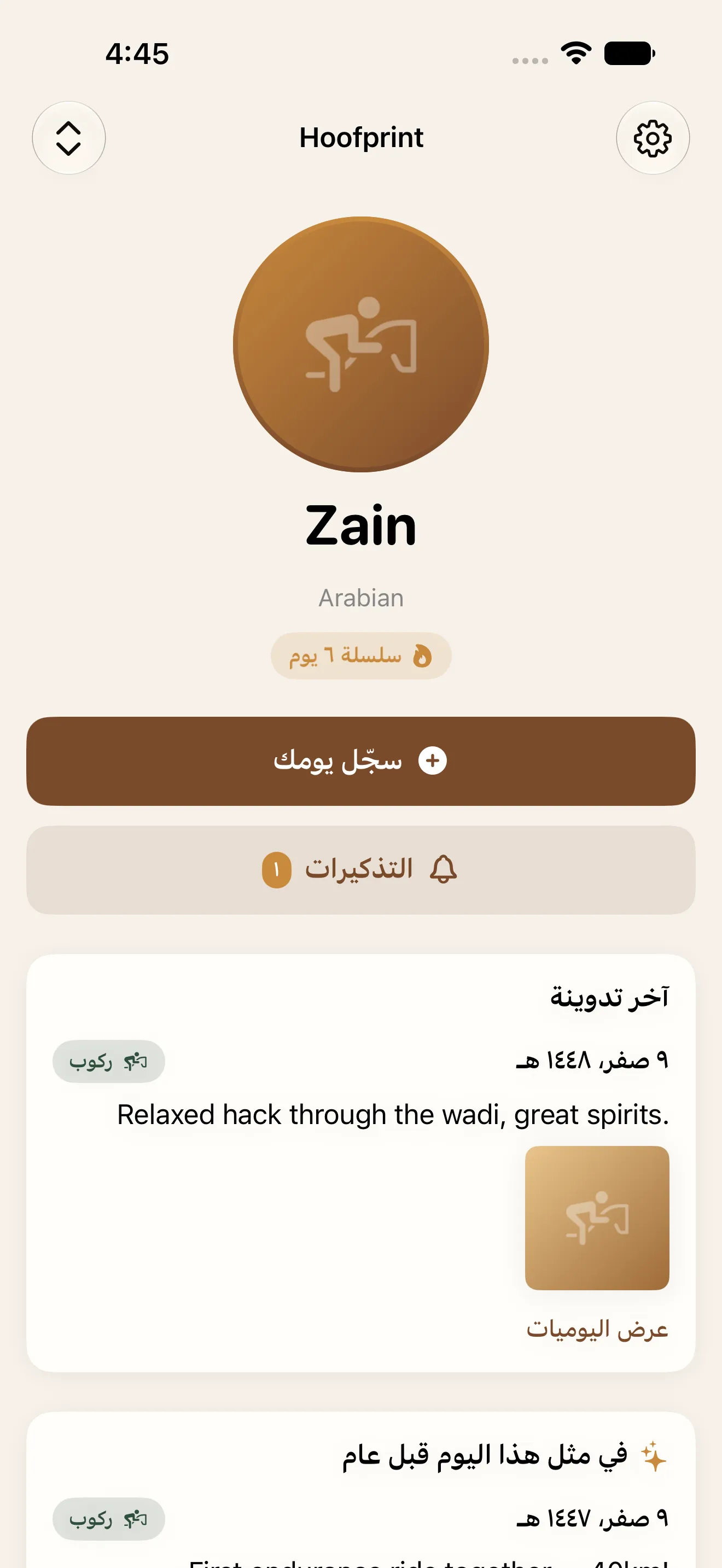
Yes, Hoofprint supports English and Arabic with full right-to-left layout, so the entire app reads naturally in either language.
Hoofprint's home screen in Arabic, with full right-to-left support