Camera roll cleanup doesn't have to feel like a chore. Phlash approaches it as a mindful habit—something you can finish in a few minutes most days, with enough smarts built in to catch the photos you actually want to keep. We've put together answers to the questions we hear most often about how the app works and what makes it different.
How does Phlash help you clean your camera roll?
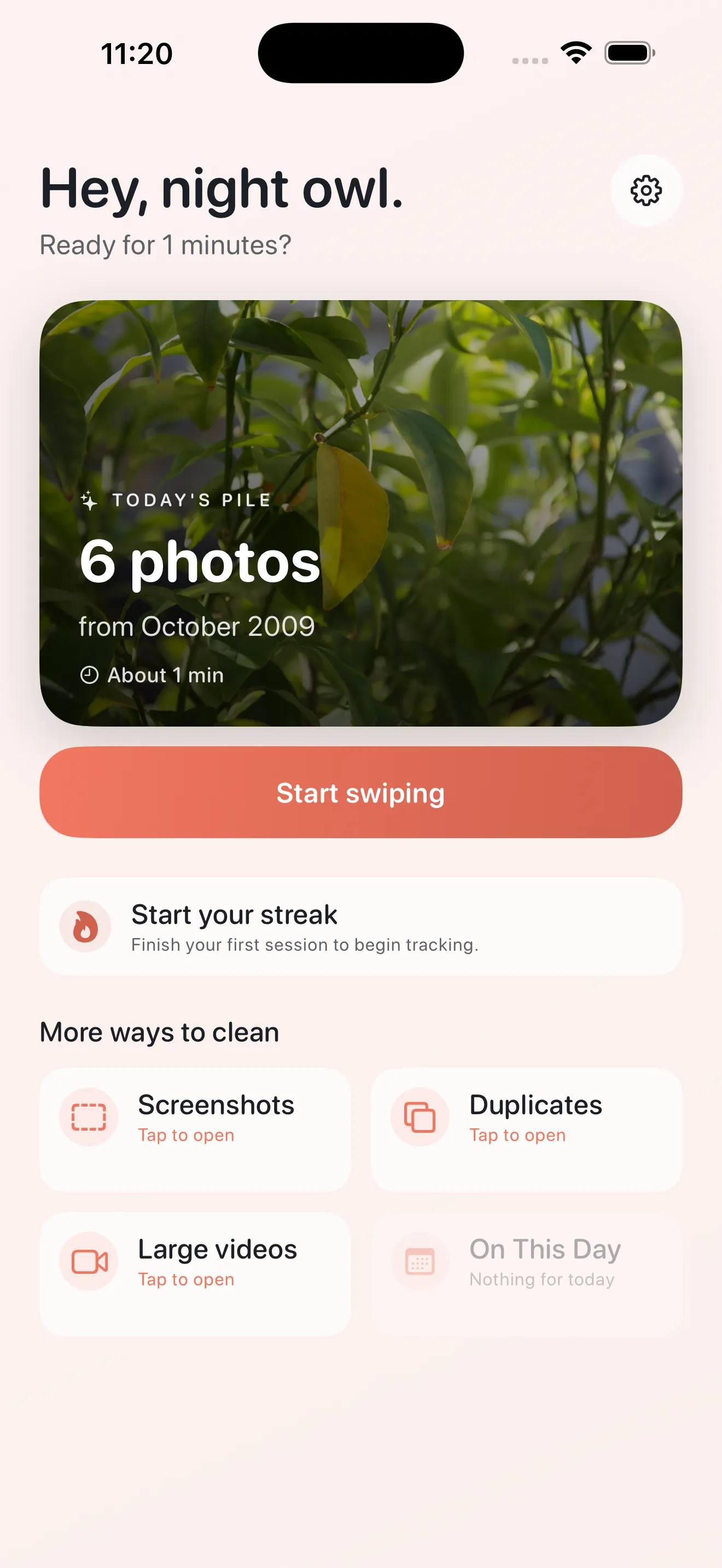
Phlash organizes your cleanup into focused, short sessions you can finish in about five minutes. Instead of scrolling endlessly through thousands of photos, you'll swipe through small daily piles grouped by type—today's best shots, screenshots, duplicates, large videos, and photos from this day in past years. Swipe to keep or delete, and your camera roll gets cleaner as you go, one calm session at a time.
What makes Phlash's swiping interface different?
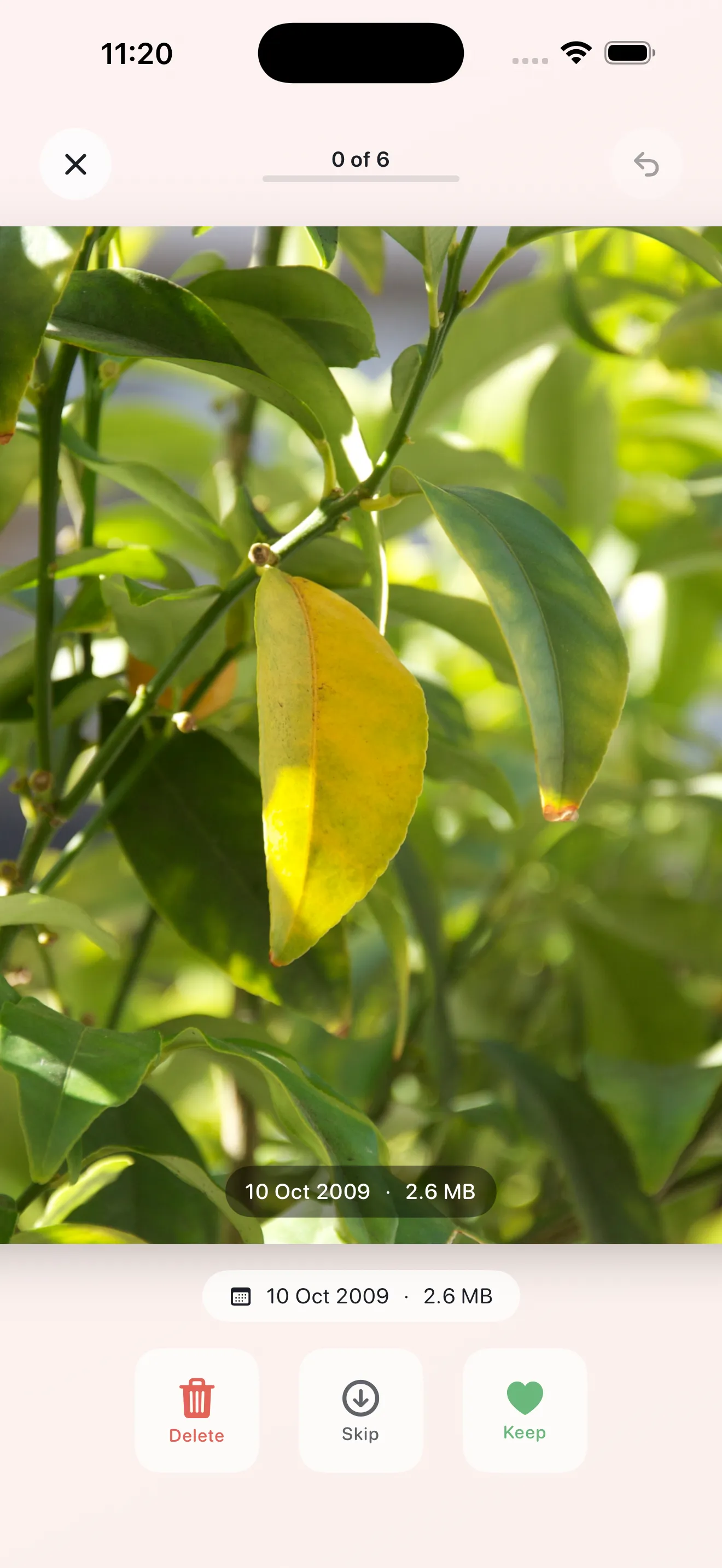
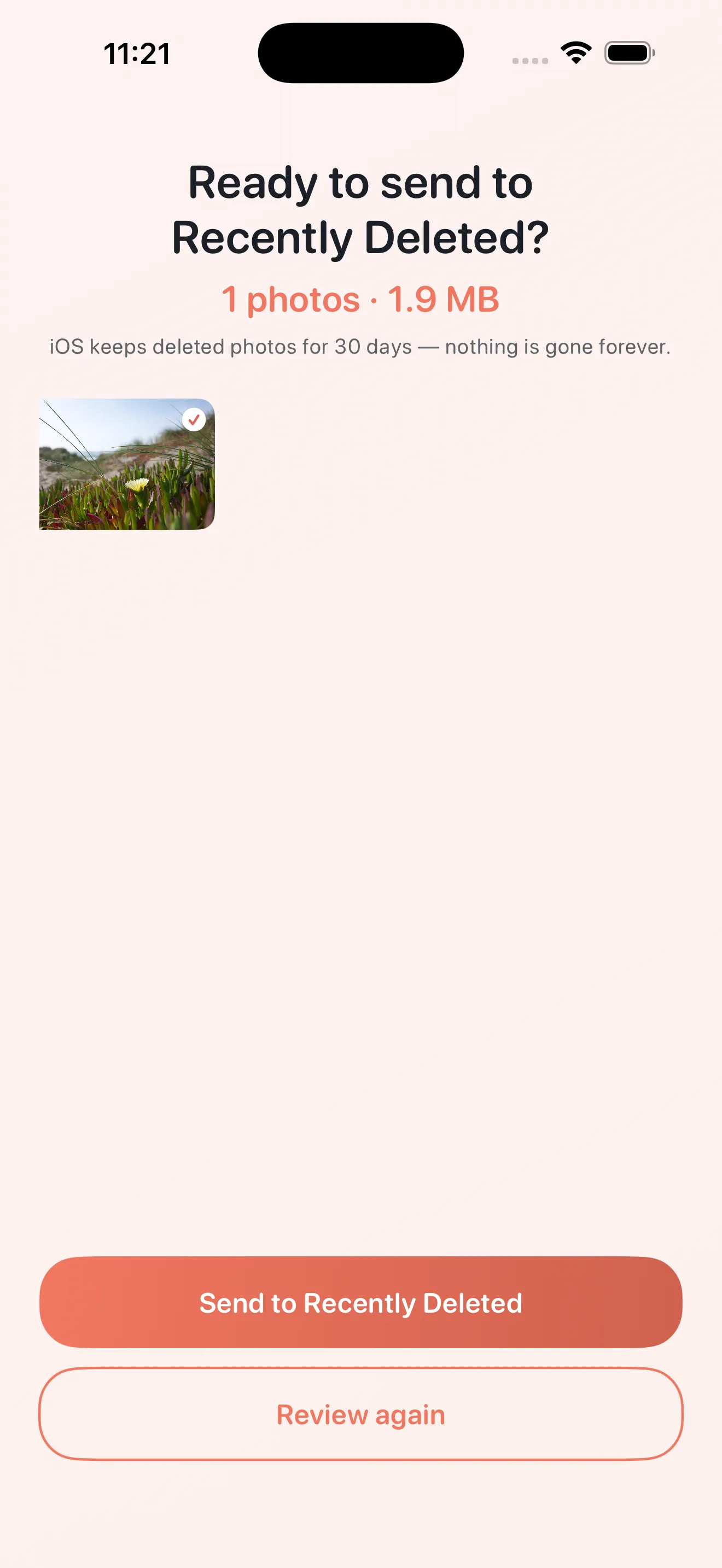
Swiping is the core of how you move through photos—it's faster and more intuitive than tapping. Left to delete, right to keep, or tap to skip. The feedback is gentle and immediate, so you stay in flow. There's no second-guessing or menu hunting. When you're done, you review what you've marked for deletion and confirm once more before anything leaves your library, so accidental deletes are nearly impossible.
Does Phlash use on-device processing or upload your photos?
Everything stays on your device. Phlash uses PhotoKit, Vision OCR, and perceptual hashing—all running locally on your iPhone. Your photos are never uploaded to a server for analysis or cleanup. That means your camera roll stays private, your phone runs faster, and you keep full control over what you keep and delete.
Your photos stay on your device. No uploads, no servers, no middleman.
What are the dedicated cleanup modes in Phlash?
Phlash includes four focused modes to tackle specific clutter without touching everything else. The Screenshots mode uses on-device OCR to identify and surface screenshots you've saved, so you can delete the ones you no longer need. Duplicates mode finds similar photos using perceptual hashing—handy for burst shots or accidental repeats. Large Videos surfaces your biggest video files so you can decide what's worth the storage. And On This Day pulls up photos from this date in past years, giving you a chance to rediscover old moments while decluttering. Plus, Today's curated pile gives you a small batch of your best shots from recent days to review.
How does the OCR feature work in Phlash?
The Screenshots mode uses on-device OCR (optical character recognition) to identify which photos in your library are actually screenshots, so you don't have to guess. Phlash reads the content of images locally, then groups screenshots together. You can then swipe through them in one go and delete the ones you've already acted on—old to-do lists, receipts, confirmation codes, that sort of thing. It's all processed on your phone, so your screenshot content never leaves your device.
What does Phlash Pro include?
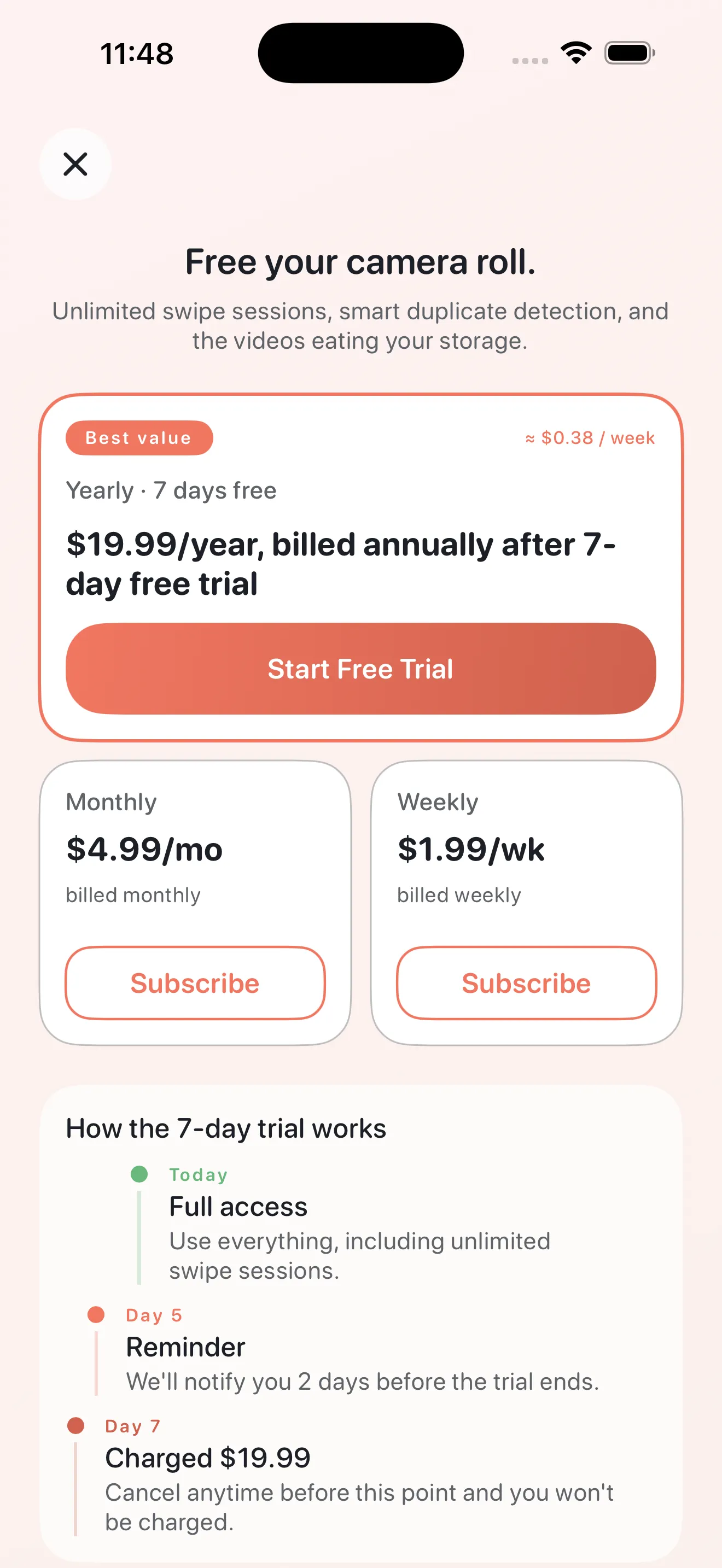
Phlash Pro unlocks unlimited access to all cleanup modes and removes any session limits, so you can clean as much or as little as you want each day. With the free version, you get a daily pile and a taste of each mode. Pro also includes priority support and new features as they ship. You can try Pro to see if it fits your cleanup style—Phlash is designed to work well for most people without a subscription, but some people prefer the freedom that Pro provides. For more details on getting the most out of your cleanup routine, check out our Phlash tips and tricks guide.
Is my data safe when I delete photos in Phlash?
Yes. Phlash includes a two-step confirmation before any photo is permanently deleted. When you finish a swipe session and mark photos for deletion, you can review exactly what's about to be removed. Then you confirm once more before anything leaves your library. This safety net means you won't lose a photo by accident. And since all processing happens on your device, there's no risk of data loss from a server issue or third-party service.
How often should you use Phlash to maintain a clean camera roll?
Phlash is built for daily or near-daily use, but in short bursts. A five-minute session every day or two tends to keep camera rolls tidy without ever feeling overwhelming. The idea is that small, consistent cleanup adds up—you're building a habit, not tackling a marathon. Most people find that a few minutes most mornings or evenings keeps the clutter from piling up again. If you want a structured approach, our cleanup checklist walks you through a good routine.
Small, consistent cleanup is easier to stick with than big purges.
Can Phlash find and remove duplicate photos?
Yes. Phlash's Duplicates mode uses perceptual hashing to find visually similar photos—burst shots, slightly different versions of the same moment, or near-identical images. It groups similar photos together and shows them in a swipe pile so you can keep the best one and delete the rest. Unlike simple pixel-by-pixel comparison, perceptual hashing catches duplicates even if the image has been slightly cropped, rotated, or compressed.
This article was drafted with AI assistance and reviewed by a human editor before publishing.