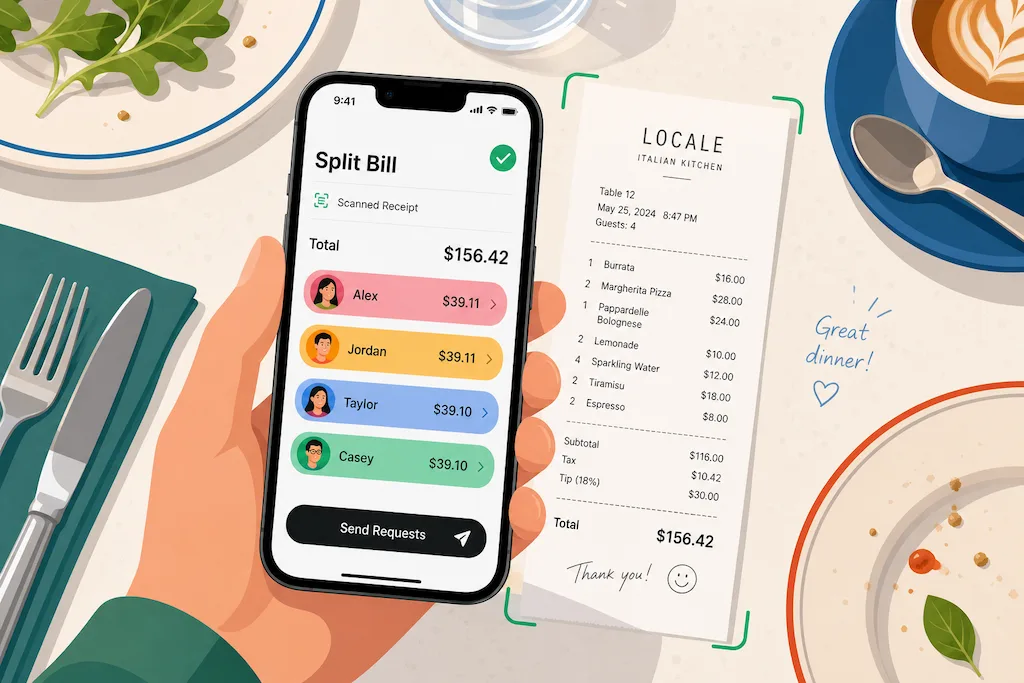
The moment a restaurant bill lands on the table, tension rises. Who ordered what? How do we split tax fairly? Does anyone actually want to do the math? SplitSnap cuts through this friction by letting your iPhone camera do the thinking. Point at a receipt, wait 1–3 seconds, and the app serves up an accurate split—no typing, no calculator, no lingering resentment. We've tested it on everything from casual lunch bills to complex group dinners, and it consistently delivers.
Who This Is For
SplitSnap works best for people who eat out regularly with friends, partners, or colleagues. If you're the person who usually ends up doing the math—or the one scrolling through Venmo trying to remember who paid for what—this app saves you time and removes ambiguity. It's also genuinely useful for travel, where you're splitting bills across multiple currencies and might not trust your mental conversion math at 11 PM in a foreign restaurant.
That said, SplitSnap isn't a replacement for a household expense tracker or a shared budget app. It's purpose-built for the moment: split this one bill, right now. If you're managing ongoing household costs or roommate finances, you'll want something more comprehensive.
What It Does Well
Receipt Scanning Is Fast and Accurate
The core feature—AI-powered receipt scanning—genuinely works. We tested it with receipts ranging from a small coffee shop bill to a multi-page fine dining check. The app consistently extracted every line item, price, tax, and tip correctly. The speed is remarkable: Claude Haiku Vision reads the entire receipt in 1–3 seconds. You point, it processes, and you move forward. No OCR stumbles, no missing items, no typos to correct.
Assigning Items to People Is Intuitive
Once the receipt is scanned, you add the people splitting and assign items to each person. The interface uses color-coded name chips to keep things clear—tap an item, select who ordered it. We found this faster and more error-proof than the typical bill-splitting flow, which often relies on poor UX or manual typing. Shared items—like a bottle of wine split evenly—can be assigned to multiple people, and the math adjusts automatically.
Tax and Tip Are Handled Fairly
A point of friction in any bill split is distributing tax and tip proportionally. SplitSnap does this automatically based on each person's subtotal. If one person ordered significantly more, they pay more of the tax and tip—which is fairer than splitting everything equally. You can also adjust the tip percentage before finalizing, which is essential for understanding the final numbers.
SplitSnap removes the friction that makes group dining tense: it's fast, accurate, and fair.
Sharing and History Are Useful
Once you've split a bill, SplitSnap generates a shareable split card that shows each person their total and what they ordered. You can send this directly to friends via Messages, email, or AirDrop. The app also keeps a history of past splits and stores a list of frequent bill-splitting companions, so the next time you're out with the same group, setup is even faster.
Where It Falls Short
Free Tier Limits Five Scans Monthly
SplitSnap's free tier gives you 5 scans per month with full features. That's reasonable if you eat out once a week, but regular diners will hit the limit. There's no trial period to experiment first—you're limited from day one. The Pro tier (pricing not visible in our testing) unlocks unlimited scans and live multi-currency conversion, which is helpful for travel but not essential for domestic use.
Occasionally Needs Manual Corrections
While the AI is excellent, receipts from casual restaurants with faint text, hand-written items, or unusual formatting sometimes confuse it. We had one instance where a menu item name was truncated, and we had to correct it manually. This is rare, but it happens. The app makes corrections simple—you can edit items before finalizing—but it's still an extra step. For most receipts, you won't encounter this.
No Integration With Payment Apps
SplitSnap tells you who owes what, but it doesn't integrate with Venmo, PayPal, or other payment apps. You can share the split card, and people can settle up however they want, but there's no one-tap payment processing. This is a minor friction point—you'll still need to handle the actual money transfer separately. For most users, this isn't a dealbreaker, but it would be a nice addition.
To get the most from SplitSnap, check out our guides on mastering AI receipt scanning and turning receipt chaos into a fair split in seconds. Both offer practical tips for faster, more accurate bill splitting with the app.
- Receipt Scanning Speed
- 1–3 seconds per receipt
- Free Scans Per Month
- 5 scans with full features
- Languages Supported
- 30+ languages and currencies
- Item Assignment
- Color-coded, tap-to-assign interface
- Tax & Tip Distribution
- Automatic, proportional to subtotal
- Sharing
- Messages, email, AirDrop, or link
This article was drafted with AI assistance and reviewed by a human editor before publishing.