Cleaning your camera roll doesn't have to feel like a chore. Phlash breaks it into short, manageable sessions where you swipe to keep or delete photos. All the cleanup—OCR for screenshots, duplicate detection, video analysis—happens on your device, so your photos never leave. Here's how to build a sustainable cleanup habit and make the most of each focused session.
Start with Today's Curated Pile
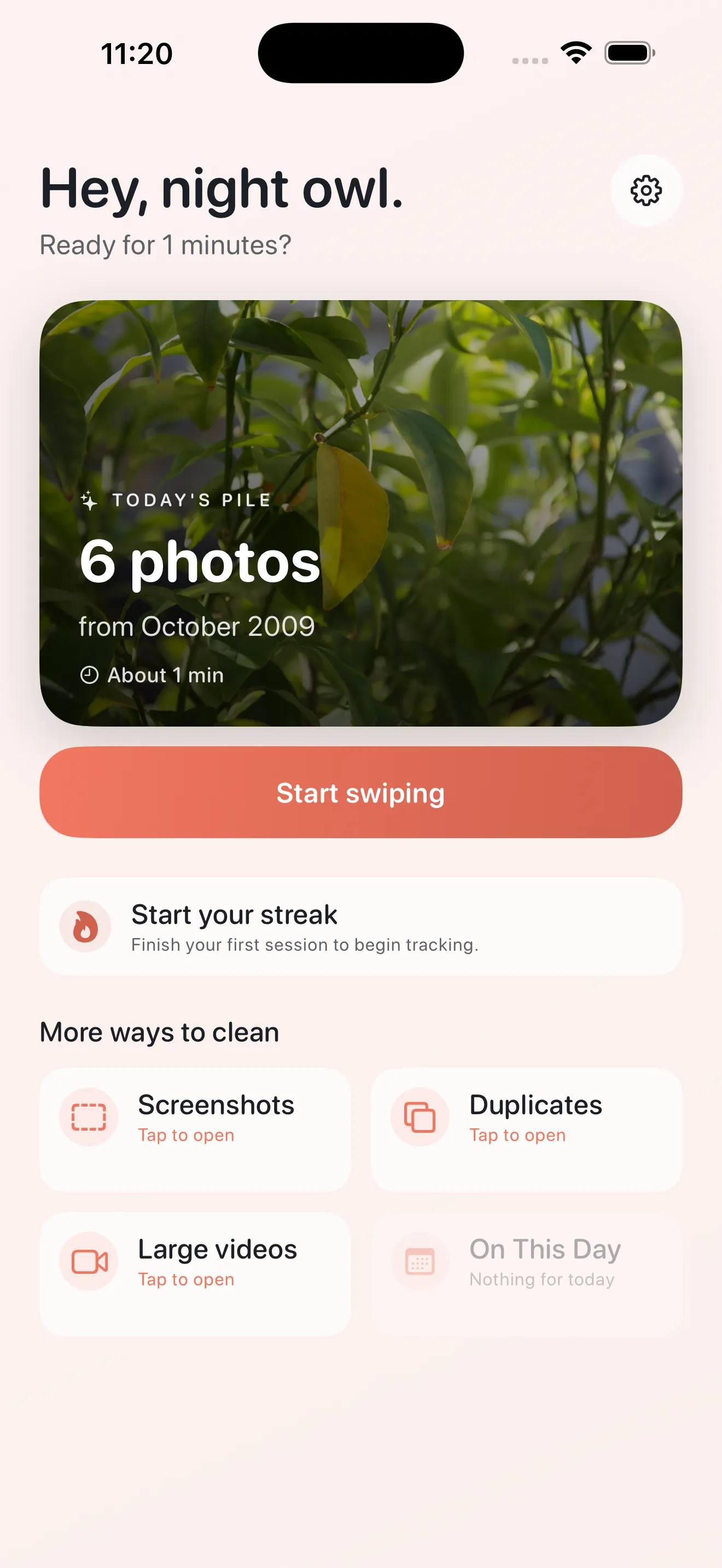
Every time you open Phlash, you'll see Today's cleanup pile: a hand-picked selection of photos ready to swipe through. This pile is designed to finish in a few minutes, so you can make real progress without committing to an hour-long session. The key is consistency. A quick cleanup today, another tomorrow, and soon your camera roll stays organized without the dread of a massive cleanup project later.
Use Focused Modes to Target Problem Areas
Phlash includes four focused cleanup modes, each designed to handle a specific type of clutter. Instead of swiping through hundreds of random photos, you can zero in on the photos that actually need decisions.
Screenshots
Screenshots pile up fast. Phlash uses on-device OCR to read the text in every screenshot, so you can search for specific content or quickly identify old ones you no longer need. Batch through them in one focused session and reclaim real storage space.
Duplicates
Phlash uses perceptual-hash detection to find duplicate photos—even ones that are slightly different sizes or have minor edits. You'll see them grouped together, making it easy to keep your best version and delete the rest in one go.
Large Videos
Large video files are storage killers. Phlash identifies your biggest videos so you can decide what stays. Delete the ones you'll never watch, and your available storage climbs immediately.
On This Day
Looking for a lighter cleanup session? On This Day surfaces old photos from past years, giving you a moment to revisit memories. You can delete the ones that don't matter and keep the ones that bring you back.
Master the Swipe Gesture
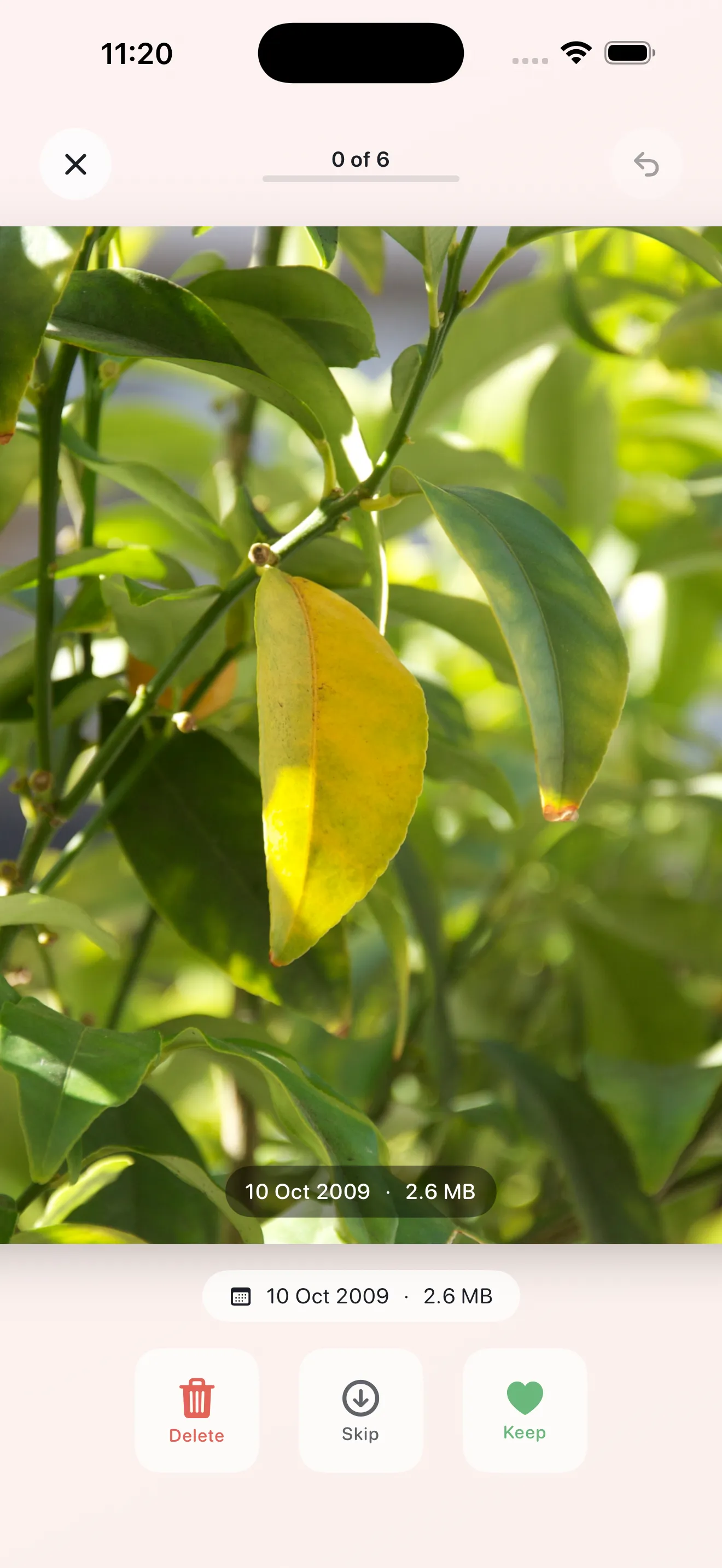
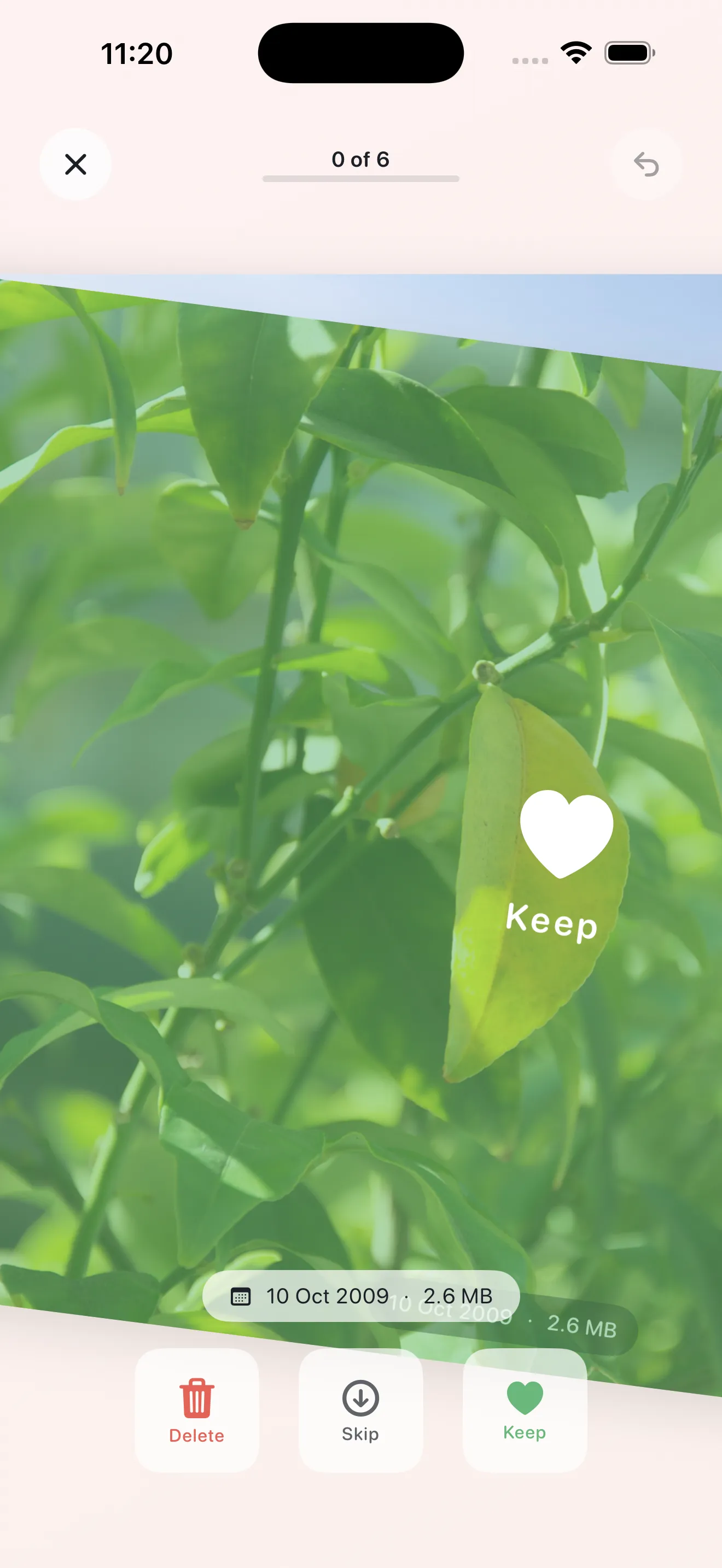
The core of Phlash is simple: swipe left to delete, right to keep, up to skip. But a few small habits make swiping faster and more confident.
- Swipe decisively. You don't need to think deeply about every photo—if you haven't looked at it since it was taken, it's probably safe to delete.
- Use skip sparingly. Skip is for photos that need more context (like a blurry shot you're not sure about). Coming back to skipped photos later is still faster than rehashing them mid-session.
- Embrace the rhythm. After a few swipes, the gesture becomes muscle memory. You'll fall into a steady pace that feels natural.
A quick cleanup today, another tomorrow, and soon your camera roll stays organized without the dread of a massive cleanup project later.
Trust the Safety Net Before Permanent Deletion
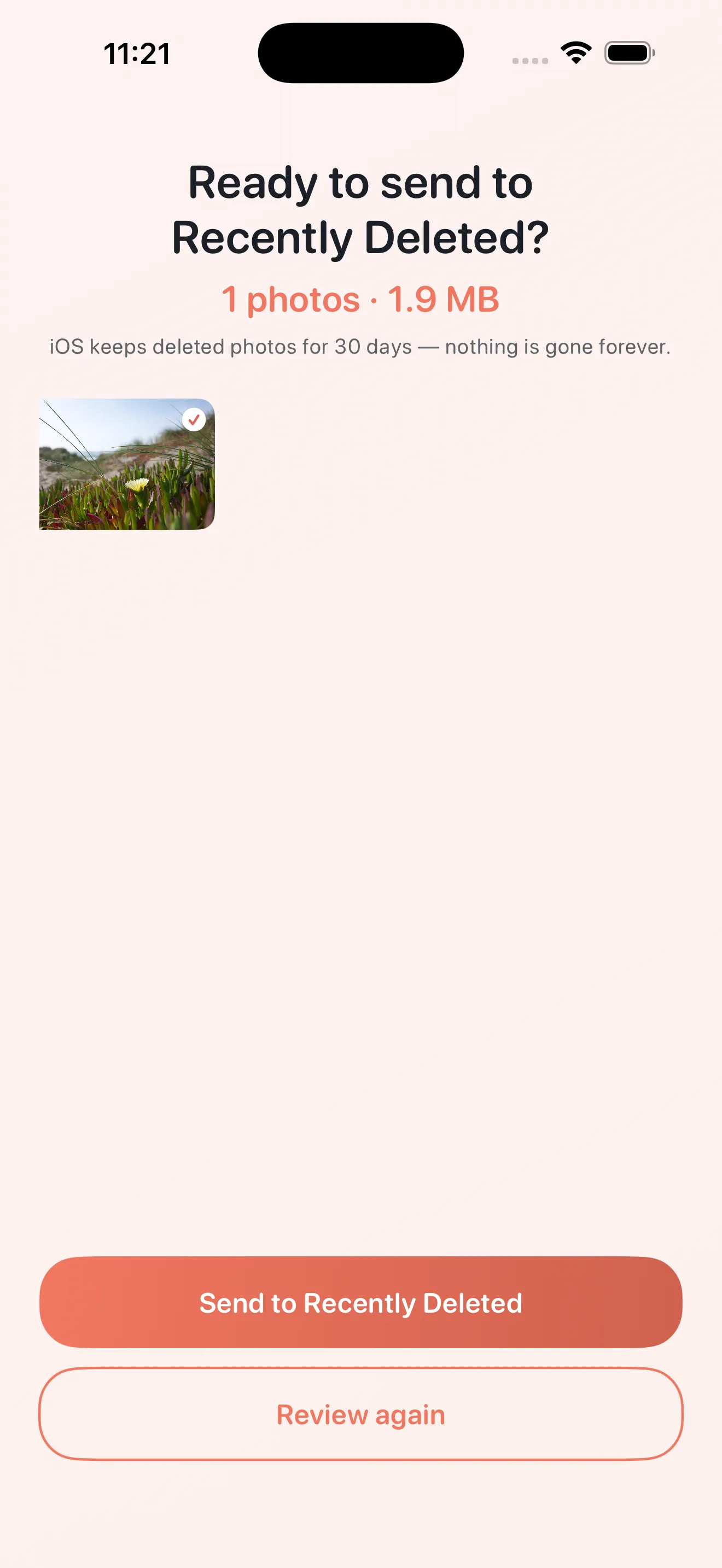
Phlash includes a review screen before any photo is permanently deleted. After you finish a swipe session, you'll see a summary of what you marked for deletion. This gives you one last chance to undo a hasty swipe if you spot something you want to keep. Once you confirm, the photos move to your iPhone's Recently Deleted album, where they stay for 30 days—so you can recover them if you change your mind later.
All Processing Stays on Your Device
One of Phlash's core promises is privacy. Every bit of cleanup analysis—OCR for screenshots, duplicate detection, video file analysis—happens locally on your iPhone using PhotoKit, Vision, and on-device hashing. Your photos never leave your device, so you never have to worry about uploads or third-party processing. This also means cleanup works offline, and it's fast because there's no network round-trip.
If you're just getting started, check out our beginner's guide to Phlash for a full walkthrough of setup and onboarding. For more strategies on managing your photo library, see your Phlash photo cleanup checklist.
This article was drafted with AI assistance and reviewed by a human editor before publishing.