What's the best approach to cleaning a camera roll?
Every camera roll eventually becomes a problem to solve, and everyone solves it differently. Some people scroll and tap delete for an hour once a year. Some hand the job to an app that promises to sort everything automatically. Some try to power through the whole library in one sitting. None of these are wrong, exactly—they're just built for different people and different tolerances for risk. Understanding the categories makes it easier to pick one that actually sticks.
Should you clean photos manually or use an app?
Manual cleaning works fine for a light library but breaks down fast once you're past a few thousand photos. Scrolling through the Photos app, long-pressing to select, and deleting in batches gives you full control, but there's no system finding duplicates or flagging the forty near-identical screenshots you took of a receipt. It's also the easiest method to abandon halfway through, since nothing tracks progress or breaks the job into sessions you can actually finish.
Is a cloud-based photo cleaner safe for private photos?
It depends entirely on where the analysis happens, and with cloud-based sorters, your photos typically leave the device to get processed. That might be fine for some people, but it's a real trade-off if your camera roll includes documents, kids, or anything you'd rather keep local. On-device tools avoid this entirely—Phlash runs PhotoKit, Vision OCR, and perceptual hashing directly on your iPhone, so nothing about the cleanup process requires uploading your library anywhere.
What's the difference between bulk auto-delete and swipe-based cleaning?
Bulk auto-delete tools try to clear everything in one long session, which sounds efficient but usually leads to fatigue-driven mistakes or an app you close halfway through and never reopen. Swipe-based cleaning breaks the same decisions into smaller, deliberate moments—keep, delete, or skip, one photo at a time. Phlash leans into short piles designed to finish in a few minutes, so progress compounds daily instead of requiring a single marathon pass.
Do on-device apps actually detect duplicates and screenshots well?
Yes, on-device detection can be just as capable as cloud processing for these specific jobs. Perceptual hashing compares images for visual similarity without needing to send them anywhere, and Vision OCR can read text in screenshots locally to help group and identify them. Focused modes for screenshots, duplicates, and large videos turn a vague mess into a series of specific, finishable piles rather than one undifferentiated pile of everything.
How long should a photo cleaning session take
A good session is short enough to finish without dread, which for most people means five minutes or less. Long sessions are where cleanup habits go to die—you start ambitious and quit exhausted, then avoid the app for a month. Today's curated swipe pile in Phlash is built around that daily rhythm, giving you a defined stopping point instead of an open-ended chore.
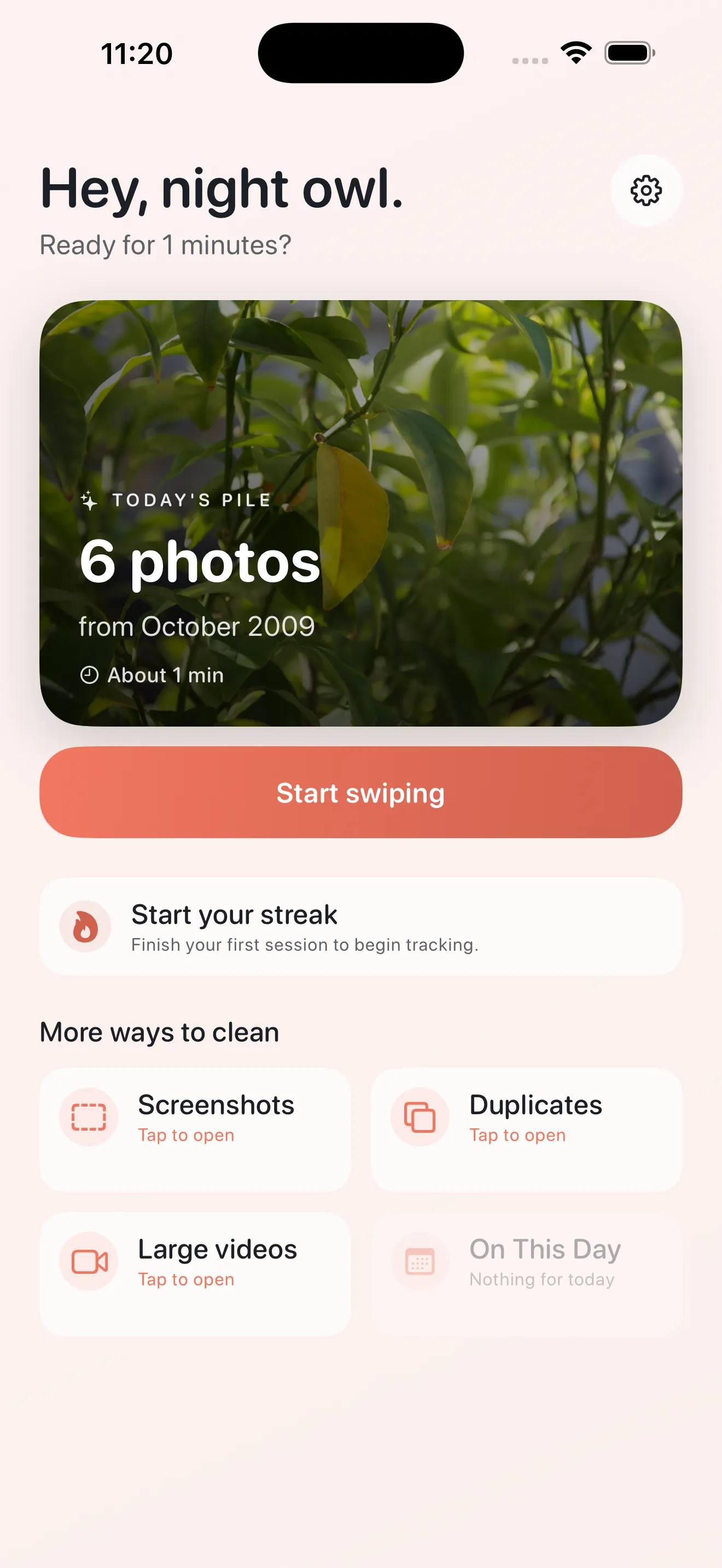
- Manual scrolling and deleting
- Free but slow, easy to burn out, misses duplicates and old screenshots
- Cloud-based auto-organizers
- Convenient AI sorting, but your library often leaves the device to be processed
- Bulk swipe-everything apps
- Fast in theory, but long sessions with no safety net invite mistakes
- Mindful on-device sessions (Phlash's approach)
- Short daily piles, on-device OCR and hashing, a review step before anything is deleted
The best cleanup method is the one you'll still be doing in three months, not the one that promises to finish everything today.
What happens to photos after you swipe delete in Phlash
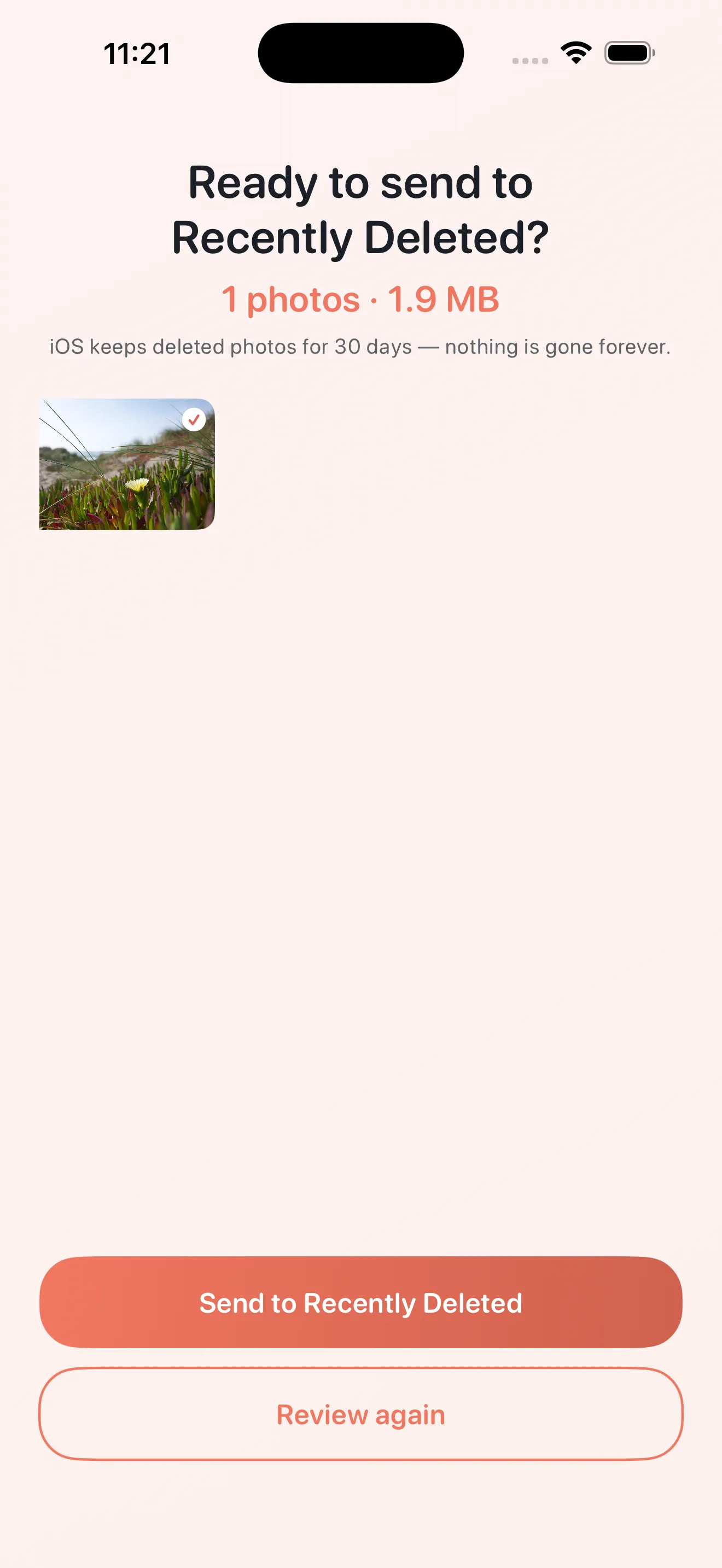
Nothing disappears the instant you swipe. Deletes queue up into a review screen where you confirm the batch before it's final, which acts as a safety net against a fast finger or a change of heart. This review step is one of the clearer dividing lines between approaches—some apps delete on first swipe, others make you double-check first. For a full walkthrough of a first session, see Get started with Phlash: your first cleaning session.
Common questions
Is it safe to let an app delete my photos automatically?
Do I need to upload my photos to clean up my camera roll?
What's the fastest way to find duplicate photos on iPhone?
How do I stop screenshots from cluttering my camera roll?
Can I get my photos back after deleting them in a cleaning app?
How much iPhone storage can cleaning up photos actually free up?
This article was drafted with AI assistance and reviewed by a human editor before publishing.