
A to-do list tells you what needs doing. It never tells you when, or whether it's even possible before dinner. DayBox was built to close that gap — not by adding more features to a list, but by building an entire daily rhythm around one honest question: what actually happened to my time?
The problem with most to-do lists
Open almost any task app and you'll see the same thing: a stack of items with no relationship to the clock. Twelve tasks look equally doable whether each takes ten minutes or two hours. That's how a reasonable-looking list turns into an impossible afternoon. Timeboxing exists to fix this by forcing every task onto a timeline next to the meetings and commitments already claiming your hours.
DayBox takes that idea and makes it the entire app, rather than a feature bolted onto a task list. The timeline and your calendar share one view. There's no separate mode for "planning mode" versus "reality mode" — you're always looking at the same day everyone else on your calendar sees.
Five steps, one loop
DayBox organizes itself around a simple daily rhythm: capture, prioritize, schedule, focus, and reflect. Each step is small on its own, which is the point — a planning system that takes twenty minutes to operate every morning gets abandoned by Thursday.
- Capture — everything goes into the Inbox first, no sorting required upfront.
- Prioritize — pick your Big 3 for the day so the plan has a spine before it has detail.
- Schedule — drag tasks from the Inbox onto the timeline, sizing each block to the estimate you gave it.
- Focus — run a timer per block instead of a single generic countdown.
- Reflect — compare what you planned against what actually happened, and adjust tomorrow.
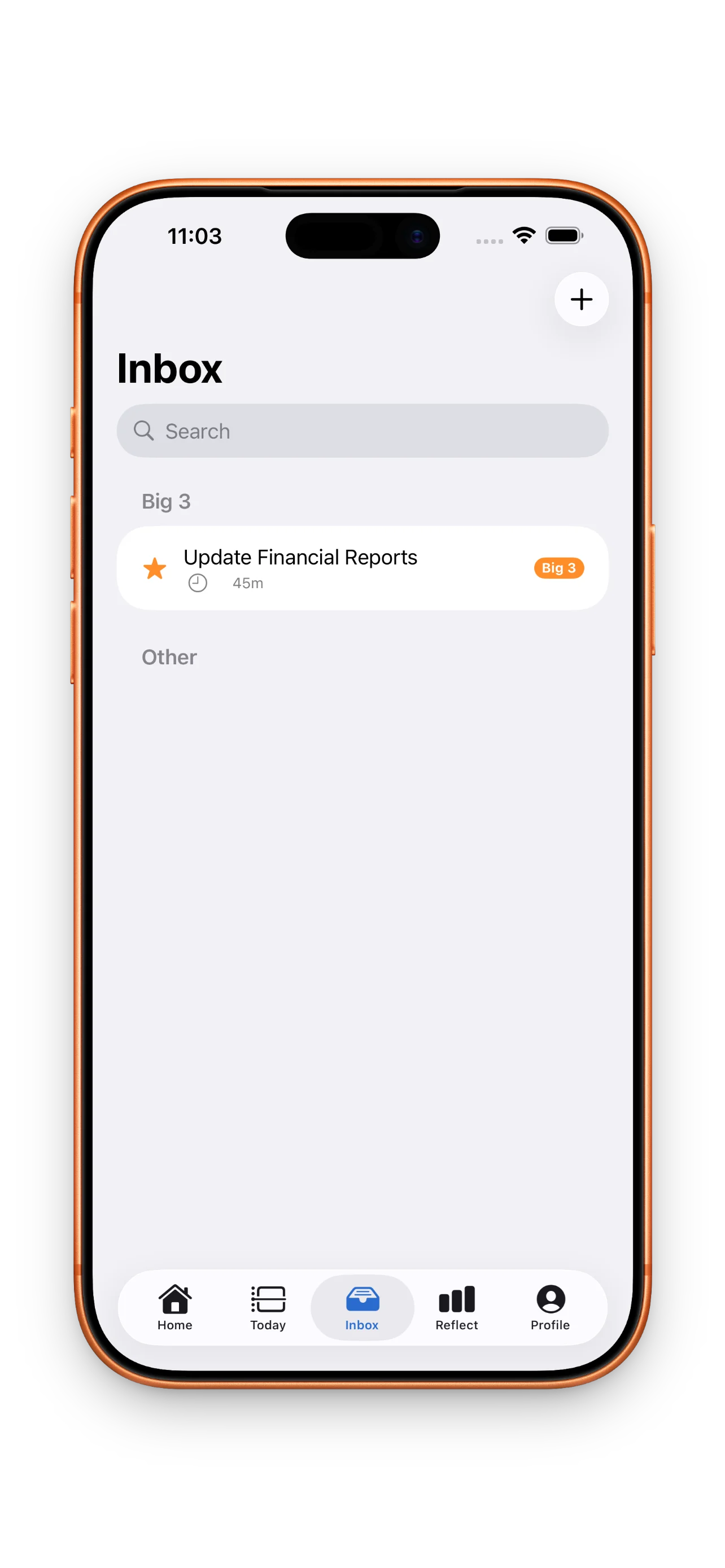
The Inbox matters more than it looks. It gives you permission to write something down without deciding, right then, when it happens. Prioritization and scheduling come later, as separate steps — which keeps the initial capture fast and frictionless.
Why reflection is the feature nobody else builds
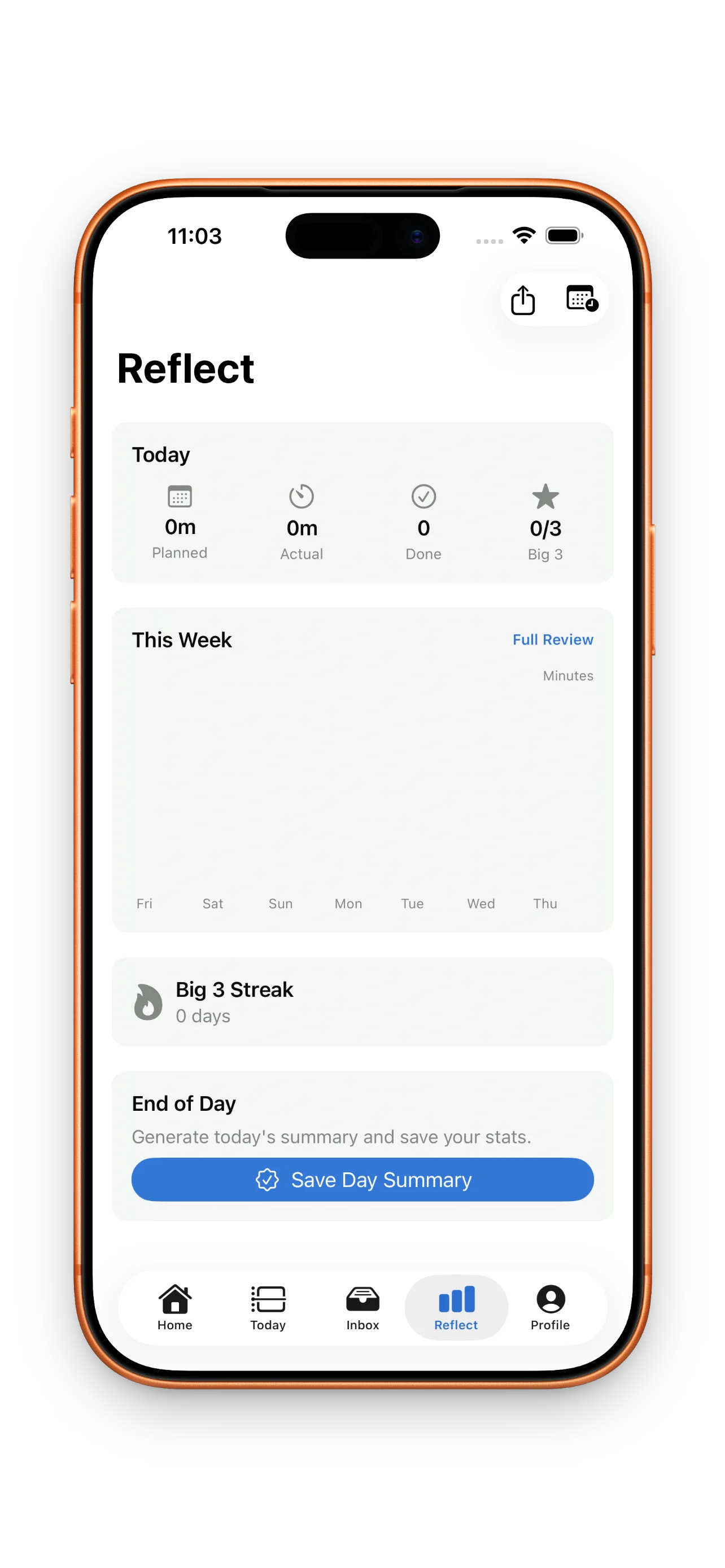
Most planning apps end at the schedule. You build the plan, the day happens, and the app never asks what actually occurred. DayBox treats that gap as the most valuable data point in the whole system. Every block gets a planned duration and an actual duration, and the app puts them side by side instead of quietly discarding the difference.
A schedule you never check against reality is just a guess with a nicer font.
This is where the habit compounds. If your writing block consistently runs forty minutes over what you planned, that's not a failure — it's information you can act on tomorrow. Reflecting on planned versus actual time is how estimates get sharper over weeks instead of staying wishful forever.
Big 3, streaks, and the psychology of showing up
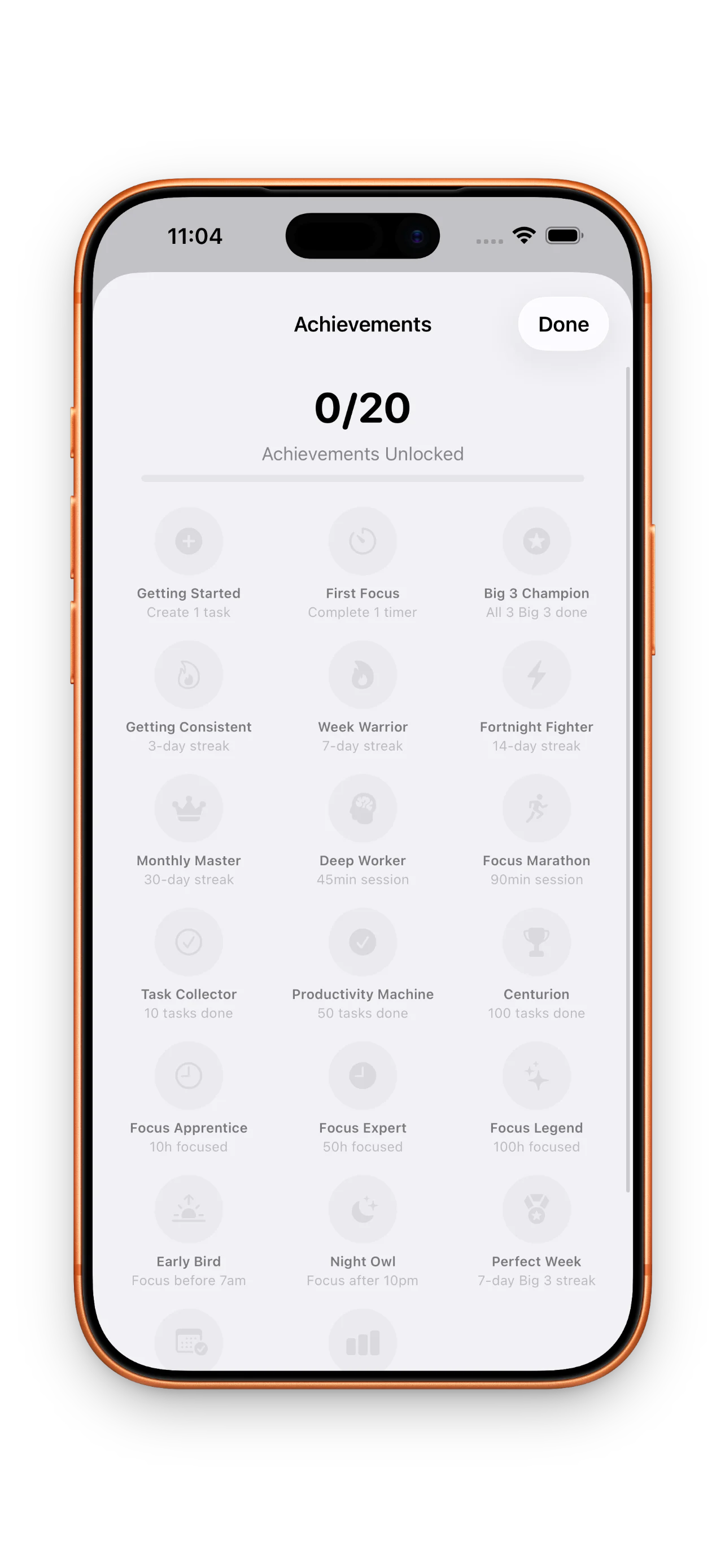
Underneath the timeline, DayBox tracks three kinds of streaks: planning, Big 3 completion, and focus sessions. None of them require a perfect day. Planning streaks reward the act of sitting down and building tomorrow's timeline, whether or not every block gets finished. That distinction matters — a habit built on perfection breaks the first time life gets messy.
Big 3 priorities work the same way the reflection loop does: they force a decision before the noise of the day fills every open slot. Pick three things that actually matter, schedule them first, and everything else fits around them instead of competing with them.
Making the timeline actually usable
None of this works if rescheduling feels like punishment. Meetings move, calls run long, and a rigid plan just generates guilt. DayBox lets you drag a block to a new slot the moment reality shifts, and the timeline updates without asking you to rebuild the day from scratch.
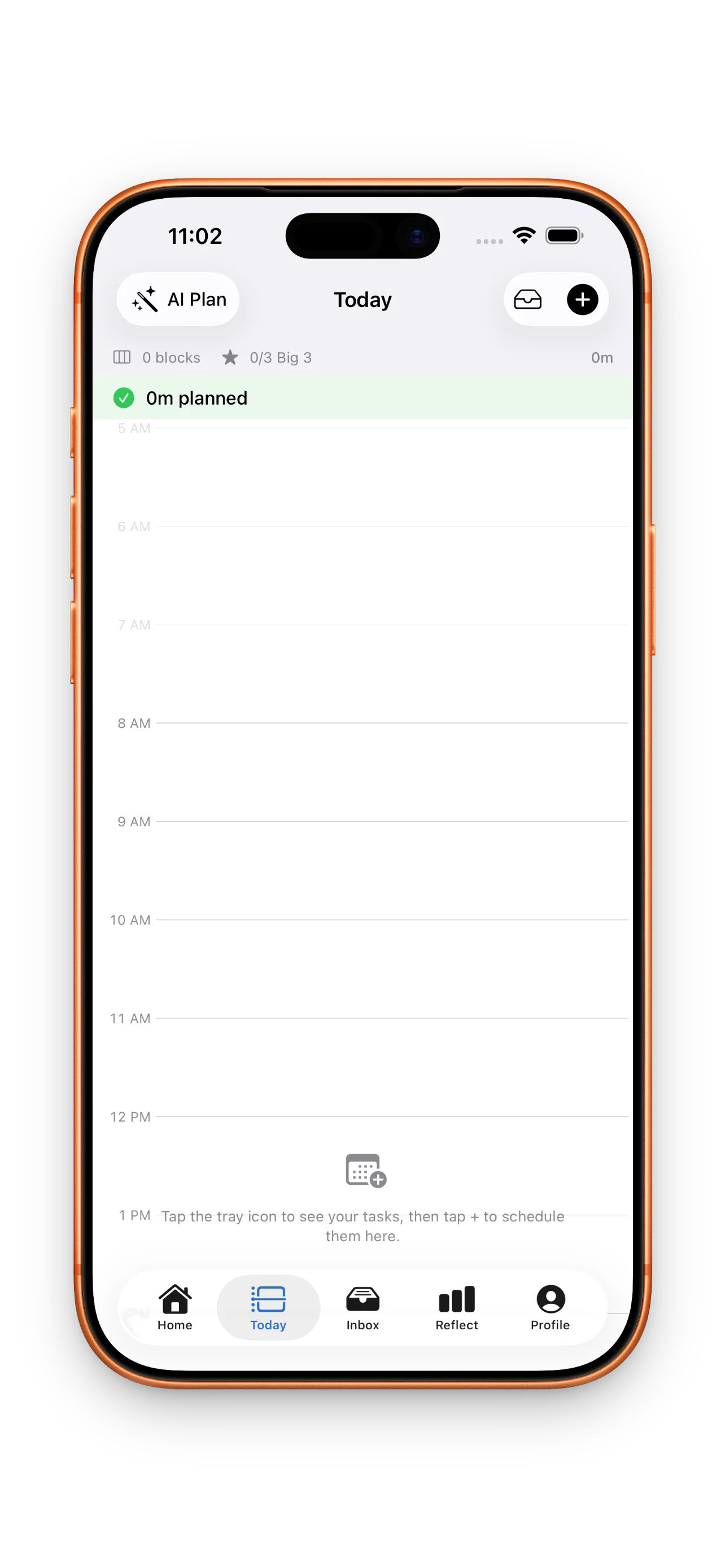
If you're setting this up for the first time, walking through your first day with DayBox is the fastest way to see the capture-to-reflect loop in motion rather than reading about it in the abstract.
Common questions
Do I have to use the Big 3 feature?
What happens if I don't finish a block?
Is this only for people who already like structured planning?
This article was drafted with AI assistance and reviewed by a human editor before publishing.